82 Allegro 2 Rugged Handheld Owner’s Manual
Set up the GSM Modem
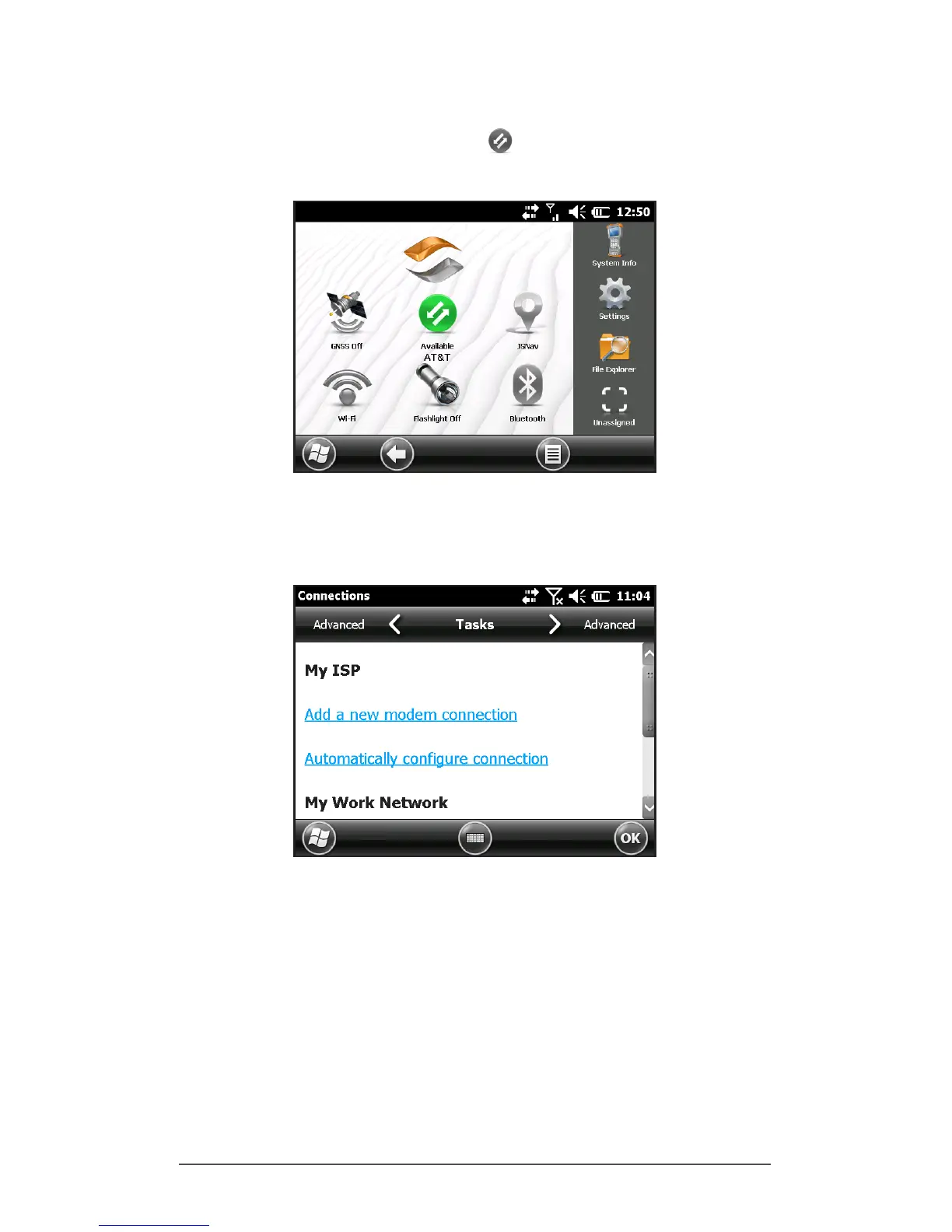
Tap on the 3G modem gadget . After about 30 seconds it
turns green, indicating that the modem is available.
Once the modem is available, congure it to make a
connection. Tap and hold the modem gadget to open the
Connections control panel.
Select Automatically congure connection. The name of
your carrier appears. Select Next. A progress graphic is
shown on the next screen while your Internet settings are
congured.
You can now access the Internet. Open Internet Explorer to
test your setup.



 To Next Page