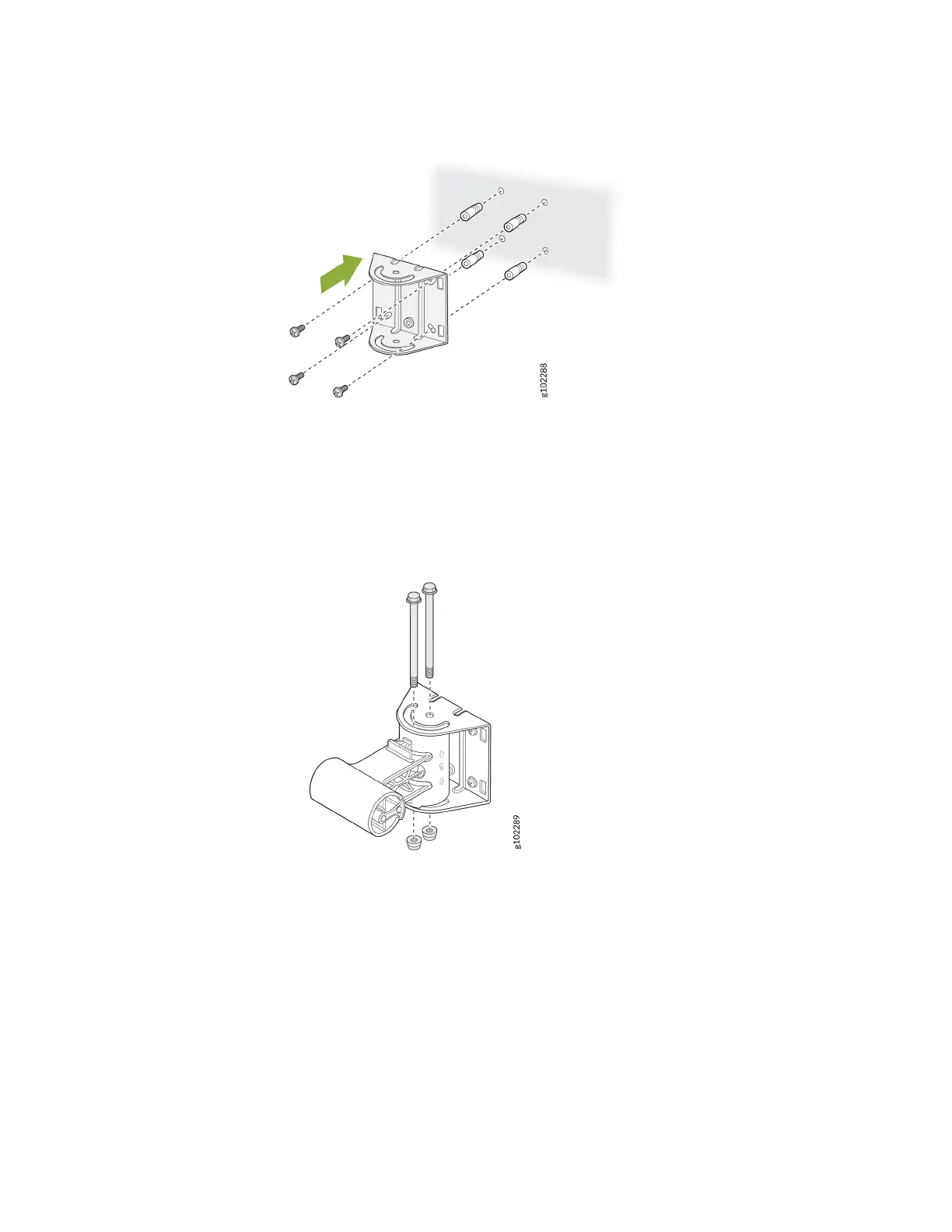
Figure 17: Install the APOUTBR-ART2 Mounng Bracket 1 on a Wall
3. Aach the APOUTBR-ART2 mounng bracket 2 to the mounng bracket 1 by using two bolts and
nuts. Orient the side with "← UP → " as shown in Figure 18 on page 20.
Figure 18: Aach the APOUTBR-ART2 Mounng Bracket 2 to the Mounng Bracket 1
4. Aach the APOUTBR-ART2 mounng bracket 3 to the AP64 by using the four M6 screws, washers,
and lock washers provided along with the AP.
20



 To Next Page