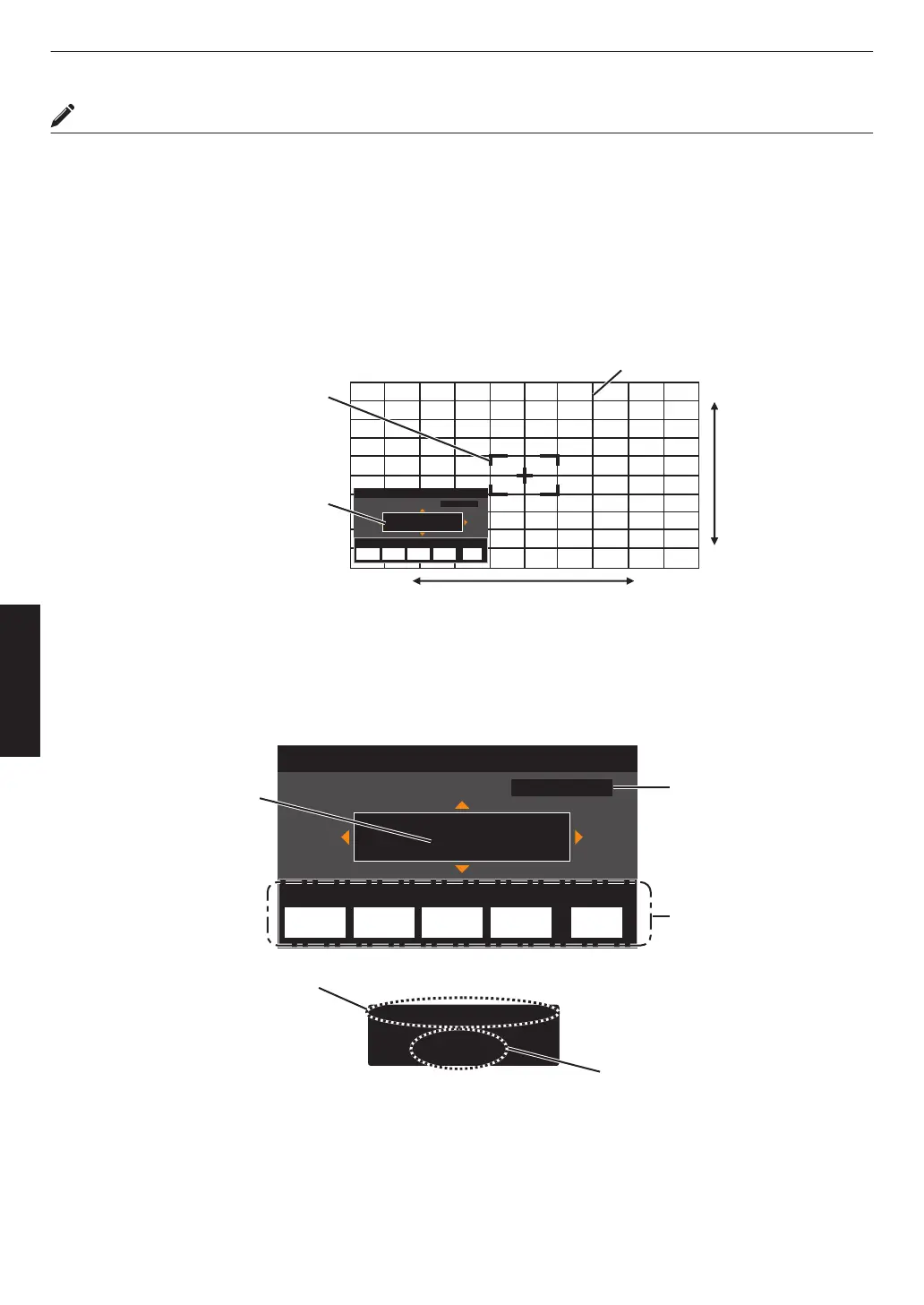
Zone Adjust Operation Procedure
For fine-tuning misalignments on a part of the screen after adjusting the overall screen misalignment using “Adjust
(Pixel)” and “Adjust (Fine)”.
0
The screen can be divided vertically and horizontally into 10 sections for partial adjustments to be made.
A
Set “Adjust Area” to “Zone”
B
Select “Adjust Color” and “Adjust Pattern Color”
C
Select Adjust (Fine), and press the [OK] button
0
The
Adjustment mode is activated, and the selected adjustment pattern and Zone Adjustment window are displayed.
0
The adjustable range may be smaller depending on the pixels being adjusted on the entire screen.
Adj.AreaPat.Col.Pixel/FineAdj.Col.
H 0
V 0
BACK
ADVANCED
MENU
GAMMA
SETTINGS
C.M.D.
PICTURE
MODE
Red
Back
0 / 0
Position
Zone Adjust
Pixel Adjust
V (Vertical)
H (Horizontal)
Zone Adjustment Window
Zone Cursor
Adjustment Pattern
D
Press the [JKH I] keys to move the cursor to the point to be adjusted
E
Press the [OK] button to enter the Adjustment mode
F
Use the [JKH I] keys to move and adjust the vertical and horizontal pixels of the entire zone
0
The adjustment setting appears at the center of the Zone Adjustment window.
Adj.AreaPat.Col.Pixel/FineAdj.Col.
H 0
V 0
BACK
ADVANCED
MENU
GAMMA
SETTINGS
C.M.D.
PICTURE
MODE
Red
Back
-31
7
H
V
0 / 0
8 / 5
Position
Zone Adjust
Pixel Adjust
Position
Adjustment Setting
Cursor Position
Remote Control
Operation Guide
Color for
Adjustment
Pixel Adjustment Setting
G
After adjustment is complete, press the [BACK] button twice to exit the Adjustment mode
58
Adjust/Set



 To Next Page