32
Operation
3
Basic Operation
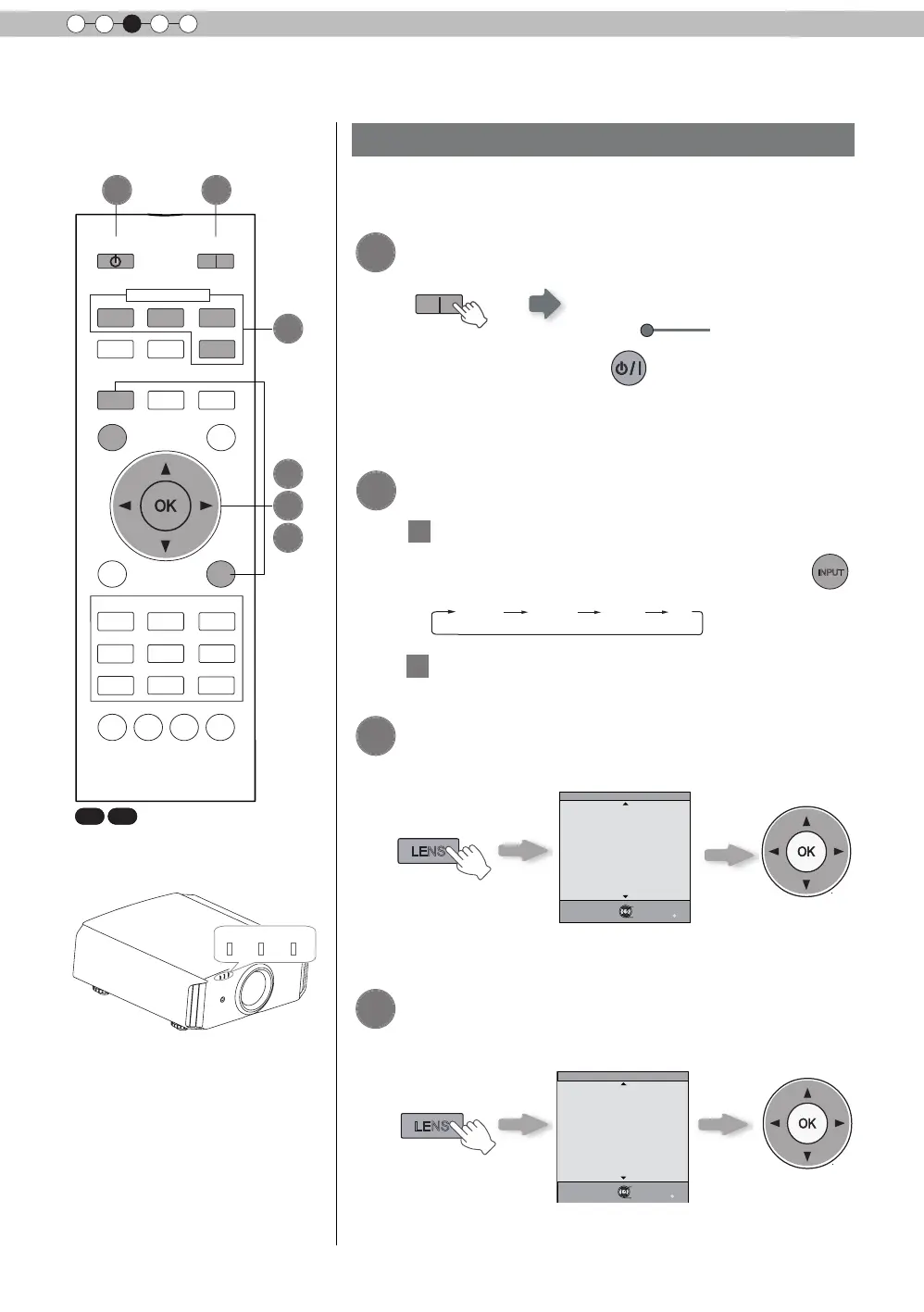
Basic operation procedures
WARNING
LAMP
STANDBY/ON
Once you have nished the basic setup, the unit can normally be
used just with the following operations.
1
2
3
Turn on power source
ON
STANDBY/ON
Light on (Green)
●
You can also press the
button on the unit to turn
on the power
. (Reference page: 15)
●
The lens cover will be opened.
Choose the projected image
1
Select input mode
●
You can also select the input mode by pressing the
INPUT
button on the unit. (Reference page: 15)
HDMI 1
HDMI 2 COMP. PC
2
Play back the selected device
Adjust the zoom (screen size)
BACK
Back
Operate
Select
Exit
MENU
Zoom
Lens Control
LENS
Adjust accordingly
by pressing the up/
down buttons
4
Adjust the focus (focal point)
Adjust accordingly
by pressing the
up/down buttons
BACK
Back
Operate
Select
Exit
MENU
Focus
Lens Control
LENS
BACK
HIDE
LIGHT
LENS AP.
C.M.D
PC
HDMI 1
STAND BY
ASPECT
HDMI 2
ANAMO
COMP.
LENS.
CONTROL
MENU
GAMMA
P.FILE
COLOR
ADJ.
PIC.
ON
FILM
NATURAL
STAGE 3D
USER1
USER2
THX
ANIME
CINEMA
PICTURE MODE
INPUT
TEMP
COLOR
6
4
2
5
3
1
X7 X9



 To Next Page