26
Adjusting the Menu Settings
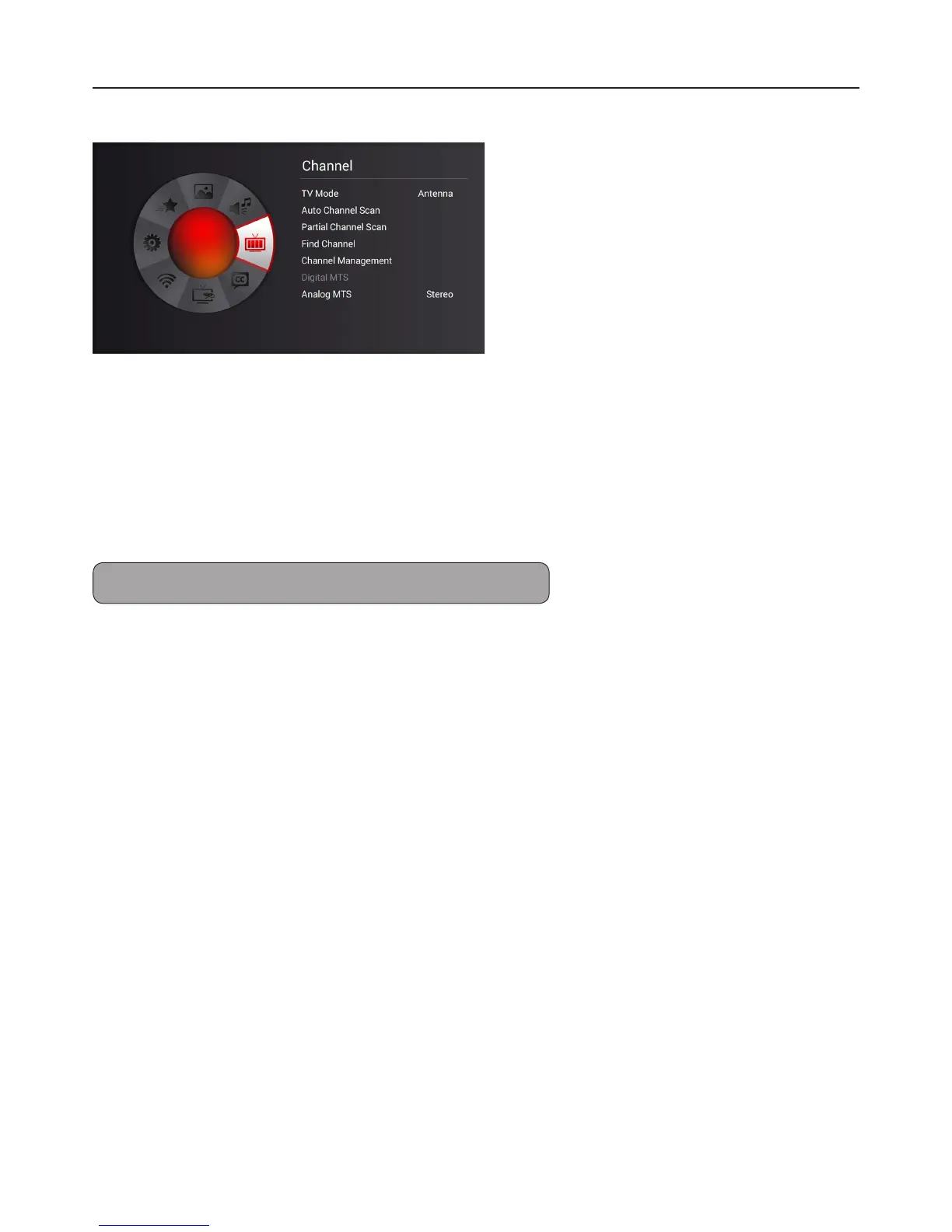
Channel Menu
TV mode
Select Antenna or Cable for the service connected to your TV.
Auto Channel Scan
When you run auto scan, the TV scans for all available channels. Make sure the antenna/cable is
connected properly.
Partial Channel Scan
You can partially scan for network signal within a specied range of channels.
Note: Auto scan may take 15 to 30 minutes to nd available channels.
Find Channel
New channels may be added to your area periodically. Use the Add Channel function to add new
channels.
Channel Management
To mark favorite channels or to remove channels from the Channel List.
Digital MTS
Select Digital MTS modes.
Analog MTS
Select the Analog MTS modes.


 To Next Page