17
Basic Operations
Setup Wizard
The Setup Wizard will assist you with setting up
your TV for the rst time. Please follow the
instructions carefully.
Note: If you would like to setup over-the-air or cable
programming, make sure the antenna or cable TV system
is connected.
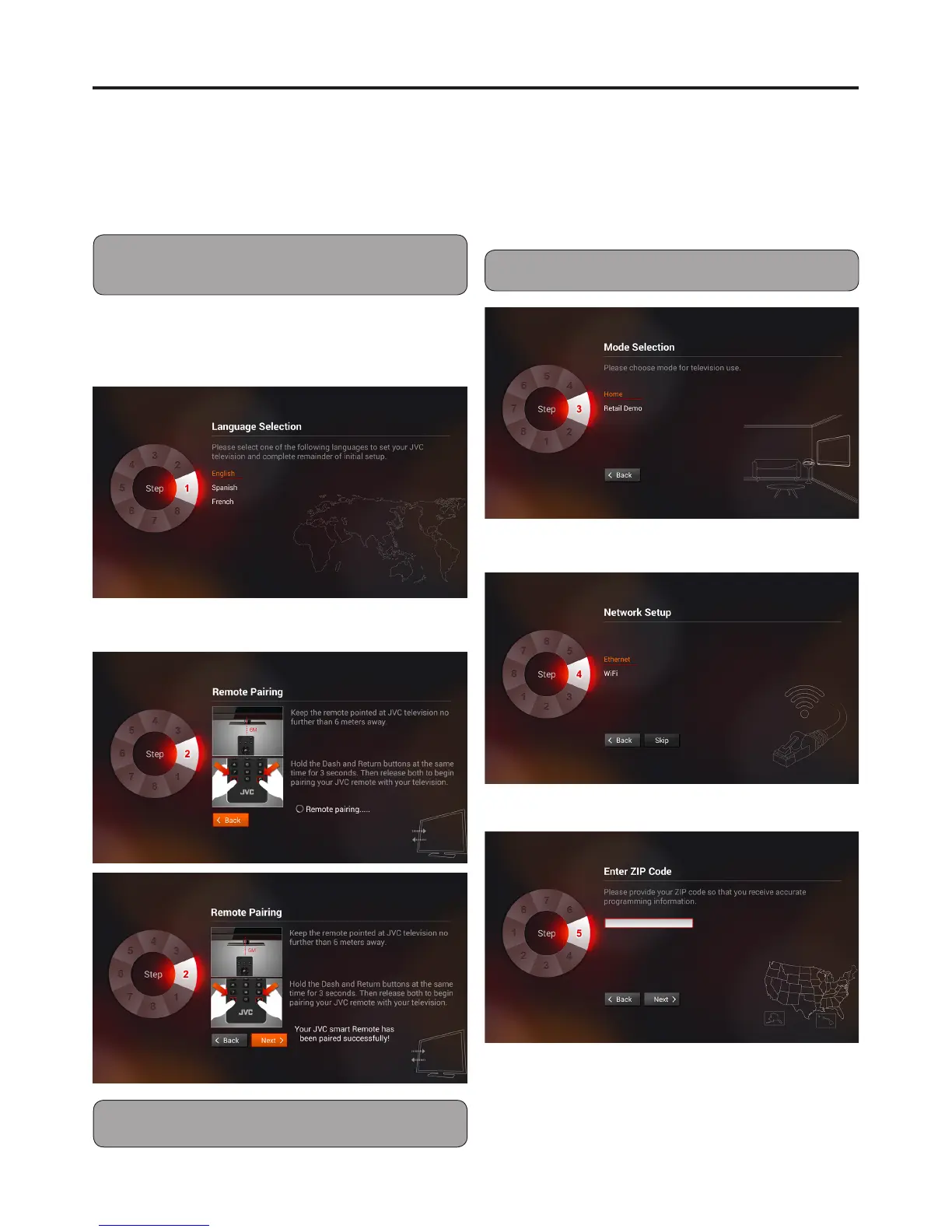
1 When you turn on the TV for the rst time, the
Setup Wizard screen will appear.
Select the menu language, then press OK.
2 Remote pairing.
Note: Remote pairing can be performed at any time when
TV is on.
3 Select the TV Mode, then press OK.
TV Mode options:
Home Use: Select this mode for in home use.
Retail Demo: Select this mode for in store
demo.
Note: Store Demo is for retailers only.
4 Select the Network Setup, then press OK.
5 Enter Zip Code.


 To Next Page