31
Access to JVC Home Screen
Press the JVC home button to enter JVC home screen. Press JVC home button again or the
GLOBAL return button to exit.
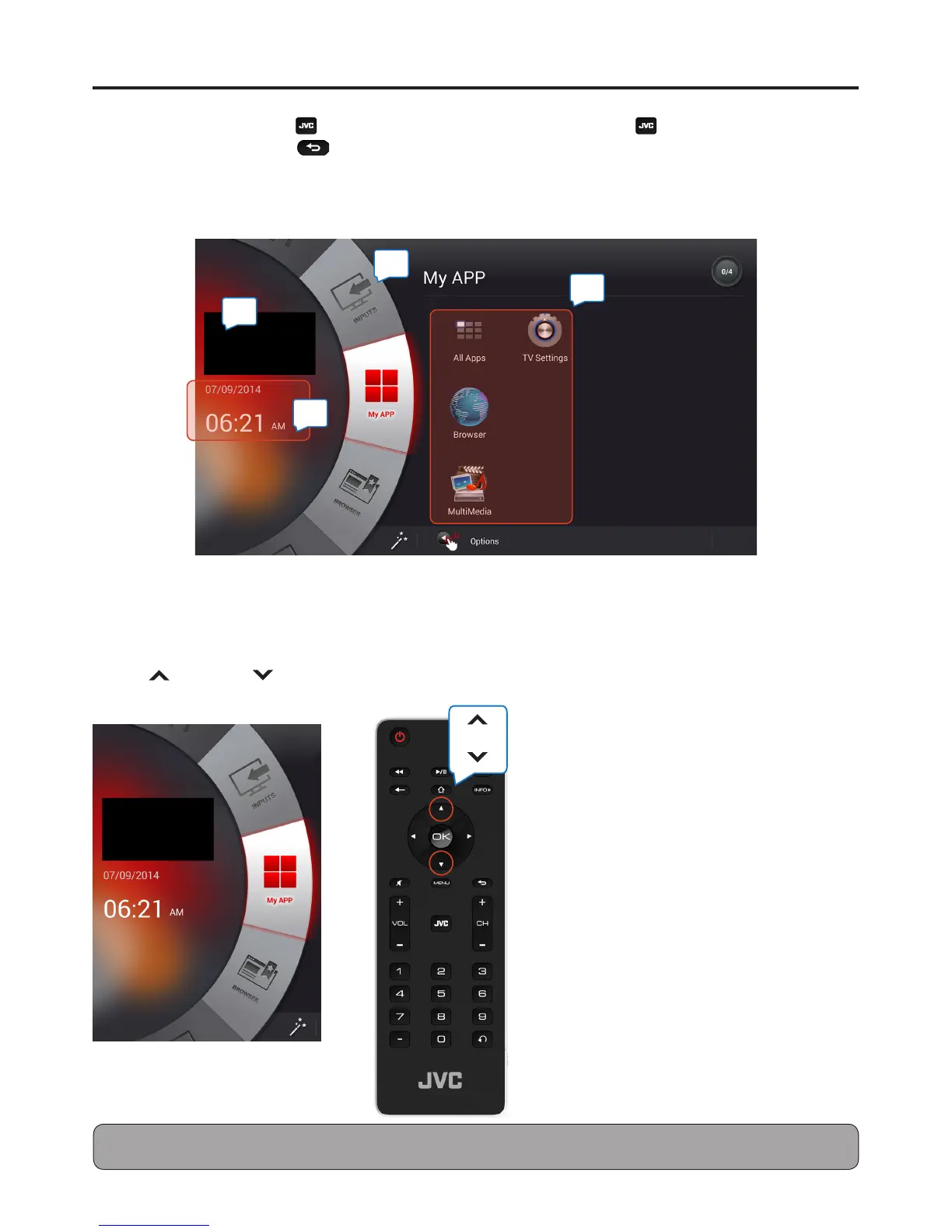
1 Preview PIP shows content from last input source.
2 Main Menu Wheel: Use Up or Down button to navigate menu option.
3 Date and time information.
4 Apps list
Use Up and Down buttons to navigate main menu options.
Note: When entered JVC homepage, Qwerty keyboard and touchpad on the reverse side of remote control can be utilized
for navigating and selecting features.
4
2
3
1


 To Next Page