40
Launch Roku App
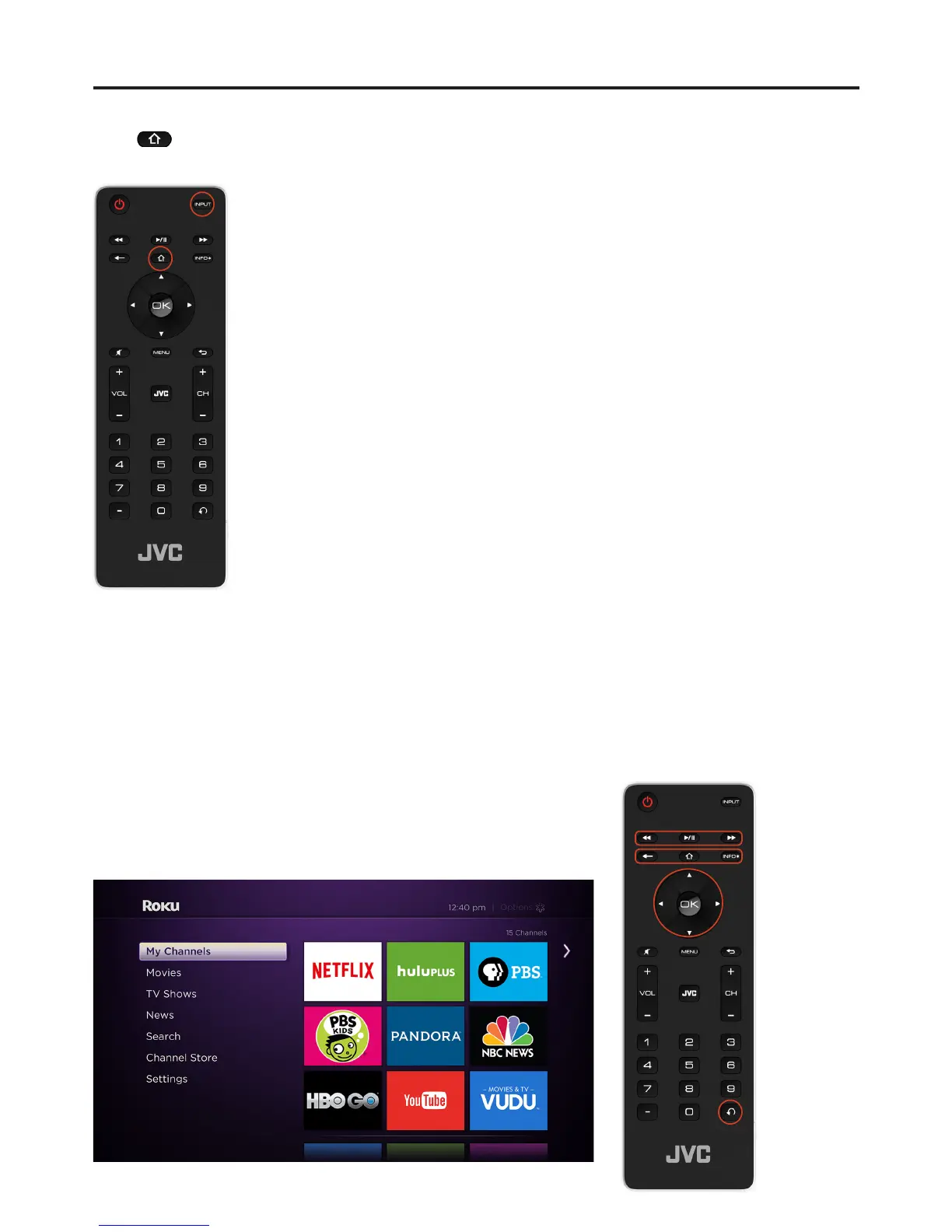
Press key anytime when TV is on and Roku streaming stick is plugged into the TV, or press the
Input button and select “Roku” on the input source.
Roku Remote Control Operation Instructions
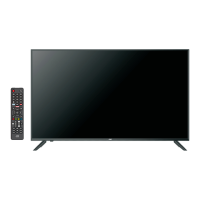
RW button-Rewind: Rewind, scroll left one page at a time.
Play/Pause button: Start or pause playback.
FF button: Fast Forward, scroll right one page at a time.
Back button: Return to previous screen.
Roku Home button: Return to Roku home screen.
Info* button: View more options
Directional buttons: Move up, down, left or right.
OK button: Select an option from a menu.
Instant Replay button: Replays last 10 seconds of video.
(Note: Qwerty Keyboard and touchpad does not support Roku.)
Roku App


 To Next Page