MOBILE USER GUIDE
When you are outside, you can refer to the Mobile User Guide.
Displaying the Item
Memo :
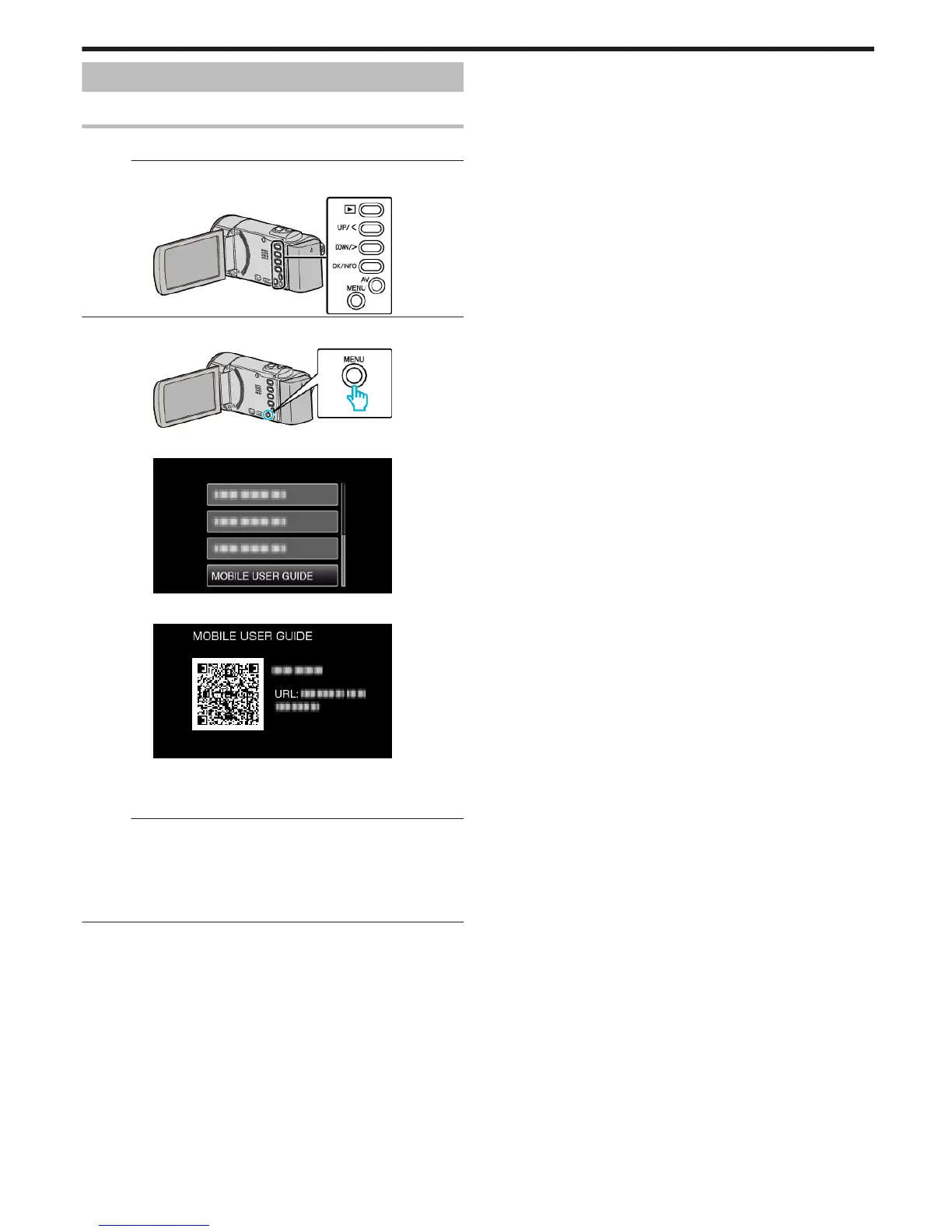
To select/move cursor towards up/left or down/right, press the button UP/<
or DOWN/>.
.
1
Press MENU.
.
2
Select “MOBILE USER GUIDE” and press OK.
.
3
Read the “QR code”.
.
0
The portal site appears when the QR code has been read correctly.
Select the model name of your camera to display its Mobile User
Guide.
Memo :
0
To read the QR code, a relevant application is required. Enter the URL in
the internet browser manually if the QR code cannot be read.
0
The Mobile User Guide is supported by Android devices and iPhone. You
can view it on standard browsers such as Google Chrome (Android) and
Mobile Safari (iPhone).
0
QR Code is a registered trademark of Denso Wave Incorporated.
Menu Settings
73








 To Next Page