EasyManua.ls Logo

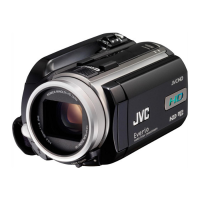
JVC Everio GZ-VX755 - User Manual

JVC Everio GZ-VX755
222 pages
Print Icon
To Next Page IconTo Next Page
Loading...
CAMCORDER
LYT2463-050A
Detailed User Guide
GZ-VX755/GZ-VX775

Table of Contents

Questions and Answers

  • J
    Jonathan BeckerAug 15, 2025
    What to do if JVC Everio GZ-VX755 Camcorder connection gets disconnected?
    • S
      Stephanie ChenAug 15, 2025
      If you're getting a 'UNABLE TO CONNECT' message or your JVC Camcorder connection keeps dropping, it might be due to distance, obstacles, or interference from other wireless devices. Try moving closer to the camera in a location with a strong signal. If that doesn't work, try restarting your smartphone or computer.
  • R
    Ronald HowardAug 18, 2025
    Why I am unable to browse the internet when connected to my JVC Camcorder?
    • S
      Susan ChangAug 18, 2025
      If you can't access the internet on your computer while connected to the JVC Camcorder, it's likely because the camera is acting as an access point. Try reconnecting your computer to your usual wireless LAN router. Also, the computer (or smartphone) cannot be connected to multiple access points at the same time, so remove the camera connection from the computer if it connects unintentionally. Alternatively, stop direct monitoring on the camera.
  • R
    ronaldlewisAug 22, 2025
    Why is video or audio interrupted or delayed on my JVC Everio GZ-VX755?
    • R
      ross00Aug 22, 2025
      If your JVC Camcorder video or audio is interrupted or delayed, the network speed might be slow. Try moving to a location with better signal strength. If the stream format is set to “Full HD”, change to “SD” or “Motion-JPEG” and try again. If lagging is severe, reload the screen regularly.
  • E
    etaylorAug 25, 2025
    How to find URL to access JVC Camcorder from a web browser?
    • P
      Penny CrosbyAug 26, 2025
      If you're unsure of the URL to use for accessing your JVC Camcorder from a web browser, start outside monitoring on the camera. Then, tap “CAMERA NETWORK INFO.” on the camera’s screen and enter the address shown as “URL(LAN):” into your web browser.
  • M
    Michael BeckAug 28, 2025
    Why does my JVC Everio GZ-VX755 Camcorder turn off automatically?
    • R
      rebeccajacksonAug 28, 2025
      If the JVC Camcorder turns off automatically, this is a normal function to prevent the device from being left on for extended periods. The unit will turn off automatically after 10 days of continuous usage.
  • J
    jennifer24Aug 31, 2025
    What to do if JVC Camcorder is unable to find an access point?
    • C
      Cynthia MorrisAug 31, 2025
      If you're unable to find an access point (wireless LAN router) with your JVC Camcorder, check if the distance from the access point is too far or if there are any obstructions. If the access point is in SSID stealth mode, either perform manual registration or temporarily disable the stealth mode before registering. Note that in environments with multiple access points, finding the desired one through searching might be difficult.
  • B
    Brent BuckSep 4, 2025
    Why is my JVC Everio GZ-VX755 unable to send e-mails?
    • D
      Deanna GarzaSep 4, 2025
      If you're unable to send e-mails from your JVC Camcorder, verify that the e-mail server settings, sender's e-mail address settings, username, and password are all correct. Also, some free e-mail services may have default SMTP settings that prevent sending e-mails; change the SMTP settings to allow sending before use.
  • W
    wattscraigSep 7, 2025
    Why does recording stop when I close the app using JVC Everio GZ-VX755 Camcorder?
    • P
      Paige BlackSep 7, 2025
      If recording stops when you close the Android / iPhone application or web browser during recording with your JVC Camcorder, it's because the camera disconnects, which halts the recording.
  • B
    Bruce ChristensenSep 12, 2025
    Why I am unable to set focus on my JVC Camcorder?
    • J
      Jennifer JohnsonSep 12, 2025
      If you cannot set the focus on your JVC Camcorder, note that the focus is fixed when you are not monitoring from a smartphone or computer. Even when monitoring, the focus will be fixed if there are no operations for more than 3 hours.

JVC Everio GZ-VX755 Specifications

General IconGeneral
Sensor TypeCMOS
Video Resolution1920 x 1080
Optical Zoom10x
Digital Zoom200x
DisplayLCD
Touch ScreenYes
Image StabilizerOptical
HD RecordingYes
Recording FormatAVCHD
Video FormatMPEG-4 AVC/H.264
Image FormatJPEG
Storage MediaSD/SDHC/SDXC Card
HDMI OutputYes
USB InterfaceUSB 2.0
Sensor Size1/2.3 inches
Supported Flash MemorySDXC
Battery TypeLi-ion

Related product manuals