10 EN
GETTING STARTED
(cont.)
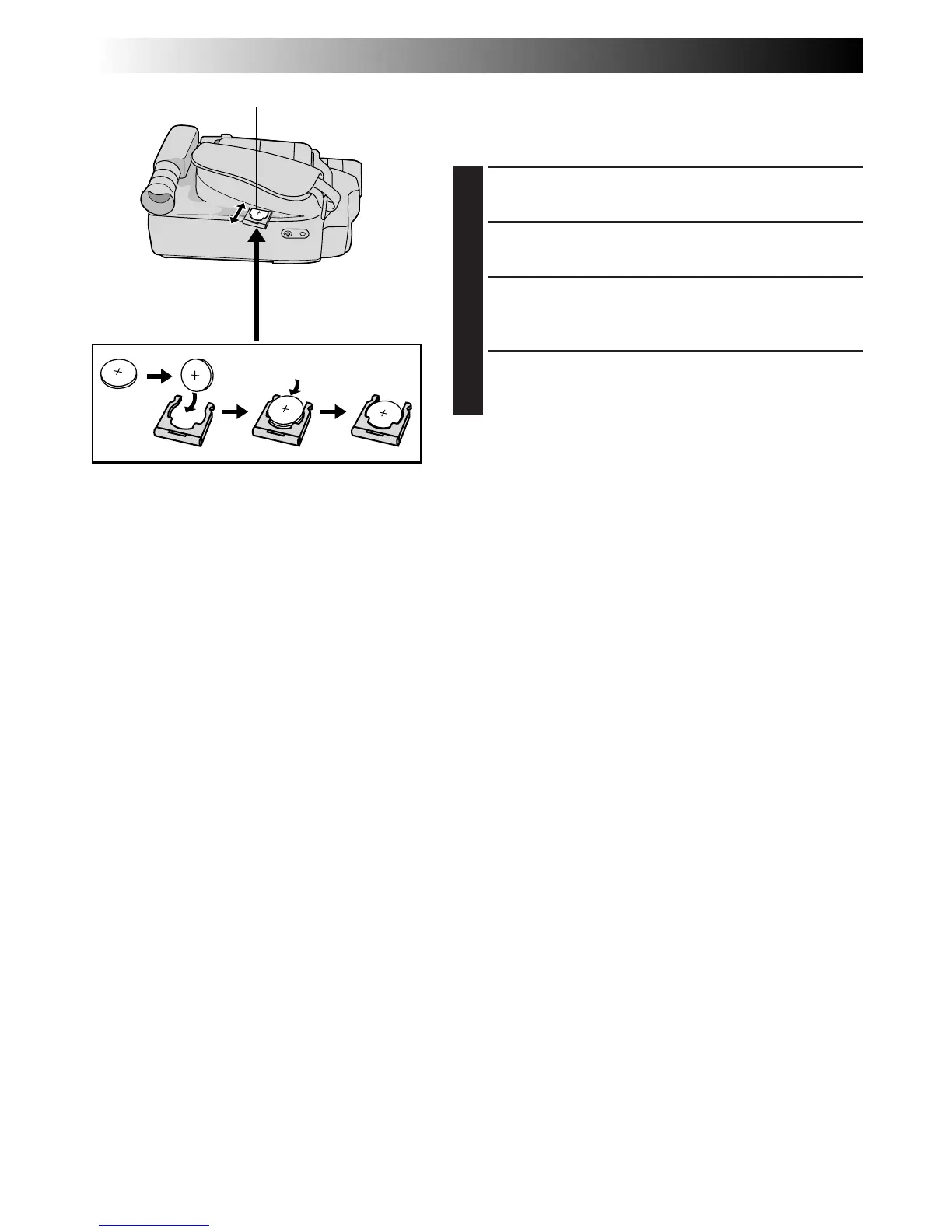
Clock (Lithium) Battery Insertion/Removal
This battery is necessary for clock operation and to
perform date/time settings.
1
SWITCH OFF POWER
Switch off the unit’s power.
2
REMOVE BATTERY HOLDER
Pull out the battery holder.
3
INSERT BATTERY IN HOLDER
Insert the battery in the holder, and be sure to have
the “+” mark visible.
4
RE-INSERT HOLDER
Slide the holder back into the slot until you hear a
click.
NOTE:
See “SAFETY PRECAUTIONS” (
Z
pg. 2) for information
on safe handling of lithium batteries.
Slot
Battery holder



 To Next Page