40 EN
Playback Menu
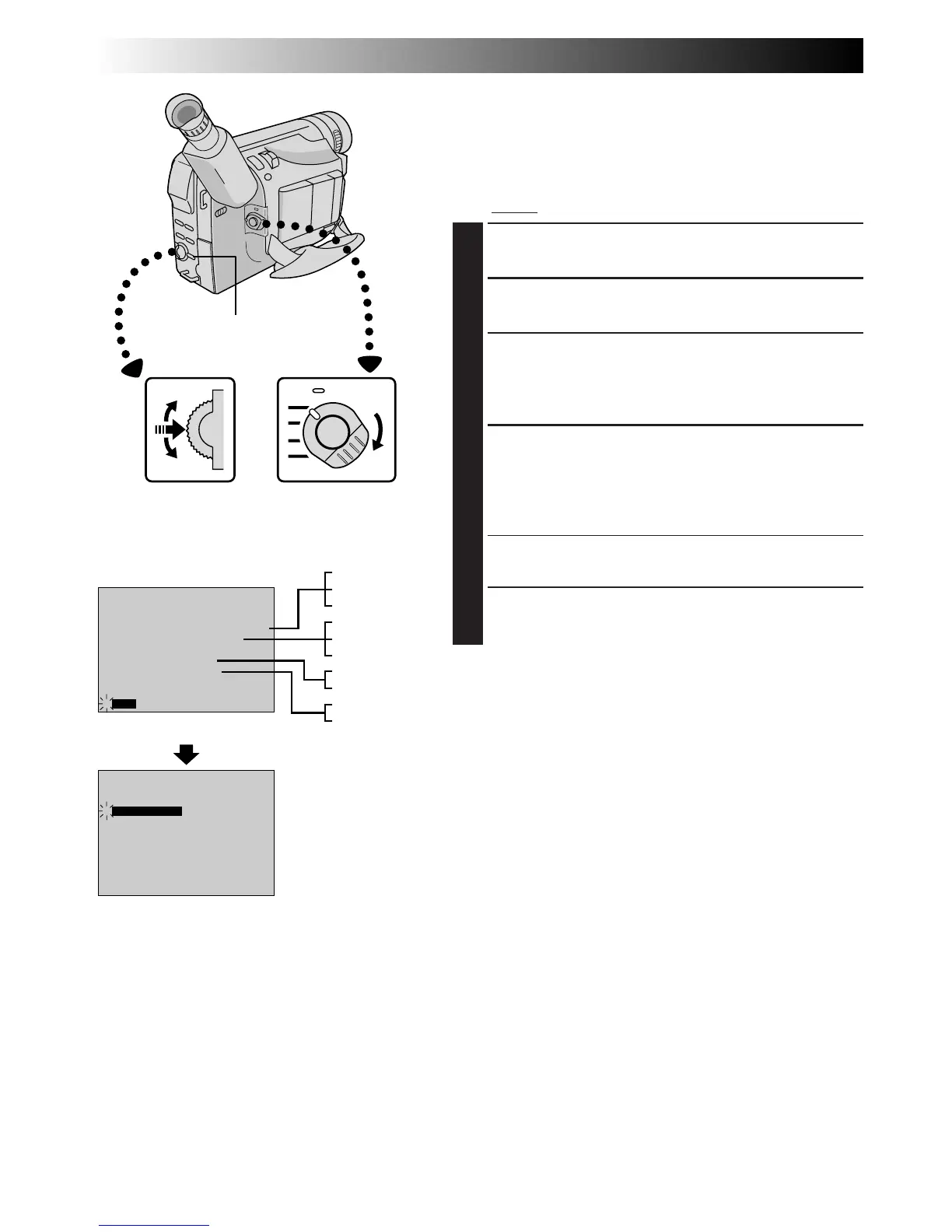
The Playback Menu allows you to set the following
functions:
Playback Sound (32 kHz, 48 kHz), Synchro Comp,
Display and Time Code.
The following procedure applies
to all except
Synchro Comp (
Z
pg. 54, 55).
1
SELECT OPERATION MODE
Set the Power Switch to “PLAY”.
2
ACCESS PLAYBACK MENU
Press MENU. The Playback Menu appears.
3
SELECT FUNCTION
Move the highlight bar to the desired function by
rotating the Select Dial. Press the Select Dial to
activate.
4
SET FUNCTION PARAMETERS
Rotate the Select Dial to cycle through the available
settings for the selected function, and stop when the
desired setting appears. Then press the Select Dial,
and the highlight bar automatically moves to “END”.
•To set parameters for other functions, repeat steps 3
and 4.
5
CLOSE MENU
Press the Select Dial again, and the menu disappears.
PLAYBACK
Advanced Features
SOUND1
0 . 0
ON
OFF
FULL SOUND48kHz MODE
32kHz MODE
DISPLAY
TIMECODE
SYNCHRO
END
4
SOUND1
0 . 0
ON
OFF
FULL SOUND48kHz MODE
32kHz MODE
DISPLAY
TIMECODE
SYNCHRO
END
4
ON
OFF
SOUND1
SOUND2
FULL SOUND
SOUND1
SOUND2
FULL SOUND
ON
OFF
Display
MENU Button
Power Switch
Playback Menu
Select Dial



 To Next Page