Masterpage:Right-No-Heading
EN 27
Filename [XVC2829US_07S-VHS.fm]
Page 27 8 December 2004 9:56 am
Playback Features
Still Picture/Frame-By-Frame
Playback
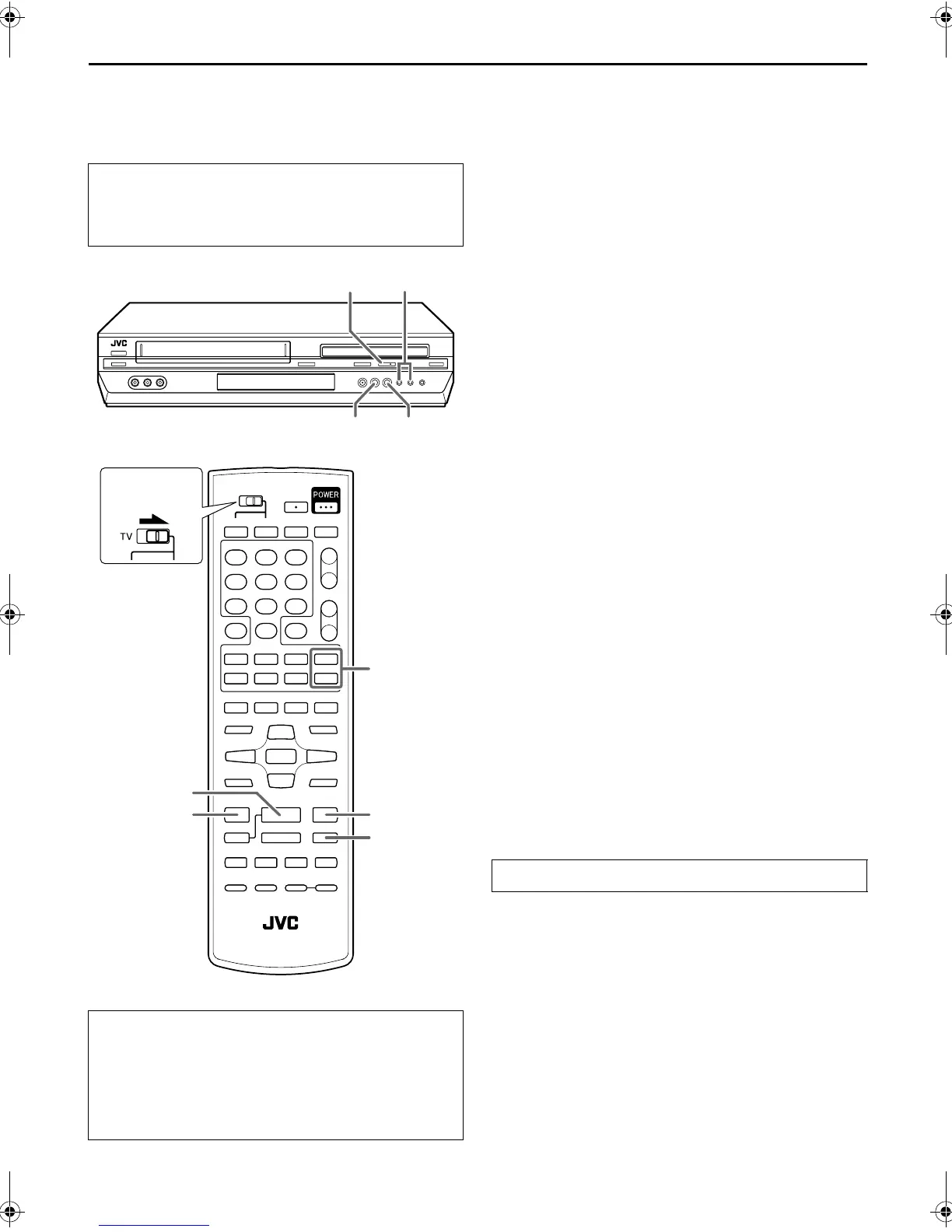
1 Pause during playback.
Press 9 PAUSE.
● If there is vertical jitter, press CH +/– on the Remote or on the
unit to correct the picture.
2 Activate frame-by-frame playback.
Press 9 PAUSE to advance a still picture.
Slow Motion
1 Pause during playback.
Press 9 PAUSE.
2 Activate slow motion playback.
Press and hold 9 PAUSE for 2 seconds, then release.
Press 9 PAUSE and release again to return to still picture.
NOTE:
During slow motion playback, some noise may appear on the TV
screen. Press CH + or – on the Remote or on the unit to
eliminate the noises.
Variable Speed Search
During playback, press FF 5 for forward variable
speed search, or 3 REW for reverse variable speed
search.
● The speed changes for each direction by pressing 3 REW
and FF 5 repeatedly.
When pressing FF 5:
(SP): +5x{+7x
(EP): +11x{+21x
When pressing 3 REW:
Once 3 REW is pressed, reverse search starts in –1x normal
playback speed. After this process, each press of 3 REW
changes the search speed between –5x and –7x in SP mode, –
11x and –21x in EP mode.
(SP): –1x]–5x{–7x
(EP): –1x]–11x{–21x
● Turn on the TV and select the VCR channel (or AV
mode).
● Slide the TV/VCR/DVD switch on the Remote to the
right.
ATTENTION
In the search, still, slow-motion or frame-by-frame playback
mode,
● the picture will be distorted.
● the noise bars will appear.
● there may be a loss of color.
● you cannot hear the sound.
3
PLAY
FF
¡
1
REW
CH +/
–
8
PAUSE
CH +/
–
3
PLAY
FF
¡1
REW
Slide to the
right.
To resume normal playback, press 4 PLAY.
XVC2829US_01.book Page 27 Wednesday, December 8, 2004 10:48 AM



 To Next Page