Masterpage:Right-No-Heading
EN 29
Filename [XVC2829US_07S-VHS.fm]
Page 29 8 December 2004 9:56 am
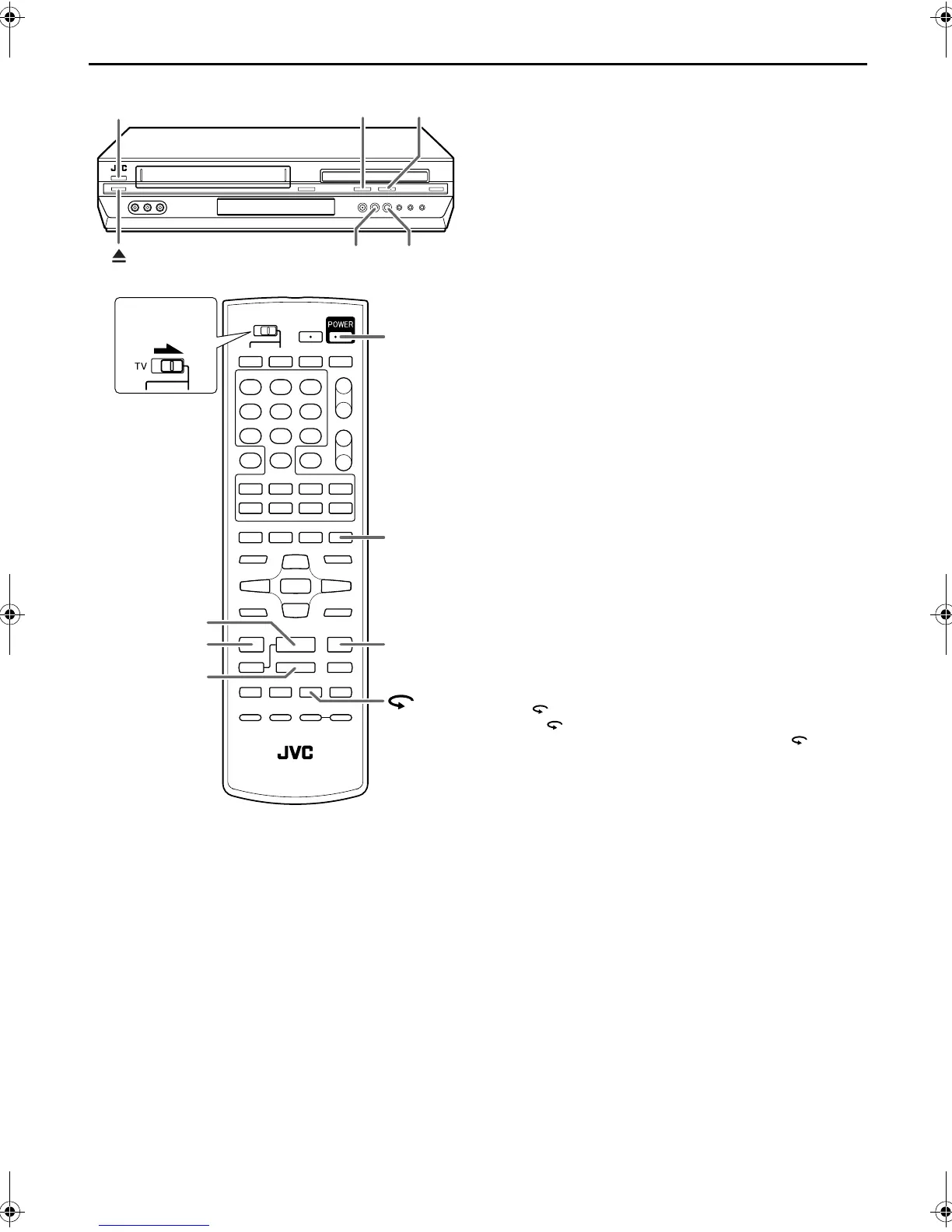
Next Function Memory
The Next Function Memory “tells” the unit what to do after
rewinding. Before continuing, make sure the unit is in the Stop
mode.
a- For Automatic Start Of Playback
Press 3 REW, then press 4 PLAY within 2 seconds.
b- For Automatic Power Off
Press 3 REW, then press POWER within 2 seconds.
c- For Automatic Timer Standby
Press 3 REW, then press TIMER within 2 seconds.
d- For Automatic Cassette Ejection After Tape Rewind
Press 3 REW, then press x EJECT within 2
seconds.
Repeat Playback
Your unit can automatically play back the whole tape 100 times
repeatedly.
1 Start playback.
Press 4 PLAY.
2 Activate Repeat Playback.
Press 4 PLAY and hold for over 5 seconds, then release.
● The Play indicator ($) on the front display panel blinks slowly.
● After playing back a tape 100 times, the unit stops
automatically.
3 Stop Repeat Playback.
Press 8 STOP at any time.
● Pressing 4 PLAY, 3 REW, FF 5 or 9 PAUSE also stops
Repeat Playback.
One Touch Replay
Press during playback.
Pressing once moves the playback position back to about 7
seconds before the current position. You can press
up to 4
times each One Touch Replay.
EJECT
POWER
7
STOP
3
PLAY
FF
¡1
REW
7
STOP
3
PLAY
FF
¡
TIMER
POWER
1
REW
Slide to the
right.
XVC2829US_01.book Page 29 Wednesday, December 8, 2004 10:48 AM



 To Next Page