Filename [XVC2829US_07S-VHS.fm]
Masterpage:Left+
28 EN
Page 28 8 December 2004 9:56 am
OPERATIONS ON VCR DECK (cont.)
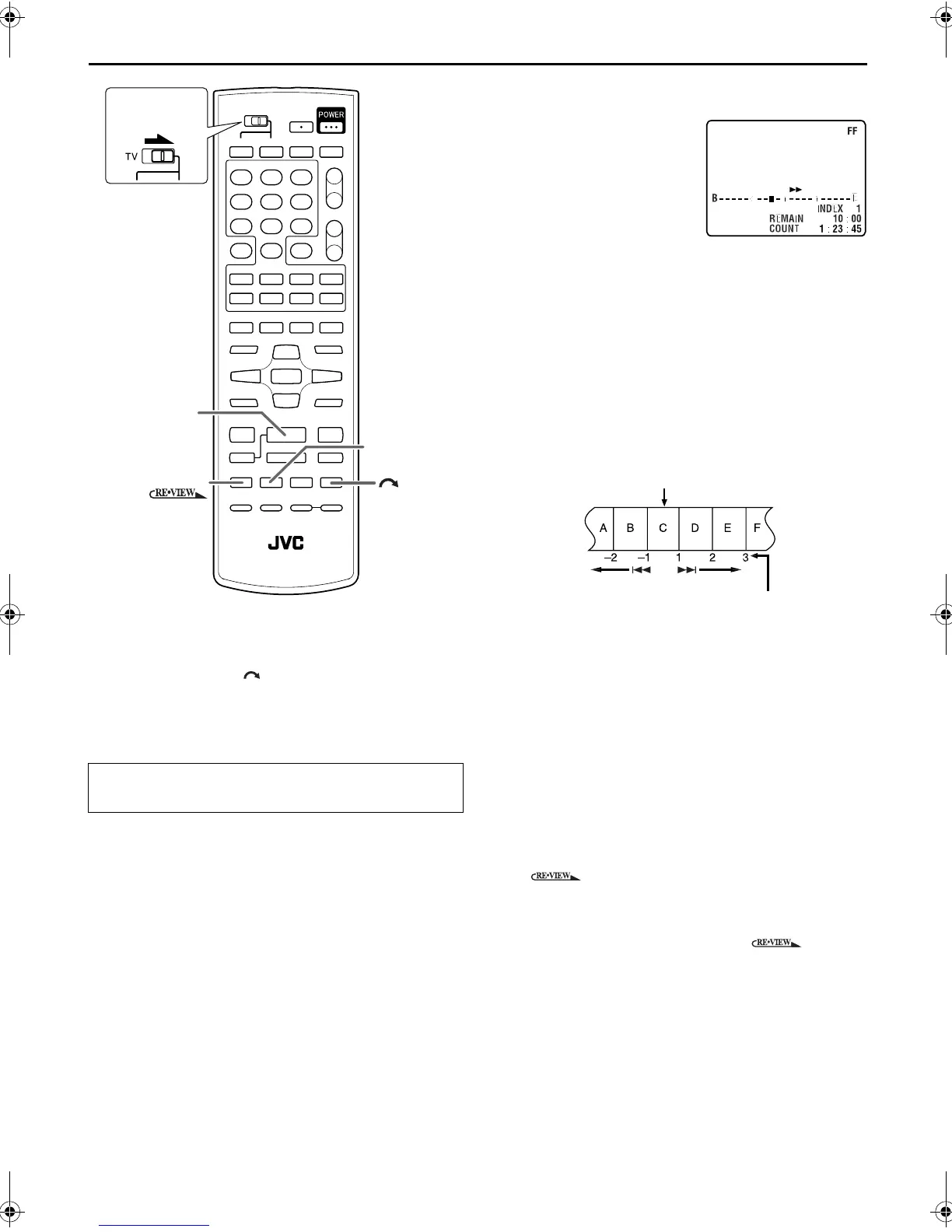
Skip Search
During playback, press 1 to 6 times to skip over
unwanted sections.
Each press initiates a 30-second period of fast-motion
playback. Normal playback resumes automatically.
Index Search
Your unit automatically marks
index codes at the beginning of
each recording. This function gives
you quick access to any one of 9
index codes in either direction.
NOTE:
Before starting, make sure the unit
is in the Stop mode.
Activate Index Search.
Press 2 INDEX or INDEX 6. “INDEX –1” or “INDEX
1” is displayed on the TV screen and search begins in the
corresponding direction.
● To access index codes 2 through 9, press 2 INDEX or
INDEX 6 repeatedly until the correct index number is
displayed.
Example:
To locate the beginning of B from the current position, press
2 INDEX twice.
To locate the beginning of D from the current position, press
INDEX 6 once.
● When the specified index code is located, playback begins
automatically.
Instant ReView
Simply by pressing a single button, the unit power comes on,
rewinds, and begins playback of the last timer-recorded
program. If you have several programs recorded, you can easily
access any of them.
NOTE:
Before starting, make sure that the unit is off and that the Timer
mode is disengaged.
Activate Instant ReView.
Press . The unit power comes on and the unit
searches for the index code indicating the start of the last
timer-recorded program. Once it’s found, playback
begins automatically.
● To watch the first of the 3 programs, press three
times. The unit searches and begins playback automatically.
You can access a program as far as 9 index codes away from
the current tape position.
To resume normal playback during a Skip Search,
press 4 PLAY.
3
PLAY
INDEX
¢
4
INDEX
Slide to the
right.
Current position
Index number
XVC2829US_01.book Page 28 Wednesday, December 8, 2004 10:48 AM



 To Next Page