18
EN
INITIAL SETTINGS (cont.)
Language
On-screen Language Set (S-VHS deck)
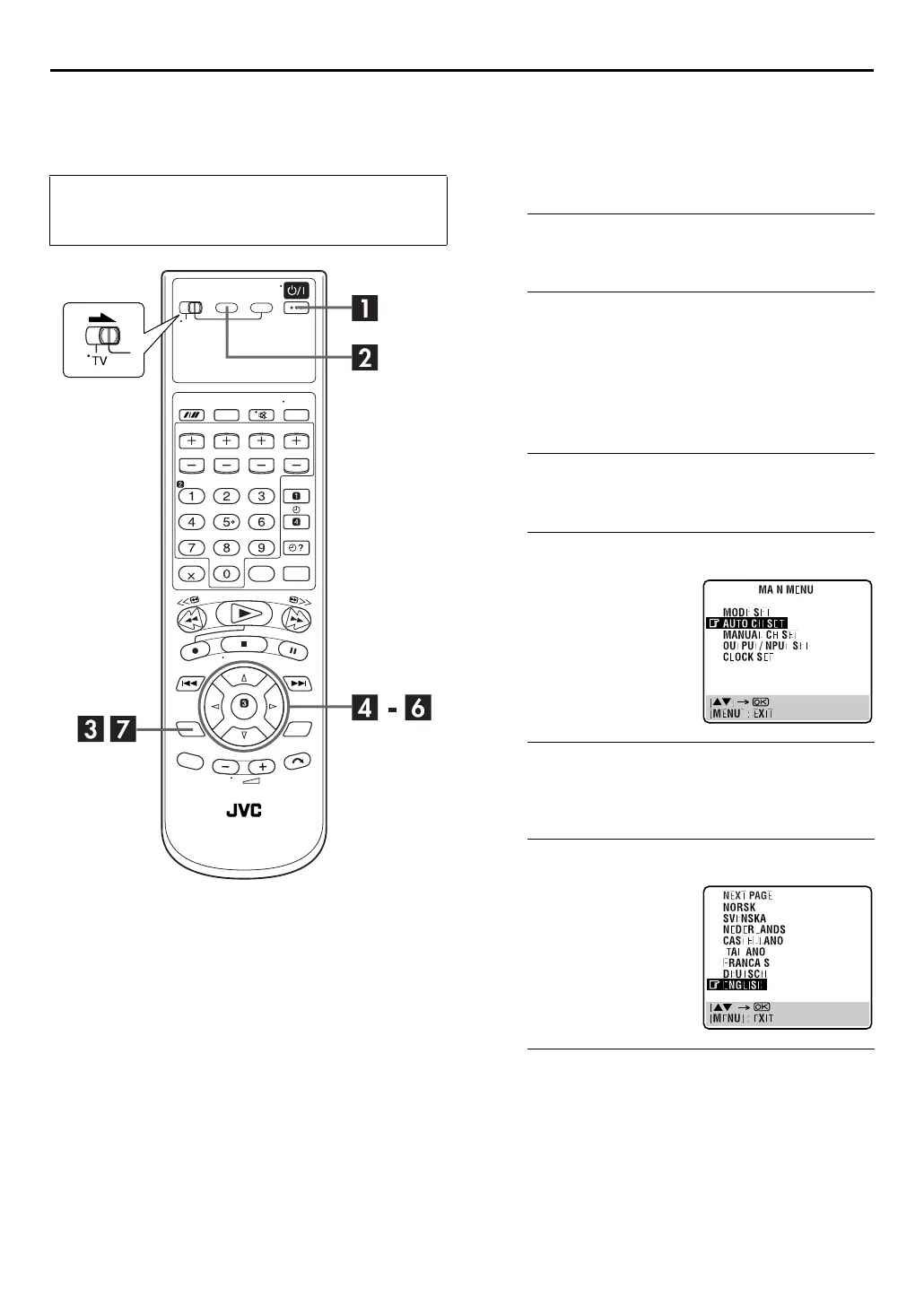
This S-VHS deck offers you the choice to view on-screen
messages in 13 different languages. Though Auto Set Up
selects the language automatically (
墌
pg. 16), you can
change the language setting manually as required.
A
Turn on the unit.
Press
1
.
B
Select the S-VHS deck.
On the unit
Press
S-VHS/DVD
repeatedly so that the S-VHS indicator
lights up.
On the remote control
Press
S-VHS
so that the S-VHS indicator lights up.
C
Access the Main Menu screen.
Press
SET UP MENU
.
D
Access the Country Set screen.
E
Select your country.
Press
rt
to move the highlight bar (pointer) to your
country’s name, then press
OK
or
e
.
F
Select the language.
G
Return to the normal screen.
Press
SET UP MENU
.
●
Turn on the TV and select the video channel (or AV
mode).
●
Slide the
TV/S-VHS/DVD
switch to the right.
Press
rt
to move the
highlight bar (pointer) to
“AUTO CH SET”, then press
OK
or
e
.
Press
rt
to move the
highlight bar (pointer) to the
language of your choice.
●
You do not have to press
OK
;
pressing
OK
enters AUTO SET/
T-V LINK screen.



 To Next Page