26
EN
OPERATIONS ON S-VHS DECK (cont.)
Basic Recording
A
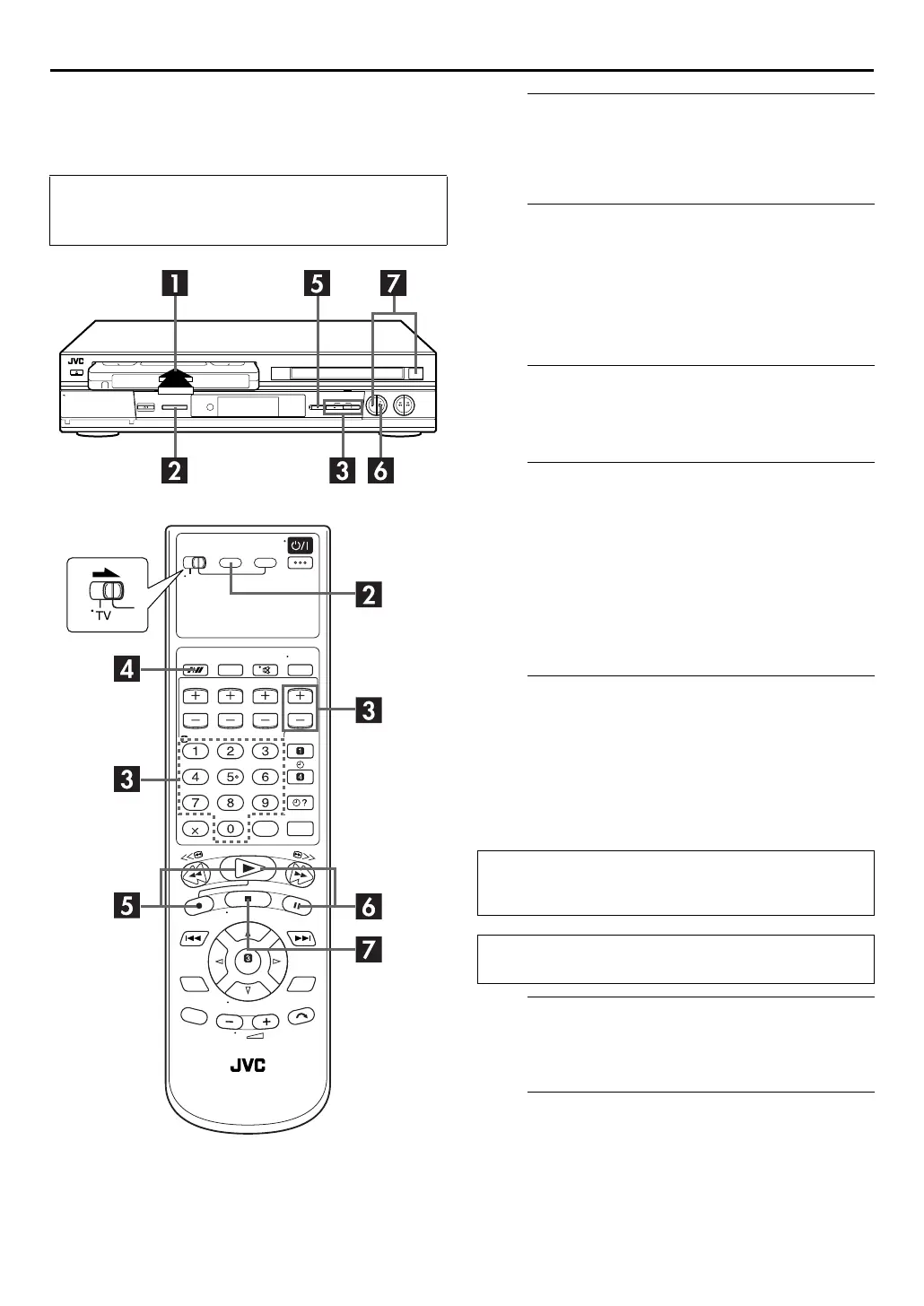
Load a cassette.
Insert a cassette with the record safety tab intact.
●
The unit’s power comes on automatically and the counter is
reset to 0:00:00.
B
Select the S-VHS deck.
On the unit
Press
S-VHS/DVD
repeatedly so that the S-VHS indicator
lights up.
On the remote control
Press
S-VHS
so that the S-VHS indicator lights up.
C
Choose a programme.
Press
PR +/–
or the
number keys
to select the channel
you wish to record.
D
Set the tape speed.
Press
SP/LP/EP
(
p
). The current setting appears on the
front display panel or TV screen. Press
SP/LP/EP
(
p
)
again to change the setting while the tape speed is
displayed on the TV screen.
●
In EP mode, the recording time is extended three times.
●
If you record a programme in EP mode on the unit, it is
recommended to play back the EP-recorded tape on the unit.
●
It is not possible to select EP mode if “COLOUR SYSTEM” is
set to “MESECAM”. (
墌
pg. 74)
E
Start recording.
Press and hold
7
and press
4
on the remote control, or
press
7
on the unit.
●
If “O.S.D.” is set to “ON” (
墌
pg. 72), “MARK” blinks on the
screen while an index code is being marked.
●
When “DIRECT REC” is set to “ON” (
墌
pg. 72), if you press
any button just after pressing
7
on the unit (or
7
and
4
on
the remote control), the unit may not function properly.
F
Pause/Resume recording.
Press
9
. Press
4
to resume recording.
●
You can select channel during the Record Pause mode.
G
Stop recording.
Press
8
. Then press
x
on the S-VHS deck to remove the
cassette.
●
Turn on the TV and select the video channel (or AV
mode).
●
Slide the
TV/S-VHS/DVD
switch to the right.
B.E.S.T. takes place at the beginning of both the first SP and
the first LP (or EP) recording after inserting the cassette.
(
墌
pg. 29)
If “DIRECT REC” is set to “ON”, the programme that appears
on the TV screen will be recorded. (
墌
pg. 72)



 To Next Page