38
EN
OPERATIONS ON DVD DECK (cont.)
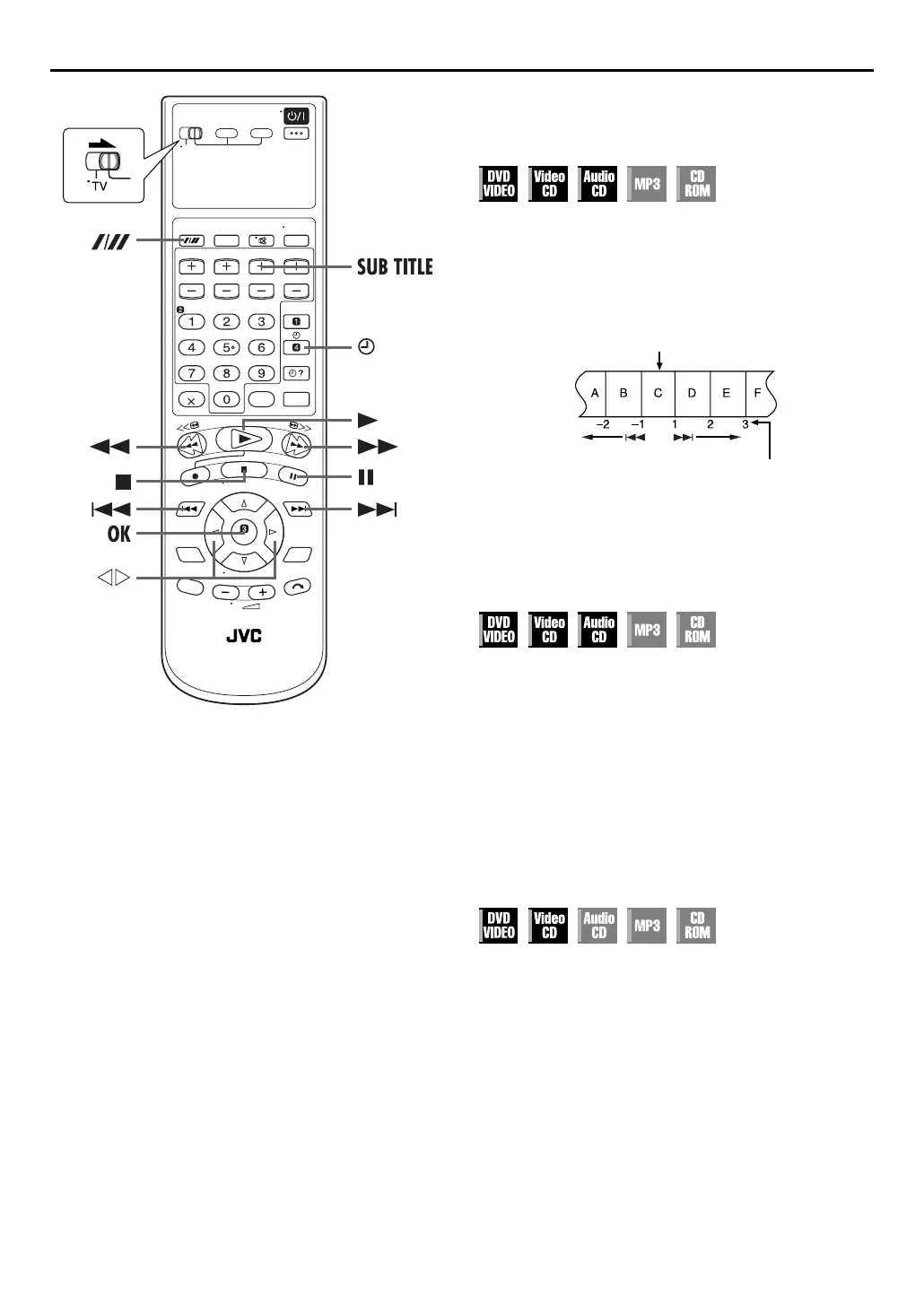
Locating the start point of the item or
skip the item
Press
2
or
6
during playback.
Example:
To locate the beginning of item B from the current position, press
2
twice.
To locate the beginning of item D from the current position,
press
6
once.
●
When the specified item is located, playback begins
automatically.
High-Speed Search
During playback, press
5
for forward high-speed
search, or
3
for reverse high-speed search.
●
To resume normal playback, press
4
.
OR
During playback, press and hold
6
for forward high-
speed search, or press and hold
2
for reverse high-
speed search.
●
To resume normal playback, release
2
or
6
.
Still Picture/Frame-By-Frame
Playback
1
Pause during playback.
Press
9
.
2
Activate frame-by-frame playback.
Press
9
.
●
When you press and hold
9
for more than 2 seconds, the unit
enters in strobe playback pause mode. (
墌
pg. 39). To cancel
strobe playback mode, press and hold
9
for more than 2
seconds again.
●
To resume normal playback, press
4
.
Current position
The number you press the
button



 To Next Page