25
ENGLISH
3
4
5
Default: Factory-preset animation is used.
User: Your own animation is used.
6
To activate the graphic screen using
either picture or movie
1
2
The last selected item appears.
Select “MOVIE.”
Now “Demo” setting
appears.
Select “Opening” or “Ending.”
Select “User.”
Exit.
The last selected item appears.
To be continued...
○○○○○○○○○
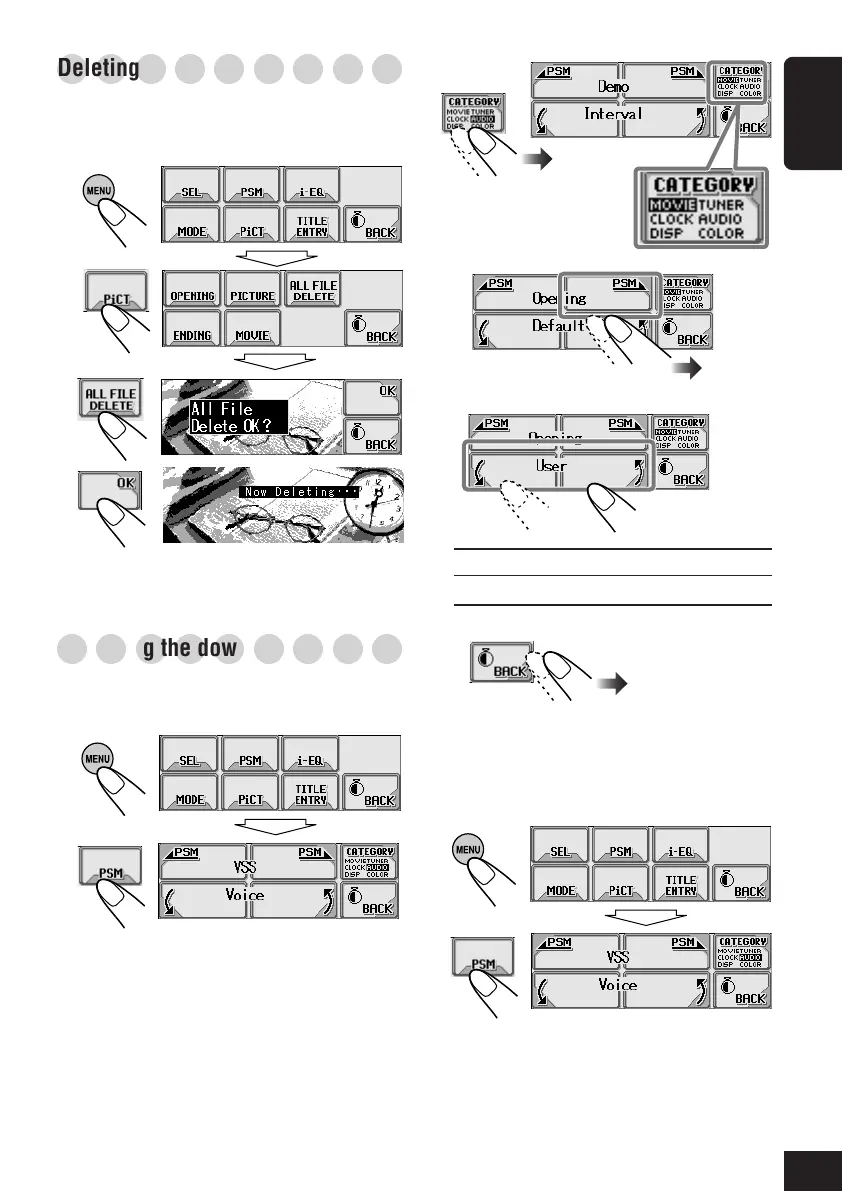
Deleting all files
You can easily delete all files—animations and
pictures stored for “OPENING/ENDING/
MOVIE/PICTURE.”
1
2
3
4
○○○○○○○○○
Activating the downloaded files
To activate the animations stored for
opening and ending screens
1
2
21-26_KD-AR_LHX5000[J]f.p65 1/27/04, 9:19 PM25



 To Next Page