8 ENGLISH
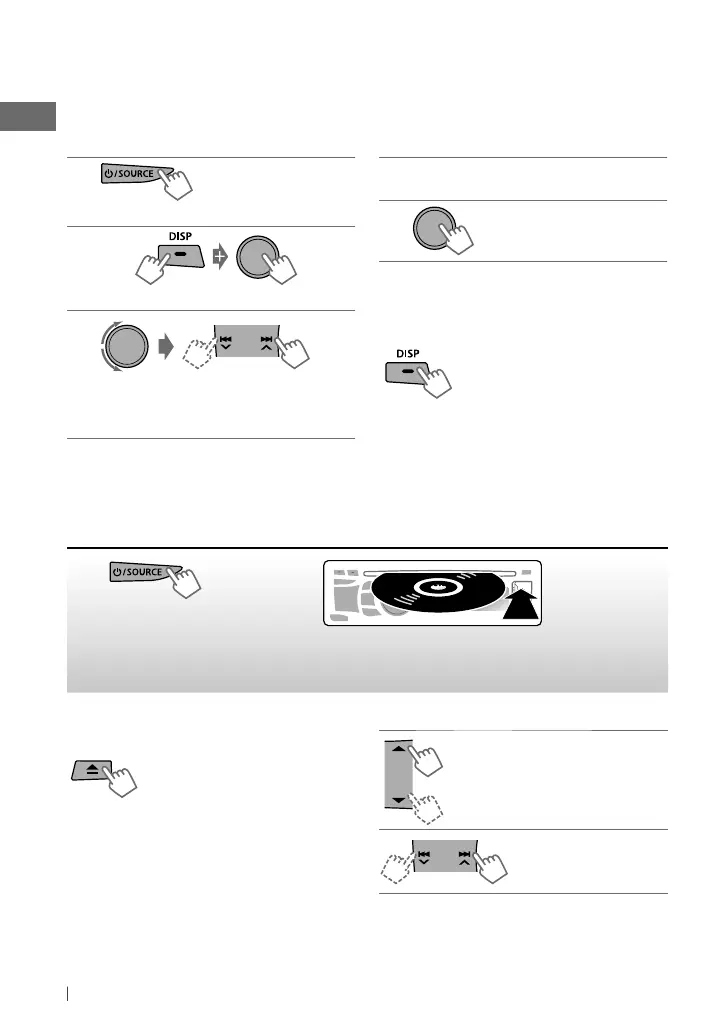
Listening to a disc
Stopping playback and ejecting
the disc
If the ejected disc is not
removed within 15 seconds, it
will automatically reload into the
loading slot.
~
]
Turns on the power.
Ÿ
Playback starts automatically.
All tracks will be played repeatedly until you change the
source or eject the disc.
1
]
“FM” or “AM”
2
]
Shows the title entry screen.
3
]
Selects a character (A to Z, 0 to 9, —,
/, <, >) or a space, then move to the next
(or previous) character position.
4
Repeat step 3 until you have finished
entering the title.
5
To erase the entire title, press and hold DISP
after step 2, then press the control dial.
Changing the display information
Station name *
=
Frequency
=
Clock
=
(back to the beginning)
*
If no title is assigned to a station, “NO NAME”
appears for a few seconds.
[Hold]
[Hold]
Title assignment
You can assign titles up to 30 station frequencies (FM and AM) using 8 characters (maximum) for
each title.
• If you try to assign titles to more than 30 station frequencies, “NAME FULL” appears. Delete
unwanted titles before assignment.
Basic operations
Selects folder of the MP3/WMA.
[Press] Selects track.
[Hold] Fast-forwards or
reverses the track.
EN02-29_KD-R728BT[J]_f.indd 8EN02-29_KD-R728BT[J]_f.indd 8 1/12/11 4:47:40 PM1/12/11 4:47:40 PM


 To Next Page
 Loading...