27
ENGLISH
3 Move to the next (or previous)
character position.
4 Repeat steps 1 and 3 until you
finish entering the title.
4 Finish the procedure.
• To cancel the title entry
without registration, press
MENU.
To erase the entire title
In step 3...
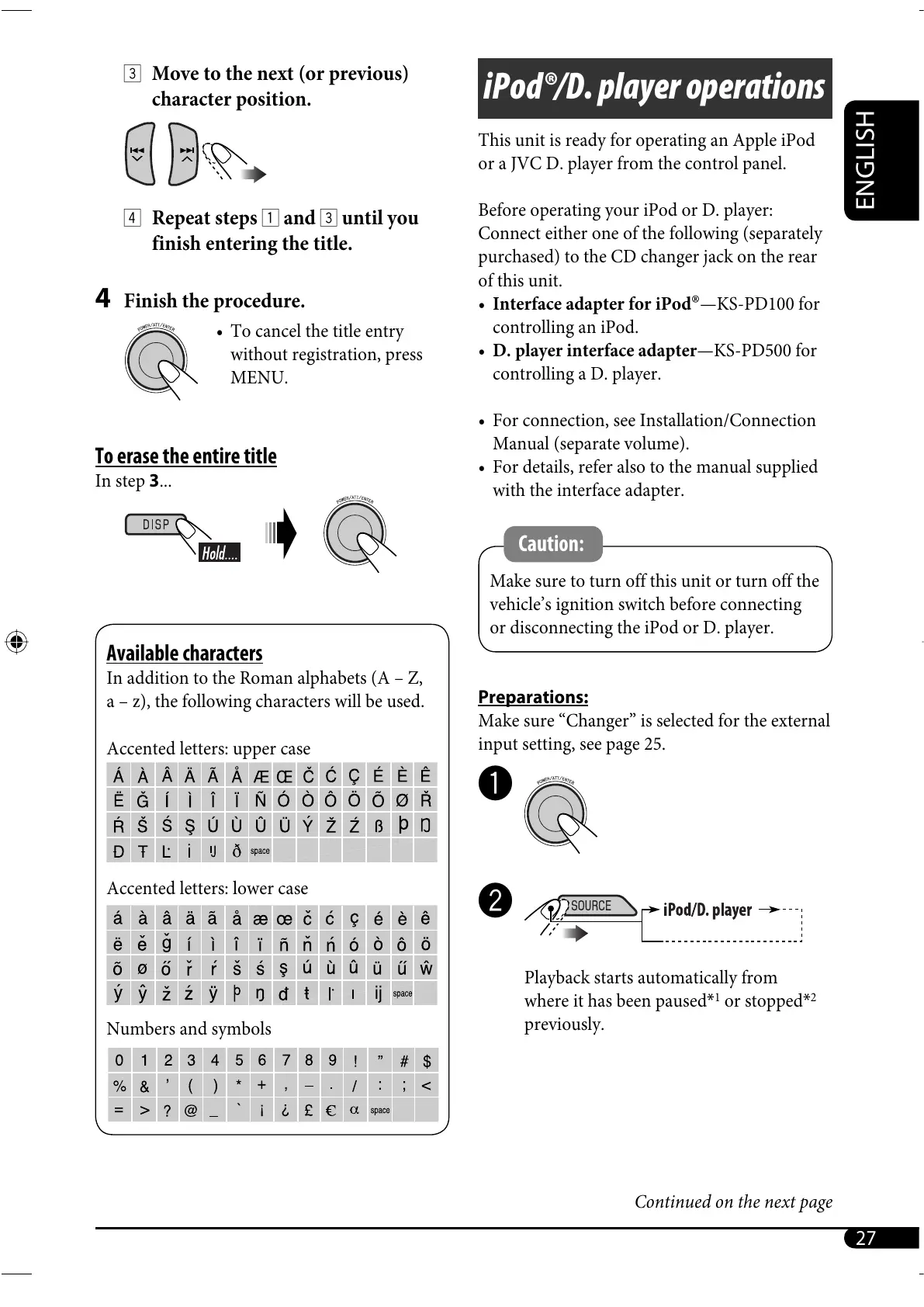
Available characters
In addition to the Roman alphabets (A – Z,
a – z), the following characters will be used.
Accented letters: upper case
Accented letters: lower case
Numbers and symbols
iPod®/D. player operations
This unit is ready for operating an Apple iPod
or a JVC D. player from the control panel.
Before operating your iPod or D. player:
Connect either one of the following (separately
purchased) to the CD changer jack on the rear
of this unit.
• Interface adapter for iPod
®
—KS-PD100 for
controlling an iPod.
• D. player interface adapter—KS-PD500 for
controlling a D. player.
• For connection, see Installation/Connection
Manual (separate volume).
• For details, refer also to the manual supplied
with the interface adapter.
Caution:
Make sure to turn off this unit or turn off the
vehicle’s ignition switch before connecting
or disconnecting the iPod or D. player.
Preparations:
Make sure “Changer” is selected for the external
input setting, see page 25.
~
Ÿ
Playback starts automatically from
where it has been paused*
1
or stopped*
2
previously.
Continued on the next page
EN24-35_SH1000E_003A_4.indd 27EN24-35_SH1000E_003A_4.indd 27 1/6/06 6:36:07 PM1/6/06 6:36:07 PM



 To Next Page
 Loading...










