ENGLISH
7
Continued on the next page
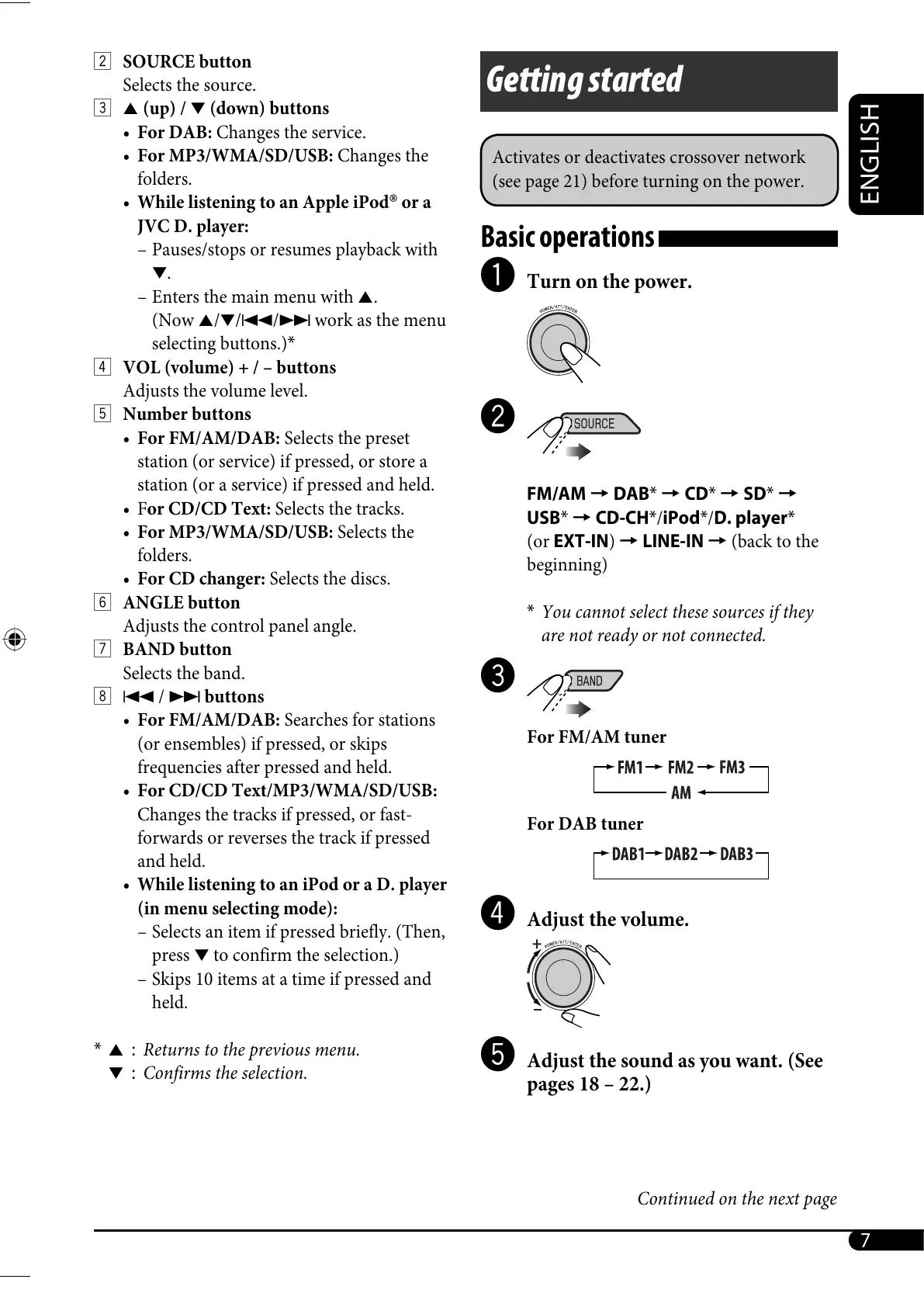
2 SOURCE button
Selects the source.
3 5 (up) / ∞ (down) buttons
• For DAB: Changes the service.
• For MP3/WMA/SD/USB: Changes the
folders.
• While listening to an Apple iPod
®
or a
JVC D. player:
– Pauses/stops or resumes playback with
∞.
– Enters the main menu with 5.
(Now 5/∞/4/¢ work as the menu
selecting buttons.)*
4 VOL (volume) + / – buttons
Adjusts the volume level.
5 Number buttons
• For FM/AM/DAB: Selects the preset
station (or service) if pressed, or store a
station (or a service) if pressed and held.
• For CD/CD Text: Selects the tracks.
• For MP3/WMA/SD/USB: Selects the
folders.
• For CD changer: Selects the discs.
6 ANGLE button
Adjusts the control panel angle.
7 BAND button
Selects the band.
8 4 / ¢ buttons
• For FM/AM/DAB: Searches for stations
(or ensembles) if pressed, or skips
frequencies after pressed and held.
• For CD/CD Text/MP3/WMA/SD/USB:
Changes the tracks if pressed, or fast-
forwards or reverses the track if pressed
and held.
• While listening to an iPod or a D. player
(in menu selecting mode):
– Selects an item if pressed briefly. (Then,
press ∞ to confirm the selection.)
– Skips 10 items at a time if pressed and
held.
* 5 : Returns to the previous menu.
∞ : Confirms the selection.
Getting started
Activates or deactivates crossover network
(see page 21) before turning on the power.
Basic operations
~ Turn on the power.
Ÿ
FM/AM = DAB* = CD* = SD* =
USB* = CD-CH*/iPod*/D. player*
(or EXT-IN) = LINE-IN = (back to the
beginning)
* You cannot select these sources if they
are not ready or not connected.
!
For FM/AM tuner
For DAB tuner
⁄ Adjust the volume.
@ Adjust the sound as you want. (See
pages 18 – 22.)
EN02-09_SH1000E_003A_4.indd 7EN02-09_SH1000E_003A_4.indd 7 1/6/06 6:20:31 PM1/6/06 6:20:31 PM



 To Next Page
 Loading...










