EasyManua.ls Logo

JVC KD-SR83BT - User Manual

JVC KD-SR83BT
104 pages
Print Icon
To Next Page IconTo Next Page
Loading...
Data Size: B6L (182 mm x 128 mm)
Book Size: B6L (182 mm x 128 mm)
ENGLISH
FRANÇAIS
ESPAÑOL
B5A-1375-00 [K]
KD-SR83BT
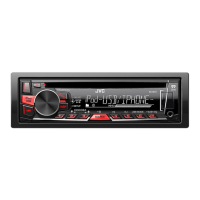
CD RECEIVER
INSTRUCTION MANUAL
RÉCEPTEUR CD
MANUEL D’INSTRUCTIONS
RECEPTOR CON CD
MANUAL DE INSTRUCCIONES
For customer Use:
Enter below the Model No. and Serial No. which are
located on the top or bottom of the cabinet. Retain this
information for future reference.
Model No.
Serial No.
JS_JVC_KD_SR83BT_K_C.indd 1JS_JVC_KD_SR83BT_K_C.indd 1 12/23/2016 12:13:27 PM12/23/2016 12:13:27 PM

Questions and Answers

  • P
    Paul ChenSep 4, 2025
    What does “PLEASE WAIT” mean on my JVC KD-SR83BT Car Receiver?
    • J
      Joseph SchmidtSep 4, 2025
      If “PLEASE WAIT” appears on your JVC Car Receiver: 1. The unit is preparing to use the Bluetooth function. 2. If the message persists, turn the unit off and then on, and connect the device again.
  • E
    Emily ShermanSep 3, 2025
    Why is the phone sound quality poor on my JVC KD-SR83BT Car Receiver?
    • P
      Paul JenningsSep 3, 2025
      If the phone sound quality is poor on your JVC Car Receiver: 1. Reduce the distance between the unit and the Bluetooth device. 2. Move the car to a place where you can get a better signal reception.
  • S
    Sharon SinghSep 2, 2025
    Why does “READING” keep flashing on my JVC Car Receiver?
    • L
      Laura JoyceSep 2, 2025
      If “READING” keeps flashing on your JVC Car Receiver: 1. Avoid using too many hierarchical levels and folders. 2. Reload the disc or reattach the USB device.
  • M
    Michael KlineSep 1, 2025
    What does “UNRESPONSIVE DEVICE” mean on my JVC Car Receiver?
    • J
      John FreemanSep 1, 2025
      If “UNRESPONSIVE DEVICE” appears on your JVC Car Receiver, ensure that the device is not malfunctioning and reattach the device.
  • T
    Troy BrownAug 31, 2025
    How to troubleshoot pairing issues with JVC Car Receiver?
    • W
      woodardjasonAug 31, 2025
      If you are experiencing pairing issues with your JVC Car Receiver: 1. Make sure you have entered the same PIN code on both the unit and the Bluetooth device. 2. Delete pairing information from both the unit and the Bluetooth device, then perform pairing again.
  • J
    josephpatelAug 30, 2025
    What to do if there is no sound during playback on JVC Car Receiver?
    • K
      kendra19Aug 30, 2025
      If you cannot hear sound during playback on your JVC Car Receiver: 1. Reconnect the Android device. 2. If in [AUDIO MODE], launch any media player application on the Android device and start playback. 3. If in [AUDIO MODE], relaunch the current media player application or use another media player application. 4. Restart the Android device. 5. If this does not solve the problem, the connected Android device is unable to route the audio signal to unit.
  • C
    carlos68Aug 29, 2025
    What does “PLEASE EJECT” mean on JVC Car Receiver?
    • P
      Pamela KirbyAug 30, 2025
      If “PLEASE EJECT” appears on your JVC Car Receiver, press, then insert the disc correctly.
  • A
    Ashley PowellAug 29, 2025
    What to do if “CANNOT PLAY” appears on JVC KD-SR83BT?
    • B
      Brian WalkerAug 29, 2025
      If “CANNOT PLAY” appears on your JVC Car Receiver: 1. Make sure the Android device contains playable audio files. 2. Reconnect the Android device. 3. Restart the Android device.
  • D
    daniel45Aug 28, 2025
    Why does “CANNOT PLAY” appear on my JVC KD-SR83BT Car Receiver?
    • R
      Ryan RhodesAug 28, 2025
      If “CANNOT PLAY” appears on your JVC Car Receiver, connect a USB device that contains playable audio files.
  • L
    Luis CollinsAug 27, 2025
    What to do if disc cannot be ejected from JVC KD-SR83BT Car Receiver?
    • B
      Brian WilliamsAug 27, 2025
      If a disc cannot be ejected from your JVC Car Receiver, press and hold to forcibly eject the disc.

Summary

Before Use

Important Information

Emphasizes reading the manual, warnings, and cautions for proper use.

Safety Warning

Advises against operating functions that distract from safe driving.

Volume Setting Caution

Adjust volume to hear outside sounds and avoid damaging speakers.

General Precautions

Avoid hindering safe driving, back up data, and prevent short circuits.

Basics

Faceplate Overview

Diagram identifying key controls on the unit's faceplate.

CD;USB;iPod;ANDROID

Bluetooth

Pair and Connect Bluetooth Device

Step-by-step guide for pairing a Bluetooth device with the unit for the first time.

Bluetooth Compatibility Check

Procedure to verify the Bluetooth device's compatibility with the unit.

Receive Incoming Calls

Instructions on handling incoming calls, including answering, rejecting, and managing calls.

Make a Call

Methods to initiate calls from call history, phonebook, or by dialing a number.

Make Call Using Voice Recognition

Guide to using voice commands for making calls and controlling phone functions.

Audio Player via Bluetooth

Operations for playing audio via Bluetooth, including playback control and track selection.

Listen to iPhone;iPod via Bluetooth

Instructions for streaming music from iPhone/iPod devices using Bluetooth.

Audio Settings

Determine Distance and Gain for DTA

Guide to calculating and setting speaker distance and gain for Digital Time Alignment.

Troubleshooting

CD;USB;iPod Troubleshooting

Solutions for issues with disc ejection, playback order, and unsupported devices.

Android Device Issues

Troubleshooting for unresponsive devices, USB hubs, and playback errors on Android.

Pandora Troubleshooting

Solutions for station selection errors, upgrade failures, and connection problems.

Bluetooth Troubleshooting

Guidance for pairing errors, echo/noise, and interruptions during Bluetooth playback.

General Troubleshooting Steps

Recommended actions including checking the manual, resetting the unit, and contacting support.

Installation;Connection

In-Dash Mounting Instructions

Detailed instructions for installing the unit into the vehicle's dashboard.

Wiring Connection

Recommended Connection Diagram

Illustrates speaker wiring connections, color codes, and amplifier hookups.

Specifications

JVC KD-SR83BT Specifications

General IconGeneral
CategoryCar Receiver
ModelKD-SR83BT
TypeSingle DIN
BluetoothYes
USB PortYes
AUXYes
CD PlayerNo
Radio TunerYes
Maximum Power Output50W x 4
Display TypeLCD
Detachable FaceplateYes
Steering Wheel Control ReadyYes
Android Music PlaybackYes
iPhone/iPod Music PlaybackYes
Compatible FormatsMP3, WMA
Preset Stations18

Related product manuals