1-6 (No.49837)
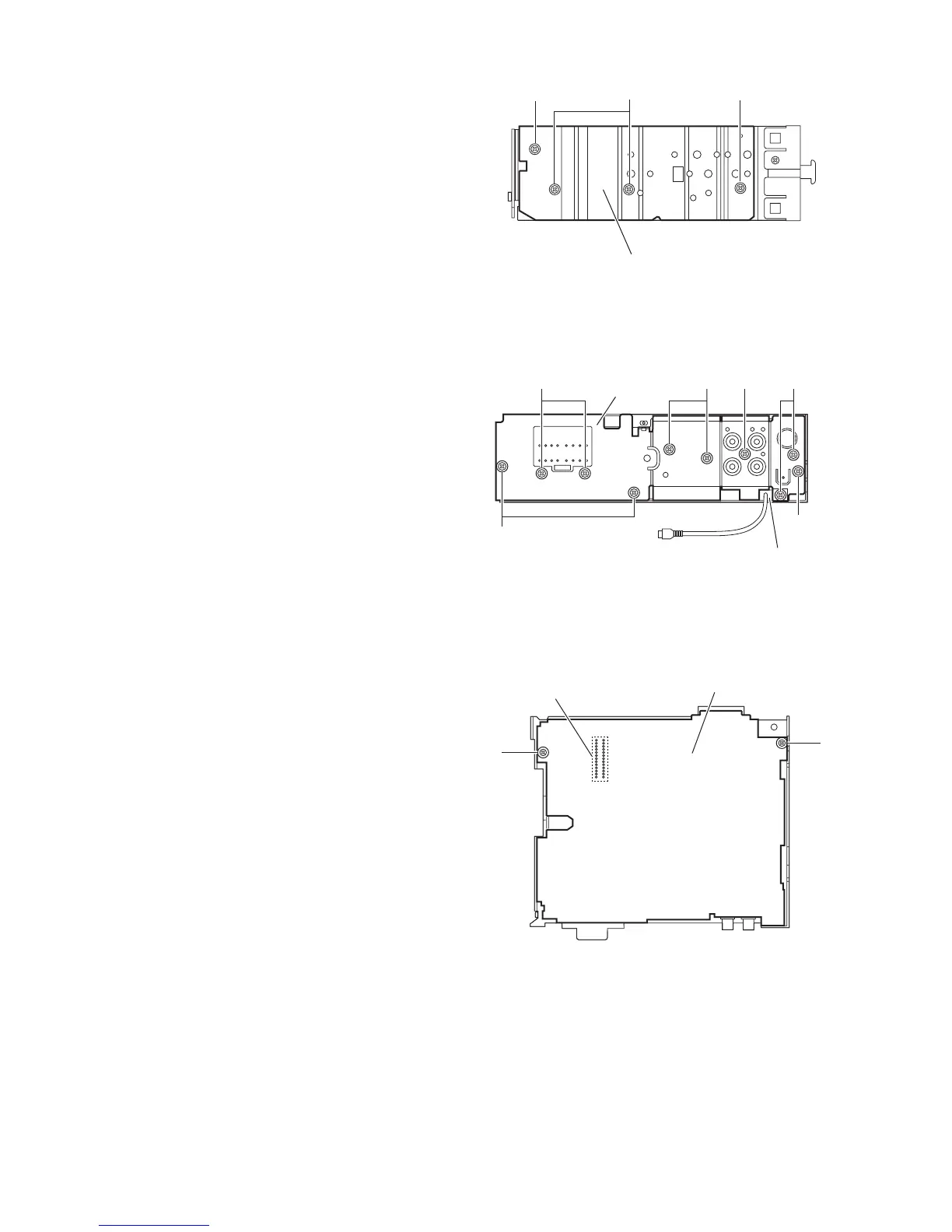
2.1.4 Removing the heat sink
(See Fig.4)
• Prior to performing the following procedure, remove the front
panel assembly as required.
(1) Remove the two screws B and two screws C attaching the
heat sink on the left side of the main body, and remove the
heat sink.
Fig.4
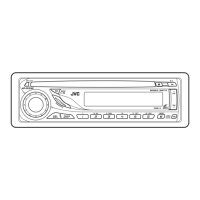
2.1.5 Removing the rear bracket
(See Fig.5)
• Prior to performing the following procedure, remove the bottom
cover.
(1) Remove the three screws D, screw E and six screws F at-
taching the rear bracket on the back side of the main body.
(2) Remove the rear bracket.
Reference:
During reassembly, before fixing the rear bracket onto the
main body, insert the video out cable into the slot.
Fig.5
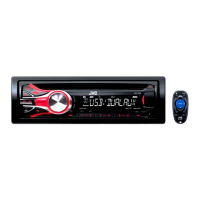
2.1.6 Removing the main board
(See Fig.6)
• Prior to performing the following procedure, remove the front
panel assembly, front chassis assembly, heat sink, bottom
cover and rear bracket.
(1) Remove the two screws G attaching the main board.
(2) Disconnect the connector CN501 and remove the main
board.
Fig.6
Heat sink
C
B
C
FF
D
D
E
Rear bracket
F
Insert the video out cable
into the slot.
Main board assembly
G
G
CN501


 To Next Page