ENGLISH
7OPERATIONS
Preparation
Setting the clock
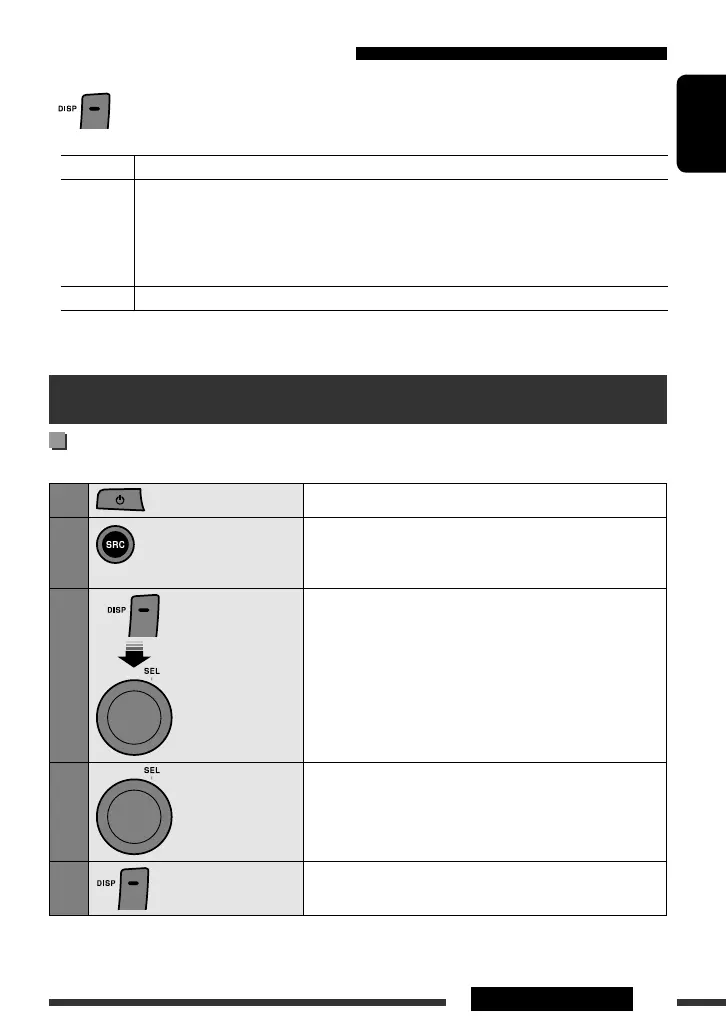
On the Unit ONLY:
1
Turn on the power.
2
Change the source to tuner.
Press the button repeatedly until the tuner frequency is
displayed.
3
[Turn] = [Press]
[Hold]
Adjust the hour.
4
[Turn]
Adjust the minute.
• You can go back to the adjustment of the hour by pressing the
button.
5
Finish the procedure.
• To display the clock, press DISP repeatedly until the clock is displayed (see “Changing the display information”
above).
Changing the display information
On the Unit ONLY:
• When the power is turned on: The display information of the current source changes as follows:
Tuner Frequency and the band (F1, F2, F3, A1 or A2) = Clock = (back to the beginning)
Disc • Audio CD/WMA/VCD:
Current track number with the elapsed playing time = Clock = (back to the beginning)
• MP3:
Album name/performer (folder name) * = Track title (file name) * = Current track number
with the elapsed playing time = Clock = (back to the beginning)
AUX IN Source name (AUX IN) = Clock = (back to the beginning)
* If an MP3 le does not have Tag information, folder name and le name appear.
EN_KD-SV3706[US].indb 7EN_KD-SV3706[US].indb 7 08.12.11 3:10:01 PM08.12.11 3:10:01 PM



 To Next Page