ENGLISH
9OPERATIONS
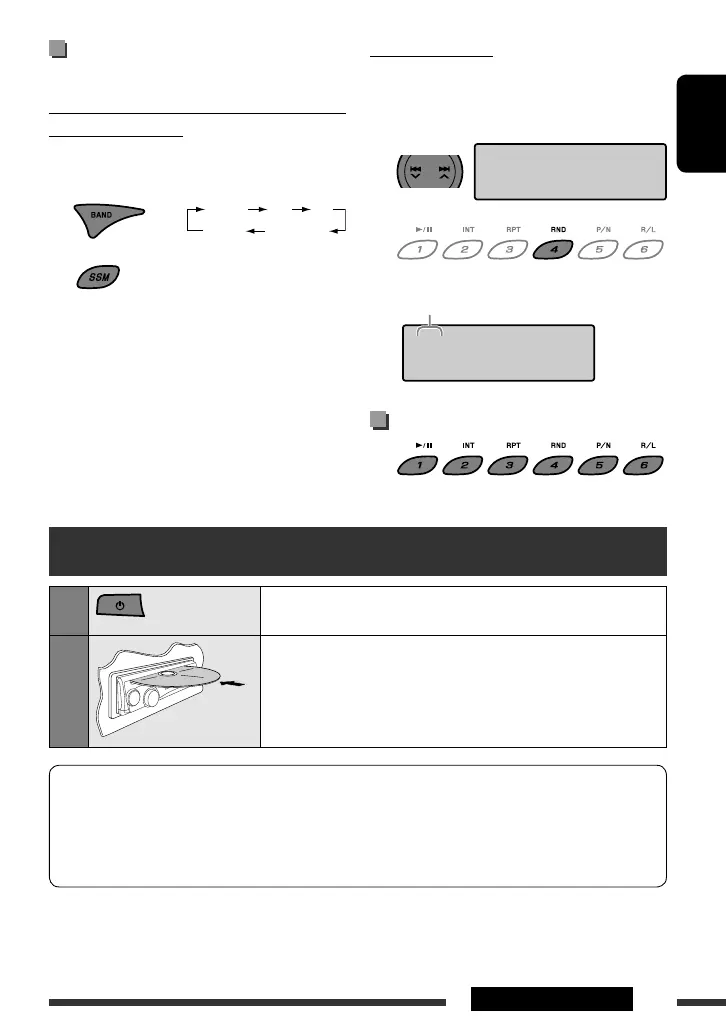
Storing stations in memory
You can preset 6 stations for each band.
Automatic presetting — SSM (Strong-station
Sequential Memory)
On the Unit ONLY:
1 Select the band you want to store into.
2
Local stations with the strongest signals are searched
and stored automatically.
[Hold]
Manual presetting
Ex.: Storing FM station of 92.50 MHz into preset number
“4.”
1 Tune in to the station you want to preset.
2
Selecting preset station
Disc operations
1
Turn on the power.
2
Insert a disc.
All tracks will be played repeatedly until you change the source or eject
the disc.
• If a disc menu appears on the monitor while playing a VCD with PBC,
see page 10.
Before performing any operations, make sure the following...
• Turn on the monitor and select the appropriate monitor input before playing a VCD.
• If you turn on the monitor, you can also control the MP3/WMA playback by referring to the monitor screen
(see page 12).
• Select the color system suitable for your monitor (see page 15).
F(FM) 1 F2 F3
A(AM) 1
A2
[Hold]
92.50 F1
92.50 F1
4
Preset number
EN_KD-SV3706[US].indb 9EN_KD-SV3706[US].indb 9 08.12.11 3:10:04 PM08.12.11 3:10:04 PM



 To Next Page