36
IMPORTANT PREPARE USE SETTING TROUBLE?
Appearance
Type of the on-screen displays, Message Board and menus
(excluding on-screen displays for digital channels and DTV menus)
Type A : translucent
Type B : not translucent
z You cannot change this setting when viewing a digital channel. Switch to
an analogue channel or an EXT mode.
Blue Back
Displays a blue screen and mutes the sound when the signal is
weak or absent (On / Off) (analogue channels)
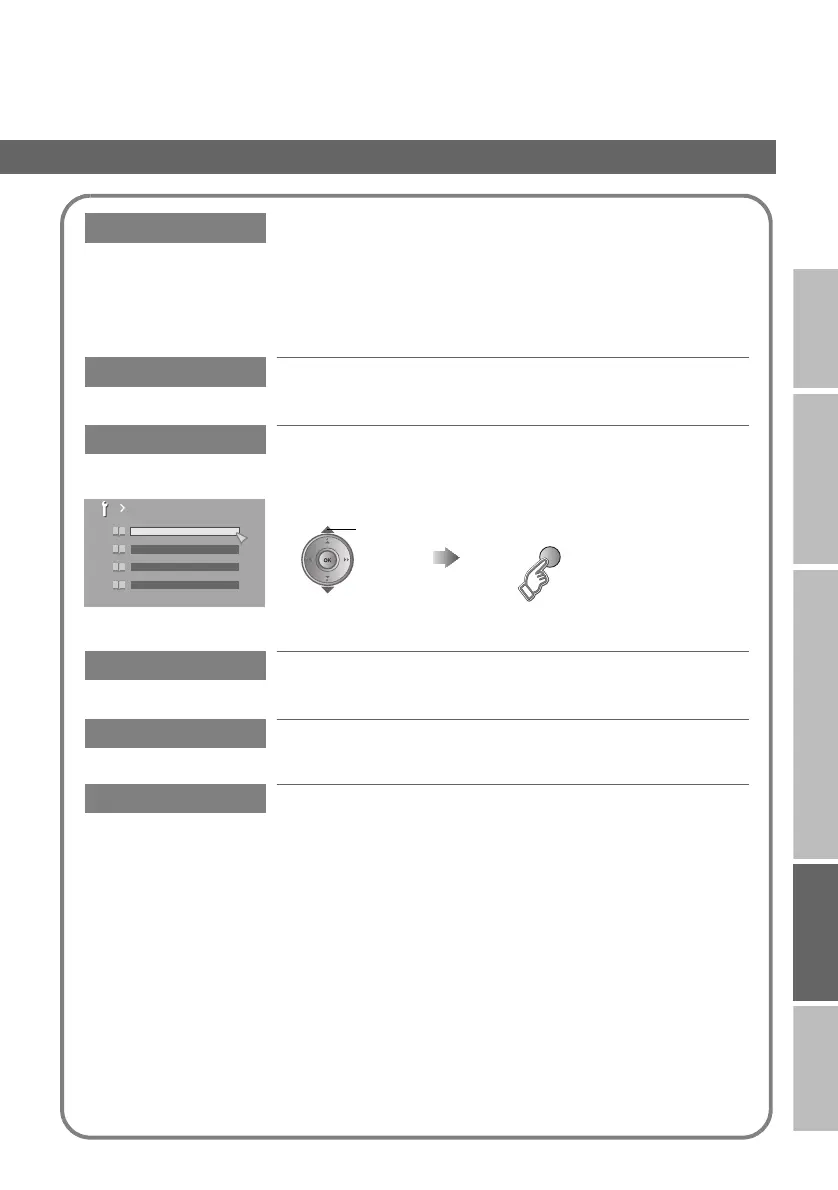
Favourite Setting
Remove a channel from the Favourite channel list (analogue
channels)
For more details g “FAVOURITE CHANNEL” (P. 19)
Illumination
Lights the illumination lamp (P. 5) when the TV is on (Bright / Soft /
Off)
Power Lamp
Lights the power lamp (P. 5) while the TV is on (On / Off)
Eco Mode
Automatically adjusts the picture contrast according to the
brightness of your room (On / Off / Demo)
For more details g “What is “Eco Mode”?” (P. 43)
Favourite Setting
PR 01
1
PR 03
2
PR 05
3
PR 07
4
select
(blue)
Remove
LT-42DV8BJ.book Page 36 Friday, July 6, 2007 11:23 AM



 To Next Page