Setting
the
Time
and
Date
l.PressMENUbutton,andthenturnthel(/DlSCRoLL/SELECTdialtoselectSystem
,"i
ingr.
Press
the
l{'i /
}>l
SCROLL/SELECT
dial
to
confirm'
2.Turnthel<</DlscRoLL/sELEcTdialtoselectTime/Date.Pressthel{(/)>lscRoLL/
SELECT
dial
to
confirm'
3.Turnthel<</DISCRoLL/SELECTdialtoselectoptions,andthenpressthel<</>>l
SCROLL/SELECT
dial
to
confirm
the
setting'
lnactive
StandbY
Use
the
Inactive
Standby
to
turn
offthe
unit
after
a certain
time
in
play
mode'
1 .
Press
MENU
button,
and
then
turn
the
l({ /
Dl
SCRoLL/SELECT
dial
to
select
System
'
settings.
Press
the
l( /
Dl
SCROLL/SELECT
to
confirm'
2.Turnthel.(/>>ISCRoLL/SELECTdialtoselectlnactiveStandby.Pressthel<</>>l
SCROLL/SELECT
dial
to
confi
rm'
3.
Turn
the
l<< /
}}l
SCROLL/SELECT
dial
to
select
between
Off'
2
hours'
4 hours'
5
hours
and
6
hours.
Press
the
lt{ /
Dl
SCROLL/SELECT
to confirm'
Language
This
feature
enables
you to
change
menu
language'
l.PressMENUbutton,andthenturnthel(/DlscRoLL/sELE€TdialtoSelectsystem
settings.
Press
the
l{( /
}>l SCROLL/SELECT
dial
to
confirm'
2.Turnthel<K/>>lScRoLL/sELEcTdialtoselectLanguage.Pressthel(/DlscRoLL/
SELECT
dial
to confirm.
3.
Turn
the
l(
/
)>l
sCRoLL/SELECT
to
select
a
language,
and
then
press the
l<<
/
>>l
SCROLL/SELECT
dial
to
confirm'
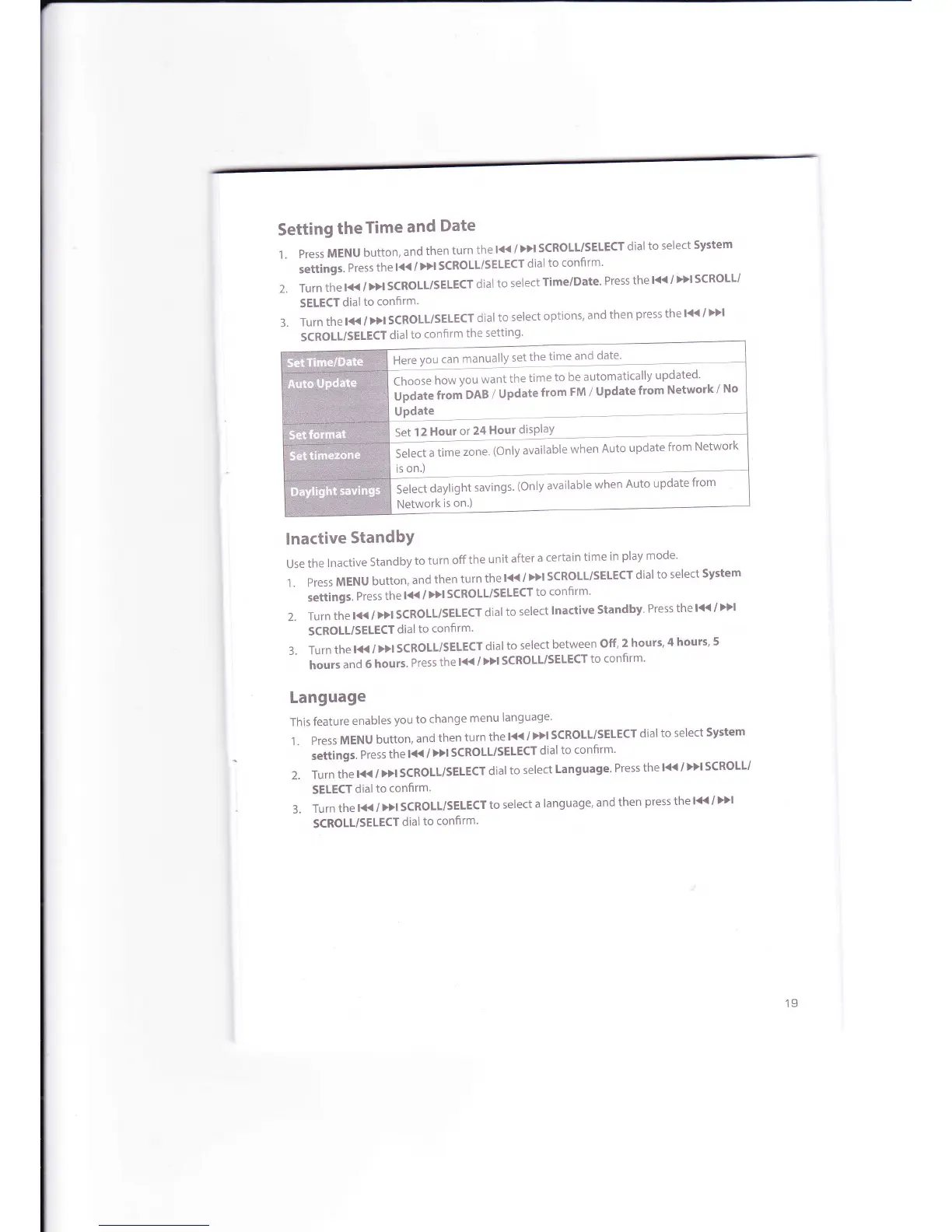
Here
you can
manually
set
the
time
and
date'
lno*"
ho*
Vou
want
the
time
to
be automatically
up-dated'
Upl"a"
tt.rn
DAB
/
Update
from
FM /
Update
from
Network
/
No
Update
Set
12
Hour
or
24
Hour
disPlaY
s"
- '
--t".t
u
tir'r.'"
-*
(only
available
when
Auto
update
from
Network
is
on.)
Select
daylight
savings.
(Only
available
when
Auto
update
from
Network
is
on.)
19



 To Next Page