EasyManua.ls Logo

JVC RA-D58B - My Added Stations

JVC RA-D58B
44 pages
Print Icon
To Next Page IconTo Next Page
To Previous Page IconTo Previous Page
Loading...
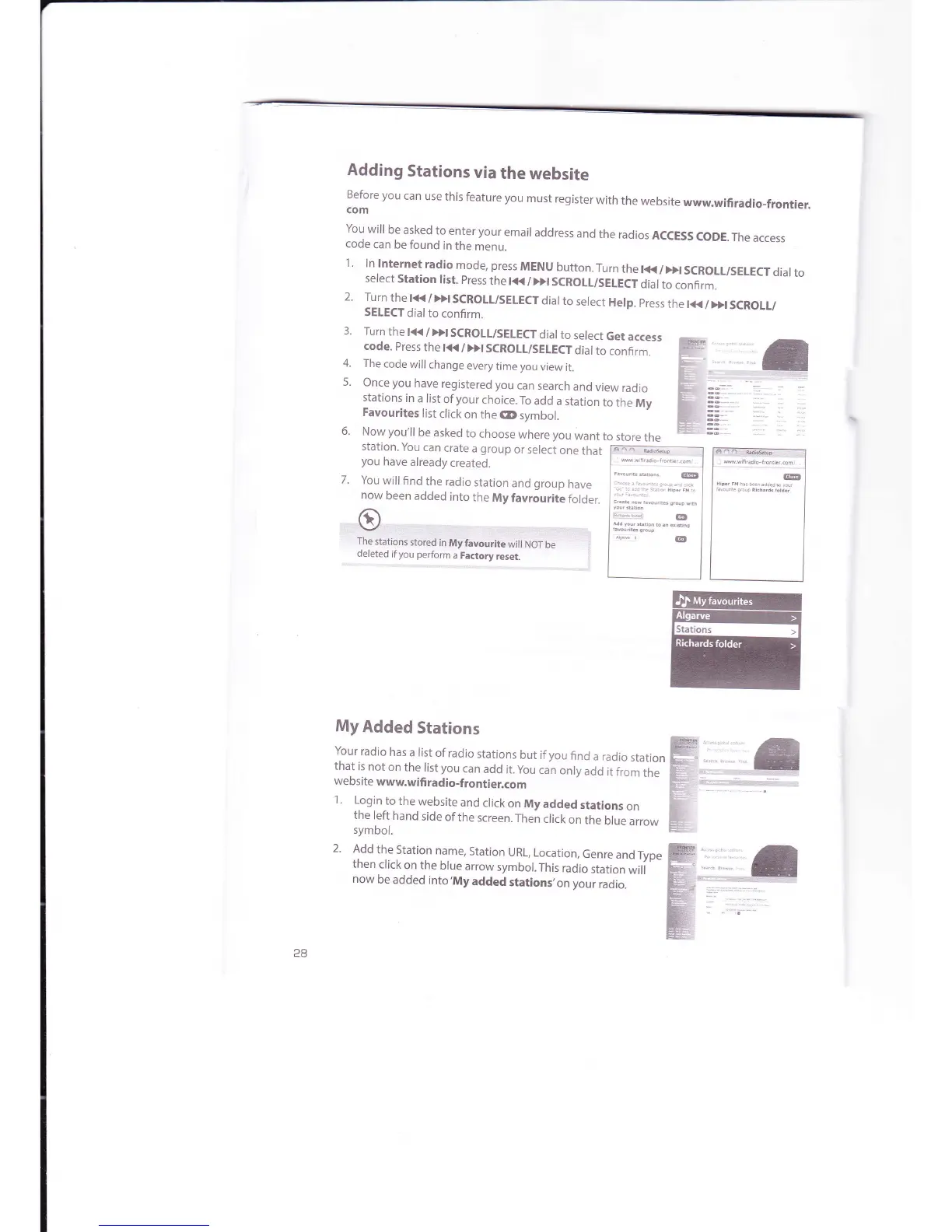
Adding
Stations
via
the
website
f;tore
vou
can
use
this
feature
you
must
register
with
the
website
www.wifiradio_frontier.
You
will
be
asked
to
enter your
email
address
and
the
radios
ACCESS
coDE.
The
access
code
can
be found
in
the
menu.
1
'
ln
lnternet
radio
mode, press
MENU
button.
Turn
the
r<t<
/
)>r
scRoLL/sELECT
diar
to
select
station
rist.
press
the
r<K
/>>r scRoLL/sELEcr
diar
to
confirm.
2'
Turn
the r<K
/
>>r
scRoLL/sELEcr
diar
to
serect
Help.
press
the
l{<
/
Dr
scRolu
SELECT
dial
to
confirm.
3.
Turn
the
t{<
/
Dl
SCROLT/SEIECT
dial
to
select
Get
access
code.
Press
the
l<<
/
>>l
SCROLT/SELECT
dial
to confirm.
4.
The
code
will
change
every
time
you
view
it.
5.
Once you
have
registered
you
can
search
and
view
radio
stations
in
a list
of
your
choice.
To
add
a station
to
the
My
Favourites
list
click
on
the
CD
symbol.
6.
Now
you'll
be
asked
to
choose
where
you
want
to
store
the
station.
You
can
crate
a
group
or select
one
that
F=-tu,fu;---l F'_ @_
--r
youhavealreadycreated.
I
-
ll
;"*'."""*
I
7'Youwillfindtheradiostationandqrouohavel..",'"*'''..ll
nowbeenaddedintotheMyfavrJuritefofO"r.
]..:;;",,.,. ;:_":,1 l' I
e
h-.--,,,,.."=-ll I
The
stations
stored
in
My
favourite
wiil
NoT
be
I
*
@
I I I
dereted
ifyou perform
a
Factory
reset.
I
I
i
j
m=
5
My
Added
Stations
Your
radio
has
a list
of
radio
stations
but if
you
find
a radio
station
that
is
not
on
the
list
you
can
add
it.
you
can
only
add
it
from
the
website
www.wifi
radio-frontier.com
1.
Login
to
the
website
and
click
on
My
added
stations
on
the
left
hand
side
ofthe
screen.Then
click
on
the
blue
arrow
symbol.
2.
Add
the
Station
name,
Station
URL,
Location,
Genre
andType
then
click
on the
blue
arrow
symbol.
This
radio
station
will
now
be
added
into,My
added
stations,on
your
radio.
16

Related product manuals