Connections
Using
the
AUX
Connection
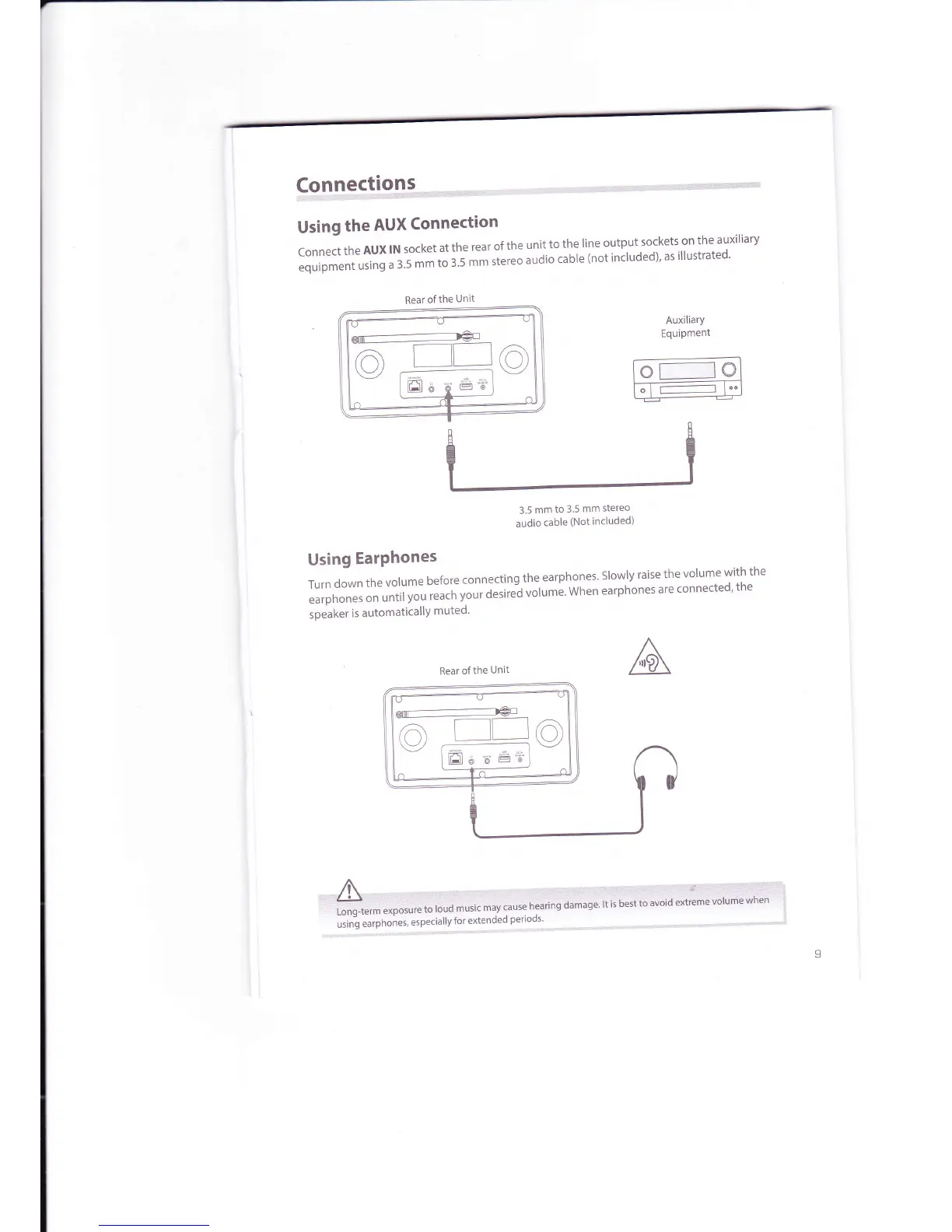
ConnecttheAUXlNsocketattherearoftheunittothelineoutputsocketsontheauxiliary
equipment
using
a 3.5
rn*
;;';t;;ereo
audio
cable
(not
included)'
as
illustrated'
AuxiliarY
Equipment
o
t-----_l
@
o
I
r--------------l
l'"
Rear
ofthe
Unit
o
g
Ell
6'd
e6"
.t:'T$i"t'il
ncruded)
Using
EarPhones
Turn
down
the
volume
before
connecting
the
earphones'
Slowly
raise
the
volume
with
the
earphones
on
until
you
t"t;;;;;'iei
uotume'
when
earphones
are
connected'
the
speaker
is automaticallY
muted'
Rear of
the
Unit
:rl;4.:rtL....,t,r,,:r:..iii..::i...:a..r.,:i,
::::ii::tir"..:i'.::::i:r"r::':i'r::r':i..:g'ii:::'i:::':::
''L.tiiq-te.mexbosrratouua*uiiii;"i;'i;n";;naimusaiiri;tesiioivi:ioafttoiir6voluniewlien'
'l
uiin-g
"urpnon"t,
"specially
for
extended
periods'



 To Next Page