EasyManua.ls Logo

JVC RA-D58B - Clearing My Playlist; Repeat Play; Shuffle Play

JVC RA-D58B
44 pages
Print Icon
To Next Page IconTo Next Page
To Previous Page IconTo Previous Page
Loading...
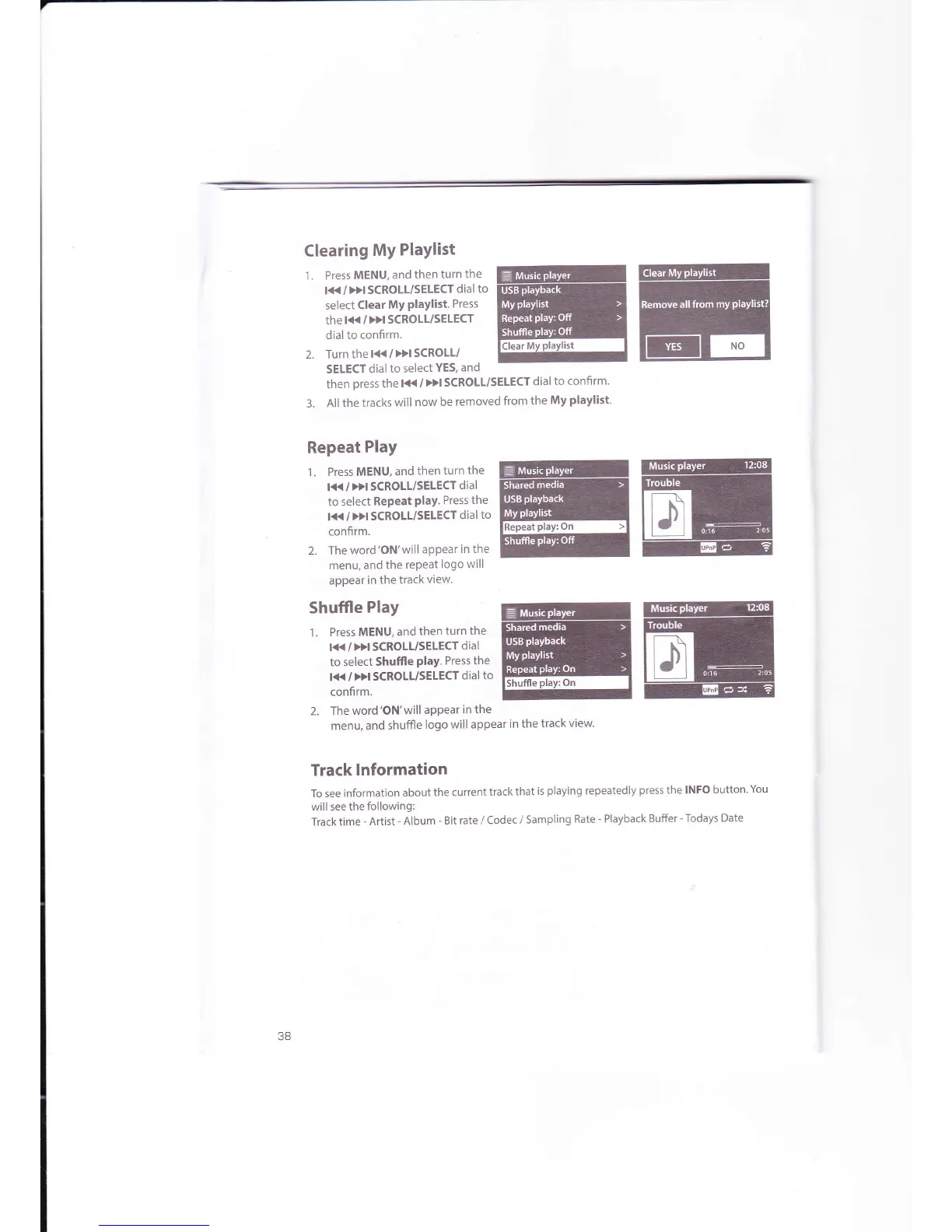
Clearing
My
Playlist
1. Press
MENU,
and
then
turn
the
l<<
/
DI SCROLL/SEIECT
dial
to
select
Clear
My
PlaYlist.
Press
the
l<<
/
>>l
SCROLT/SELECT
dial
to
confirm.
2. Turn
thel<</>>ISCROLI/
SELECT
dial
to
select
YES,
and
then
press
the
l<< /
>}l SCROLL/SELECT
dial
to confirm'
3.
Allthe
tracks
will
now
be
removed
from
the
My
playlist'
Repeat
Play
'1.
Press
MENU,
and
then
turn the
l<<
/
>>l SCROLL/SELECT
dial
to select
RePeat
PlaY.
Press
the
l<<
/
Dl SCROLL/SELECT
dial
to
confirm.
2.
The
word'ON'will
aPPear
in the
menu, and
the
repeat
logo will
appear
in the
track
view
Shuffle
Play
'l
. Press
MENU,
and
then
turn
the
l<< / >>l SCROLL/SELECT
dial
to select
Shuffle
PlaY'
Press the
I<K
/
>H SCROLL/5ELECT
dial to
confirm.
2. Theword'ON'will
aPPearin
the
menu, and
shuffle
logo
will appear
in
the
track
view.
Track
lnformation
To see information
about
the
current
track
that
is
playing
repeatedly
press
the lNFo
button.
You
will
see the
following:
Track time
-
Artist
-
Album
-
Bit
rate
/
codec /
sampling
Rate
-
Playback
Buffer
-
Todays Date
ffiffi
ffiffi

Related product manuals