EasyManua.ls Logo

JVC RA-D58B - Music Player Operation; Media Sharing Setup; Managing My Playlists

JVC RA-D58B
44 pages
Print Icon
To Next Page IconTo Next Page
To Previous Page IconTo Previous Page
Loading...
M,usi
g
Playel
OPeration
The
built-in
Music
player allows
you to
play
unprotected
audio
files
stored
on
a networked
computer.
To
play
music
from
the
computer,
you
must
setup a shared
file or
media
library
on
the
computei.
press
the
MODE
button,
and
then
turn the
l<<
/
>>l SCROLL/SELECT
dial
to
select
Musi<
Player
mode.
Press
the
t<< /
>)l SCROLL/SELECT
dial
to
confirm.
Media
Sharing
Ensure
that
your
computer
is available
on the
network,
and that
your
computer
is set
up
to
allow
sharing
your media
folders
or
files. Check
how
to setup
a
folder
for sharing
from
your computer's
instruction
manual'
1.
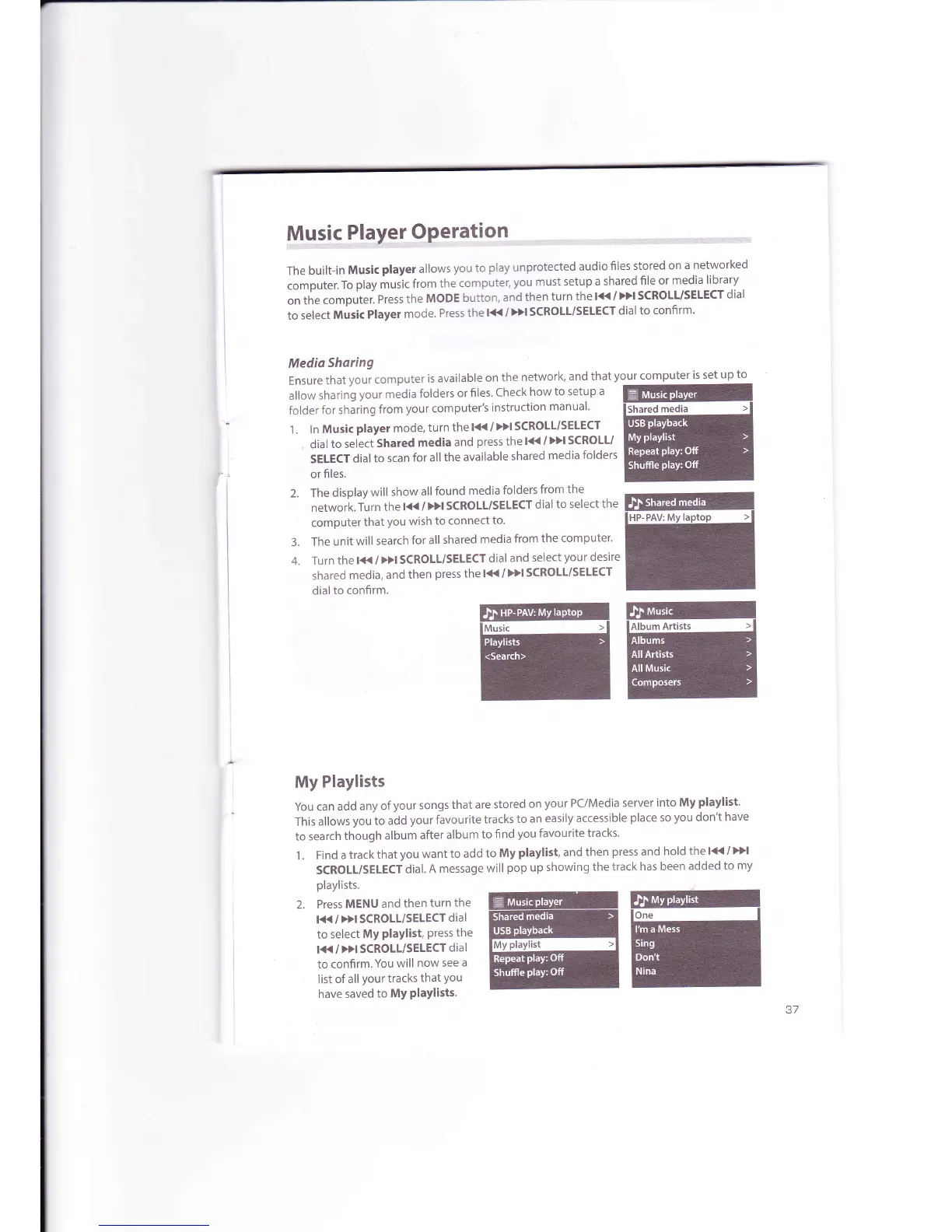
ln Music
player mode,
turn
the
l<<
/
>>l SCROLL/SEIECT
dial
to select
Shared
media
and
press the
l({
/
)>l
SCROLL/
SELECT
dial to
scan
for
all
the available
shared
media
folders
or files.
3.
4.
The
display
will
show
all
found
media
folders
from
the
network.
Turn the
l<< /
>>l SCROLL/SELECT
dial
to select
the
computer
that
you
wish
to
connect
to.
The
unit
will
search
for all
shared
media
from
the
computer'
Turn
the
lt{
/
}>l SCROLL/SELECT
dial
and
select
your
desire
shared
media,
and
then
press
the l( /
Dl SCROLL/SELECT
dial
to confirm.
My
Playlists
You can
add
any of
your songs
that
are stored
on
your
PClMedia
server
into My
playlist.
This
allows
you
to add
your
favourite
tracks
to an
easily accessible
place
so
you
don't
have
to search
though
album
after
album
to
find
you favourite
tracks'
1 . Find
a track
that
you
want
to add
to
My
playlist,
and
then
press
and
hold
the 1<<
/
>>l
SCROLL/SELECT
dial.
A
message
will
pop
up
showing
the track
has been
added
to
my
playlists.
2. PressMENUandthenturnthe
EnffiGn
EC+*?fl
*fffiffiil
have saved
to
MY
PlaYl

Related product manuals