Audio
Setting
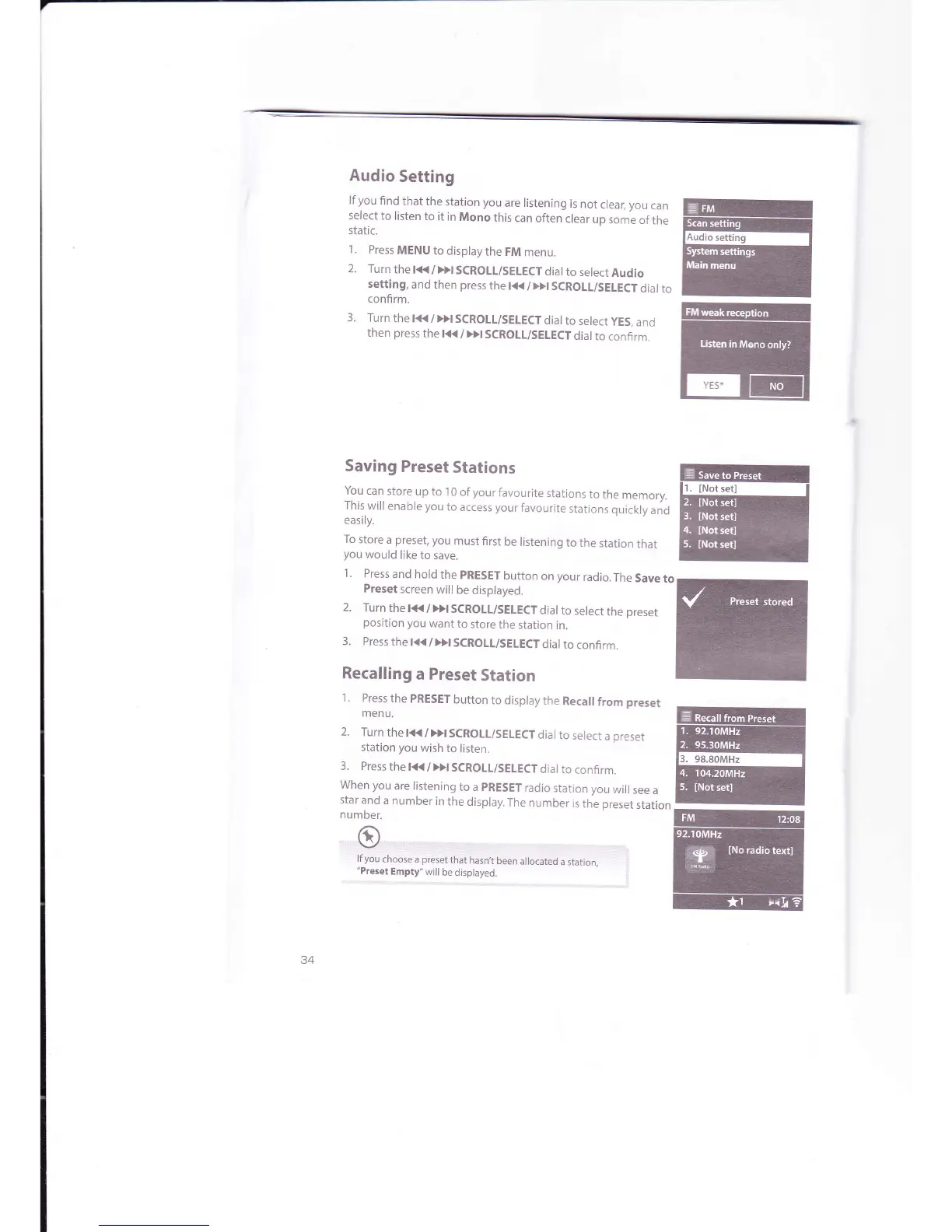
lf
you
find
that
the
station you
are listening
is
not
clear,
you
can
select
to listen
to
it in
Mono
this
can
often
clear
up
some
of
the
static.
1.
Press
MENU
to
display
the FM
menu.
2.
Turn
the l<K
/>>I
SCROLL/SEIECT
dial
to
select
Audio
setting,
and
then
press
the t<<
/
>>t
SCROLL/SELECT
dial
to
confirm.
3. Turn
the l<t<
/
)>l
SCROLL/SEIECT
dial
to
select
yES,
and
then
press
the
t<<
/
Dt
SCROLI/SEIECT
dial
to
confirm.
Saving
Preset
Stations
l9u
can store
up to
1 0
of
your
favourite
stations
to the
memory.
This
will
enable
you
to
access your
favourite
stations
quickly
and
easily.
To
store
a
preset,
you
must
first
be listening
to
the
station
that
you
would
like
to save.
1.
Press
and
hold
the
pRESET
button
on
your
radio.The
Saveto
Preset
screen
will
be
displayed.
2.
Turn
the
t<K
/
>>t
SCROTL/SELECT
dial
to
select
the
preset
position
you
want
to
store
the
station
in.
3.
Press
the t(
/
Dl
SCROTL/SELECT
dial
to
confirm.
Recalling
a Preset
Station
1.
Press
the
PRESET
button
to
display
the
Recall
from
preset
menu.
2.
Turn
the
t<K
/
Dt
SCROLL/SELECT
dial to
select
a
preset
station you
wish
to
listen.
3.
Press
the
l(
/Dt SCROLL/SELECT
dial
to
confirm.
When you
are listening
to a
pRESET
radio
station
you
will
see
a
star
and
a
number
in
the
display.
The
number
is
the
preset
station
number.
:1
1,,,,,,rQ,,,,,,.,,,,,,,,,",,,
i:r:ii,i::r:.::,,:
i.r,:.:,:,:..
..
lf
you
choose
a
preset
that
hasn,t
been
allocated
a
station,
"Preset
Empty"
will
be displayed.
.:
#
ry
ffi
ffi



 To Next Page