EasyManua.ls Logo

JVC RA-D58B - Internet Radio Operation; Finding Local Radio Stations

JVC RA-D58B
44 pages
Print Icon
To Next Page IconTo Next Page
To Previous Page IconTo Previous Page
Loading...
lnternet
Radio
Operation
To listen
to
internet
radio your
radio
must
be
connected
to
the
internet.
Try
to
position
your
radio
as
close
as
possible
to
your
router
to
get
the
best
connection
speeds.
Finding
Local
Radio
Stations
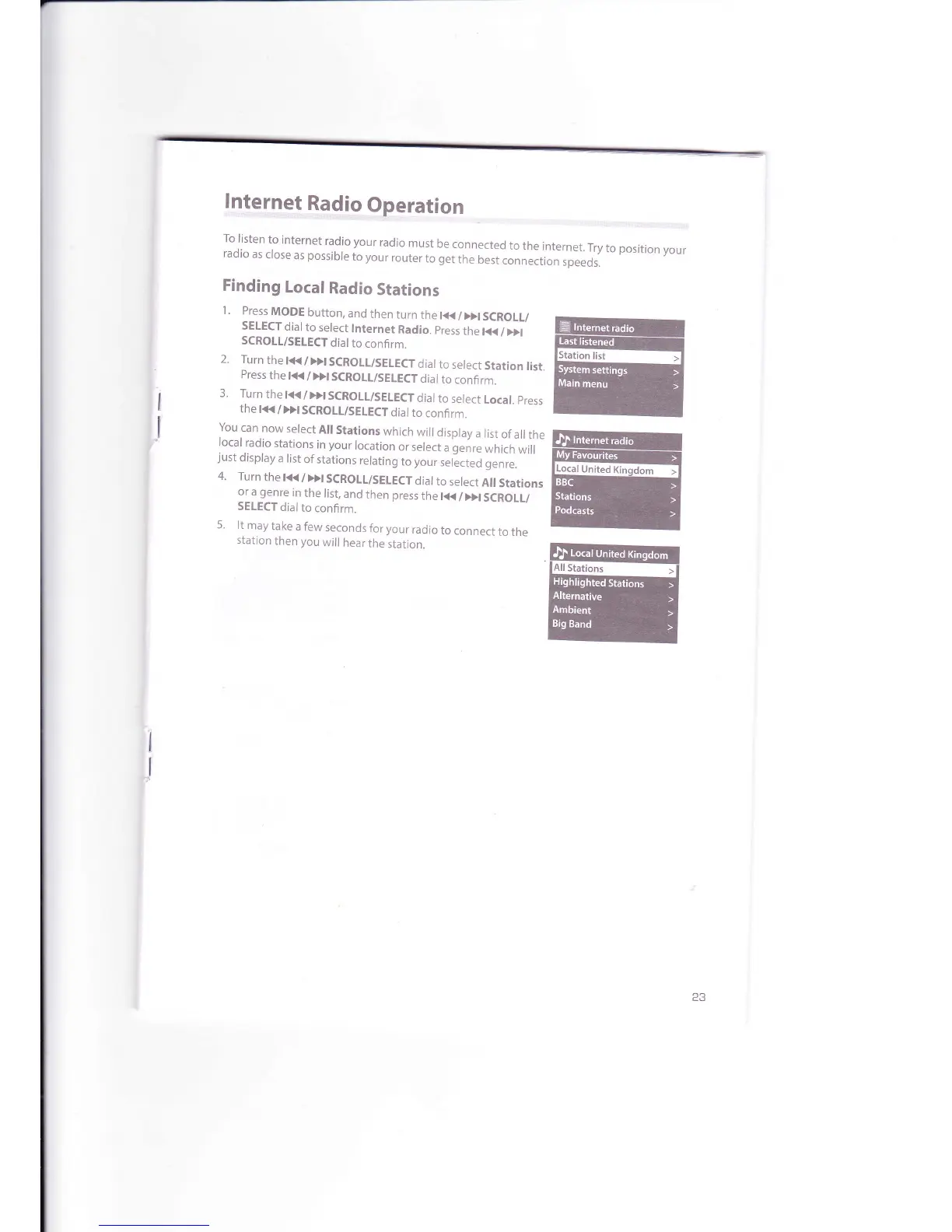
1 .
Press
MODE
button,
and
then
turn
the
t<<
/
>>t
SCROLL/
SETECT
dial
to
select
lnternet
Radio.
press
the
t<<
/
>>t
SCROLL/SELECT
dial
to
confi
rm.
2.
Turn
the
t<<
/
}>t
SCROTL/SELECT
dial
to
select
Station
list.
Press
the
t{{
/
Dl
SCROLL/SELE€T
dial
to
confirm.
3.
Turn
the
l<<
/
>>t
SCROLL/SELECT
dial
to
select
Local.
press
the
l<<
/Dt SCROLL/SELECT
dial
to
confirm.
You
can
now
select
Ail
Stations
which
will
display
a list
of
all
the
local
radio
stations
in
your
location
or
select
u
g"nr"
which
will
just
display
a list
of stations
relating
to
your
sel"ected
genre.
4.
Turn
thet<</>)tSCROLt/SELECTdial
to
select
All
Stations
or
a
genre
in
the
list,
and
then press
the
l{{
/
)>l
SCROLL/
SEIECT
dial
to
confirm.
5.
lt
may
take
a
few
seconds
for
your
radio
to
connect
to
the
station
then you
will
hear
the
station.
ffi
ry
w
ffi
I

Related product manuals