EasyManua.ls Logo

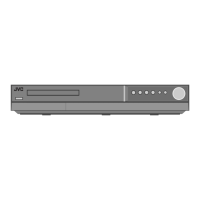
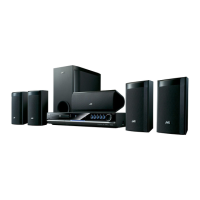
JVC TH-G30 - User Manual

JVC TH-G30
29 pages
Print Icon
To Next Page IconTo Next Page
Loading...
TH-G30
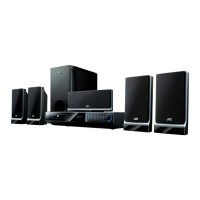
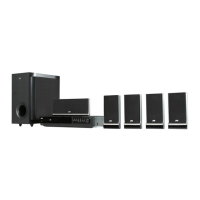
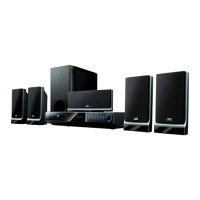
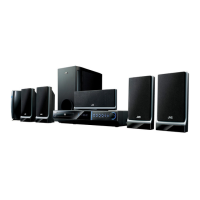
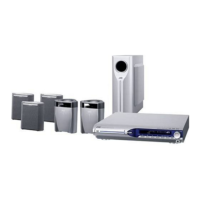
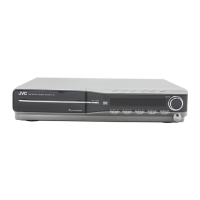
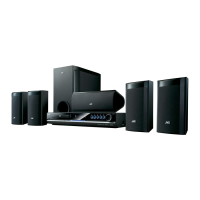
Consists of XV-THG30 and SP-THG50C/F/W
DVD DIGITAL CINEMA SYSTEM
INSTRUCTIONS
LVT1880-019A
[US]
HT993SJ_ENG
TUNING TUNING

Table of Contents

Questions and Answers

  • P
    Patrick KnightJul 29, 2025
    How to fix a dim front panel display on my JVC TH-G30 Home Theater System?
    • L
      Lawrence HamptonJul 30, 2025
      To brighten the front panel display on your JVC Home Theater System, press the DIMMER button on the remote control.
  • D
    deborah04Aug 2, 2025
    What to do if the JVC TH-G30 Home Theater System remote control does not work?
    • Z
      zmillerAug 3, 2025
      If the remote control of your JVC Home Theater System isn't working correctly, make sure you're pointing it directly at the remote sensor on the DVD/CD Receiver. Also, ensure you're within a 23 ft (7 m) range. Remove any obstacles between the remote and the receiver. If it still doesn't work, the batteries might be dead, so try replacing them.
  • S
    sschroederAug 6, 2025
    Why is there no picture on my JVC TH-G30?
    • H
      Holly SmithAug 6, 2025
      If you're not getting any picture on your JVC Home Theater System, first, ensure your TV is set to the correct video input mode to receive the DVD signal. Check that the video cable is securely connected to the jacks. Also, verify that your TV is turned on.
  • R
    Robin BarryAug 11, 2025
    What to do if there is no sound on my JVC TH-G30?
    • J
      Joseph CollinsAug 11, 2025
      If your JVC Home Theater System has no sound, or the sound is very low, first ensure that the equipment connected with the audio cable is set to receive the DVD audio signal output. Check that the audio cables are securely connected. Make sure that the equipment connected with the audio cable is turned on. If the issue persists, the audio connecting cable might be damaged, so try replacing it.
  • C
    Christopher MoonAug 15, 2025
    How to fix a JVC TH-G30 that has no power?
    • K
      Kyle ButlerAug 15, 2025
      If your JVC Home Theater System isn't powering on, the power cord may be disconnected. Ensure the power cord is securely plugged into the wall outlet.
  • K
    Kevin MasonAug 20, 2025
    Why is the playback picture poor on my JVC TH-G30?
    • T
      Thomas WalshAug 20, 2025
      If the playback picture on your JVC Home Theater System is poor, try these steps: Clean the disc. Ensure a disc is inserted correctly. Make sure you're using a playable disc, checking the disc type, color system, and regional code. Place the disc with the playback side down and correctly within the guide. If a menu is on the TV screen, press the SETUP button to turn it off. Also, check if the Rating level is set and cancel the Rating function or change the rating level if needed.
  • K
    Kenneth HarmonAug 25, 2025
    How to eliminate loud hum or noise from my JVC Home Theater System?
    • T
      Tara CollierAug 25, 2025
      If you're experiencing loud hum or noise with your JVC Home Theater System, start by cleaning the disc. Then, ensure the speakers and components are securely connected. If the issue continues, try moving the DVD/CD Receiver away from the TV.

Summary

Instructions

Safety and Precautions

Electric Shock Hazards

Precautions regarding electric shock and not opening the unit.

Fire and Moisture Prevention

Warnings to prevent fire or electric shock from rain or moisture.

Ventilation and Placement Guidelines

Guidelines for proper ventilation and avoiding blockages.

Power Cord Safety

Precautions for safe handling and use of the power cord.

Introduction

Symbol Usage Guide

Explains symbols used in the manual for notes and tips.

Disc Handling and Care

Provides guidance on handling, storing, and cleaning discs.

Screen Saver Operation

Describes the screen saver activation and cancellation.

Disc Information

Playable Disc Formats

Lists all disc formats and file types supported by the unit.

Regional Code Restrictions

Explains the unit's regional code and disc compatibility.

Copyright Notes

Notes on copying, broadcasting, and Macrovision protection.

Front Panel Overview

Front Panel Controls and Ports

Identifies and describes each button and port on the front panel.

Remote Control Guide

Remote Control Functions

Details the operation of various buttons on the remote control.

Battery Installation

Instructions on how to install batteries in the remote control.

Installation and Setup

TV Connection Options

Guides on connecting the DVD/CD Receiver to a TV via video outputs.

Antenna Connection

Instructions for connecting FM and AM antennas for radio reception.

Connecting External Devices

Optional Equipment Ports

Details on connecting AUX, Optical, and Audio IN devices.

USB Device Connection

How to connect and remove USB devices for playback.

Removing USB Devices Safely

Steps to safely disconnect USB devices from the unit.

HDMI and Video Output

HDMI Connection Guide

Steps for connecting the unit to an HDMI-compatible TV or monitor.

Video Resolution Settings

How to adjust video output resolution for HDMI and component connections.

Speaker System Setup

Speaker System Connection

Guides on connecting the surround sound speaker system.

Display and Initial Settings

On-Screen Display Information

How to show playback details like title, chapter, time, audio, and subtitle.

Initial Setup Procedures

Guides on initial setup, including language and area code configuration.

General Operation

Language Settings

How to set OSD, Disc Audio, Subtitle, and Menu languages.

Display Settings

Adjusting TV Aspect Ratio and Display Mode for optimal viewing.

Video Resolution Adjustments

Detailed options for outputting various video resolutions.

Audio and Sound Configuration

Audio Output Settings

Configuring Dynamic Range Control, Vocal mode, and HD AV Sync.

Speaker and Parental Controls

5.1 Speaker System Setup

Steps for configuring the built-in 5.1 channel surround decoder.

Parental Control Setup

Setting up rating, password, and area code for parental control.

Advanced Settings

Rating and Password Management

Setting and managing parental control rating and password.

Other Function Settings

Configuring PBC, DivX registration, and Semi Karaoke functions.

Operation Basics

General Playback Controls

Overview of basic playback controls like Play, Pause, Skip, and Scan.

Additional Playback Features

Time Search and Speed Playback

Explains Time Search, 1.5x playback, and screen saver.

System Selection Modes

Guides on selecting PAL or NTSC system modes for TV compatibility.

Volume Adjustments

How to adjust Microphone and Echo volume levels.

Media Playback Guide

Audio CD and MP3;WMA Playback

Guide to playing audio and MP3/WMA discs and ID3 Tag info.

Programmed Playback

Programmed Playback Function

How to create and manage custom track playlists.

Repeat and Erase Functions

Managing repeat modes and erasing tracks from the program list.

Image File Playback

Viewing JPEG Files

Instructions for displaying JPEG files and using slideshow features.

JPEG Compatibility Notes

Limitations and tips for playing JPEG files on the unit.

DivX Movie Playback

Playing DivX Movie Files

Steps for playing DivX movies and managing subtitles.

DivX Compatibility Details

Information on resolution, file names, codecs, and audio formats.

Radio Operation

Presetting Radio Stations

How to store and recall FM/AM radio stations.

Listening to Radio Stations

Tuning into preset and non-preset radio stations.

Advanced Operation Features

Sleep Timer and Dimmer

Setting the unit to turn off automatically and adjusting display brightness.

Disc Ejection Lock

How to lock and unlock the disc tray to prevent ejection.

External Audio and Surround Modes

Connecting external sources and adjusting surround sound modes.

Reference Information

Language Codes List

A list of language codes for initial setup options.

Area Codes List

A list of area codes for DVD rating standards.

Troubleshooting

Common Problem Diagnosis

Guide to diagnosing and resolving common playback and system issues.

Specifications

Technical Specifications

Detailed technical specifications of the DVD/CD Receiver and speakers.

JVC TH-G30 Specifications

General IconGeneral
RMS rated power1000 W
Audio output channels7.1 channels
Audio formats supportedMP3, WMA
Center speaker RMS power155 W
Subwoofer sensitivity82 dB
Subwoofer frequency range40 - 1500 Hz
Video formats supportedXviD
Analog signal format systemPAL
Disc types supportedDVD+R DL, DVD-R, DVD-RW
Optical disc player typeDVD player
Power requirementsAC 230 V/50 Hz
USB version2.0
Sleep timerYes
Power consumption (standby)0.8 W
Power consumption (typical)130 W
Weight and Dimensions IconWeight and Dimensions
Subwoofer weight7600 g
Center speaker weight1100 g
Subwoofer dimensions (WxDxH)236 x 391 x 435 mm
Front speaker dimensions (WxDxH)117 x 111 x 210 mm
Center speaker dimensions (WxDxH)300 x 115 x 111 mm

Related product manuals