Each new favourite is automatically placed in first position on the list of fa-
vourites. The others then slip down one position. If more than four favourites
have been saved, the last beverage on the list is then automatically deleted
from the list of favourites.
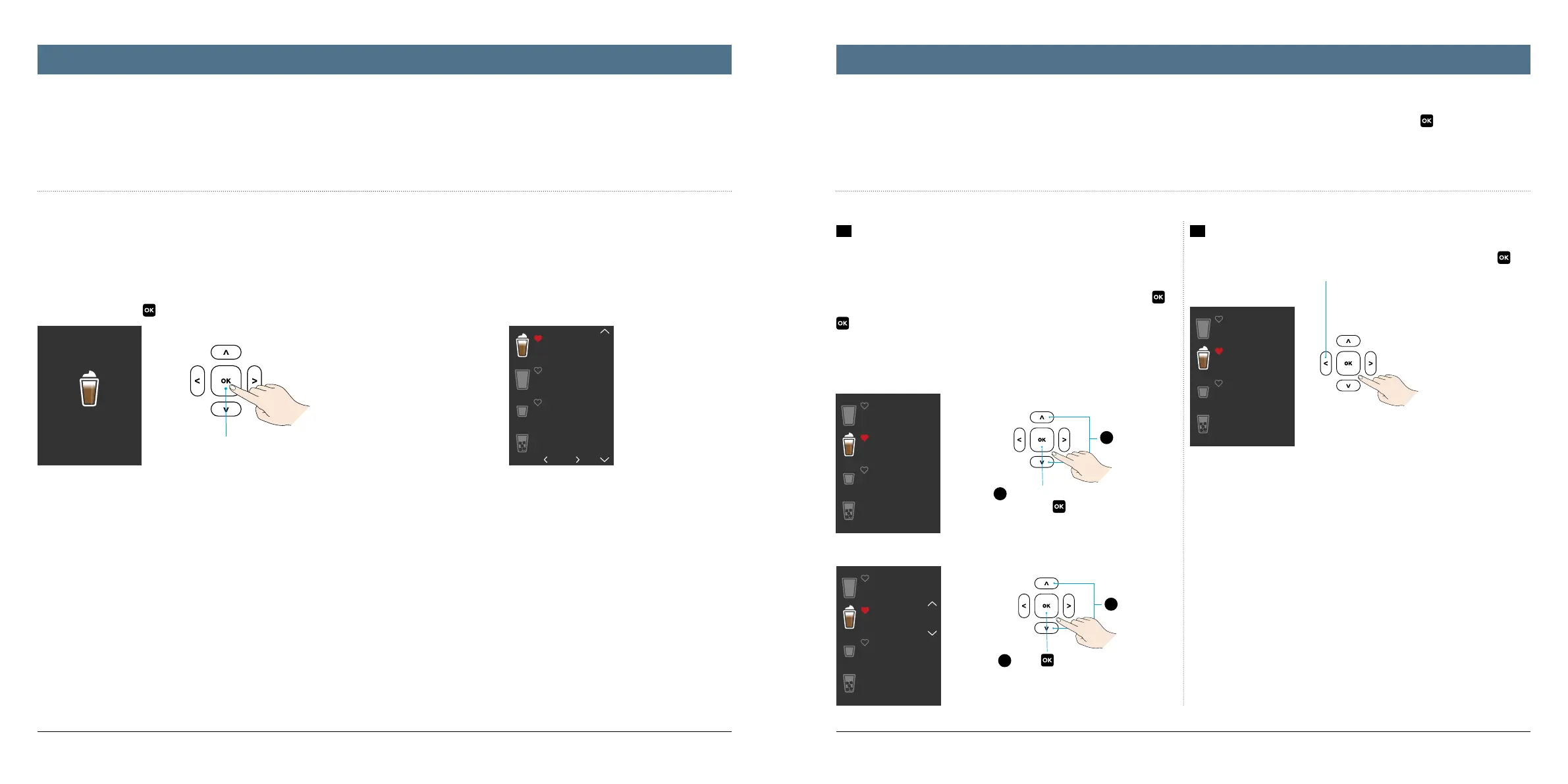
One press to add favourites
2
When the beverage lights
up, press
to activate
1
Select
4
Press
to confirm
3
Shift up
or down
270 ml
Add to favourites?
Enjoy your drink!
Cappuccino
1/20
Espresso
Cappuccino
Filter coffee
Drinks on ice
Cappuccino
Espresso
Filter coffee
Drinks on ice
Cappuccino
Espresso
Filter coffee
Drinks on ice
Cappuccino
Espresso
Filter coffee
Drinks on ice
2322
You can store a maximum of four beverages as favourites with this capsule machine. When the appliance is switched on, these automatically appear in first
position on the main menu so that you can select your favourite beverages straight away. It couldn‘t be any more personal or convenient.
It is remarkably simple to manage your favourites. To do so, you must first select „Settings“ from the main menu and press to confirm and then
select the „Favourites“ submenu from there.
Save new favourites
Once your beverage has finished brewing, the system indicates this on the dis-
play. At the same time, the system asks if you would like to save this beverage
as your new favourite.
Here, too, simply press
to do so.
1
Organising favourites
It is easy to reorder the individual beverages within the favourites menu. This
ensures that your absolute favourite is always in first place.
To do so, use the up and down arrows to select the beverage and press
to
confirm, use the arrow buttons again to shift this up or down and then press
to confirm the new position in your list of favourites.
2
Deleting favourites
Once you have selected the required (illuminated) beverage, press
and
then use the left arrow to delete it from the list of favourites.
Managing favouritesCreating favourites




 To Next Page