NOTE:
Activating the factory reset deletes all your customised parameters. Language, water hardness, water filter insertion, auto o, favourites and
more must then be set again or saved from scratch.
The initial start-up process must then also be initiated again.
After Sales Support:
If you have any queries or suggestions, please send us an email or call us on:
info@k-fee.com.au
AU: 1800 469 373
(free of charge on land lines; or information on mobile phone surcharges, please contact your mobile phone provider.)
www.k-fee.com.au
Model: K-fee 25-363
We advise you to keep the original packa ging so that you can return the ma-
chine to an authorised customer centre in case repairs are necessary.
P
C
B
A
1
Select
program
2
Press
to confirm
11/11
Help / customer care
Shut down
Factory reset
1
Select
2
Press
to confirm
Shut down
Yes
No
Descale volume:
01
Filter volume:
01
No. of descales:
0
No. filter changes:
0
3938
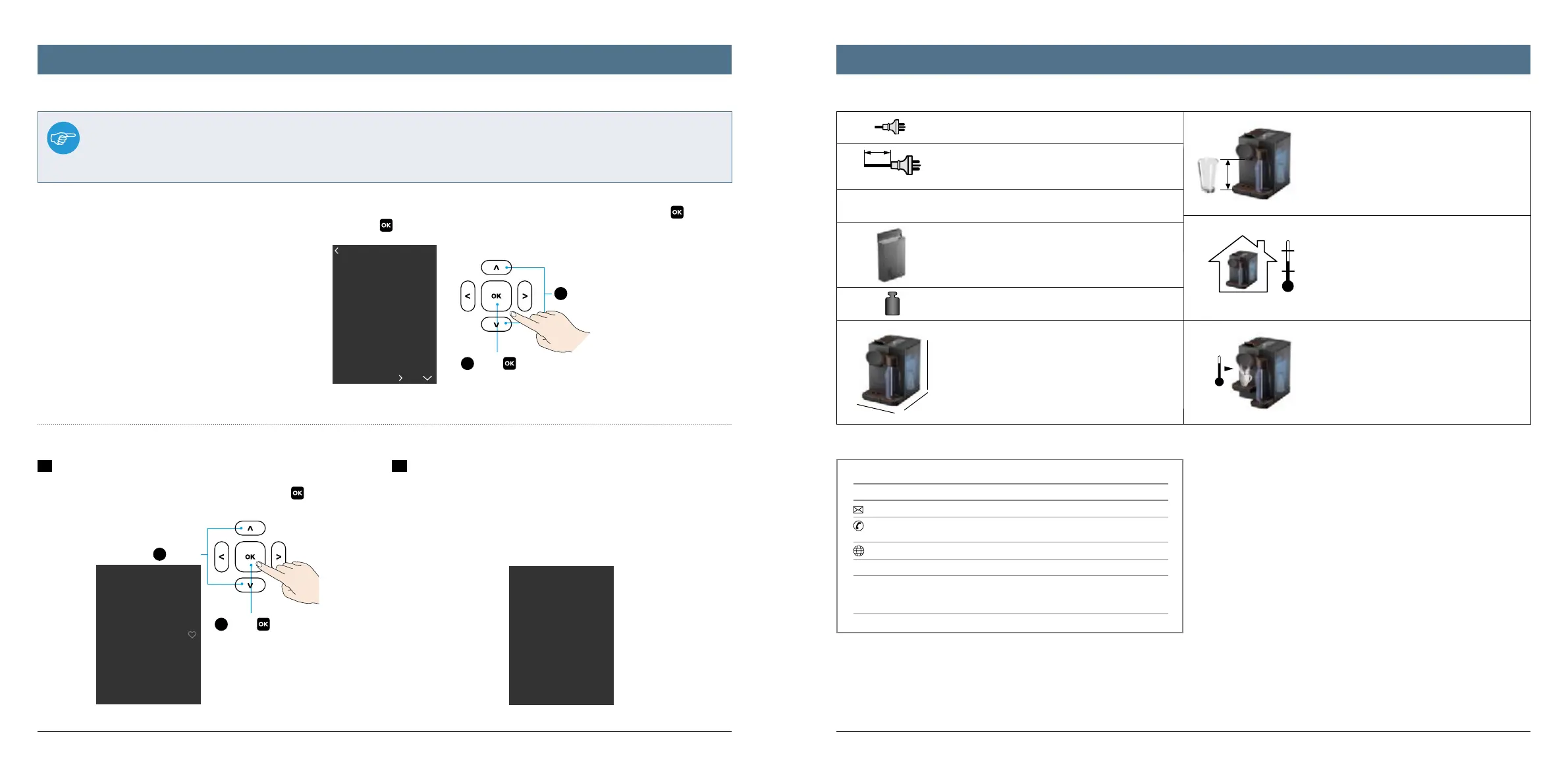
To perform a factory reset of all parameters set, proceed as follows: In the main menu „Settings“, go to the „Factory Reset“ submenu and press to confirm
both. There, use the up/down arrow buttons to select „Yes“ or „No“ and press
to confirm again.
Plug: 220-240V,50-60Hz, max.1455W
Cable: 1 m
max. 19 bar
Tank: approx. 2.0 L
Dimensions:
A = approx. 208 mm
B = approx. 300 mm
C = approx. 301 mm
(385 mm when the handle is open)
Max height: 150 mm
Temp: 10° C–40° C
Beverage temp: max. 93° C
Weight: approx. 5.5 kg
Technical data / ServiceFactory reset / other settings
Advanced settings
1
Immediate shut down
To shut down the appliance immediately, in the main menu „Settings“ go to
the „Shut down“ submenu and select „Yes“ there. Press
to confirm each
selection.
2
Statistics
To check how often the appliance has been descaled so far or how often the
water filter has been replaced, simply look under „Settings“ – „Statistics“.
Exit the menu by pressing any button.




 To Next Page