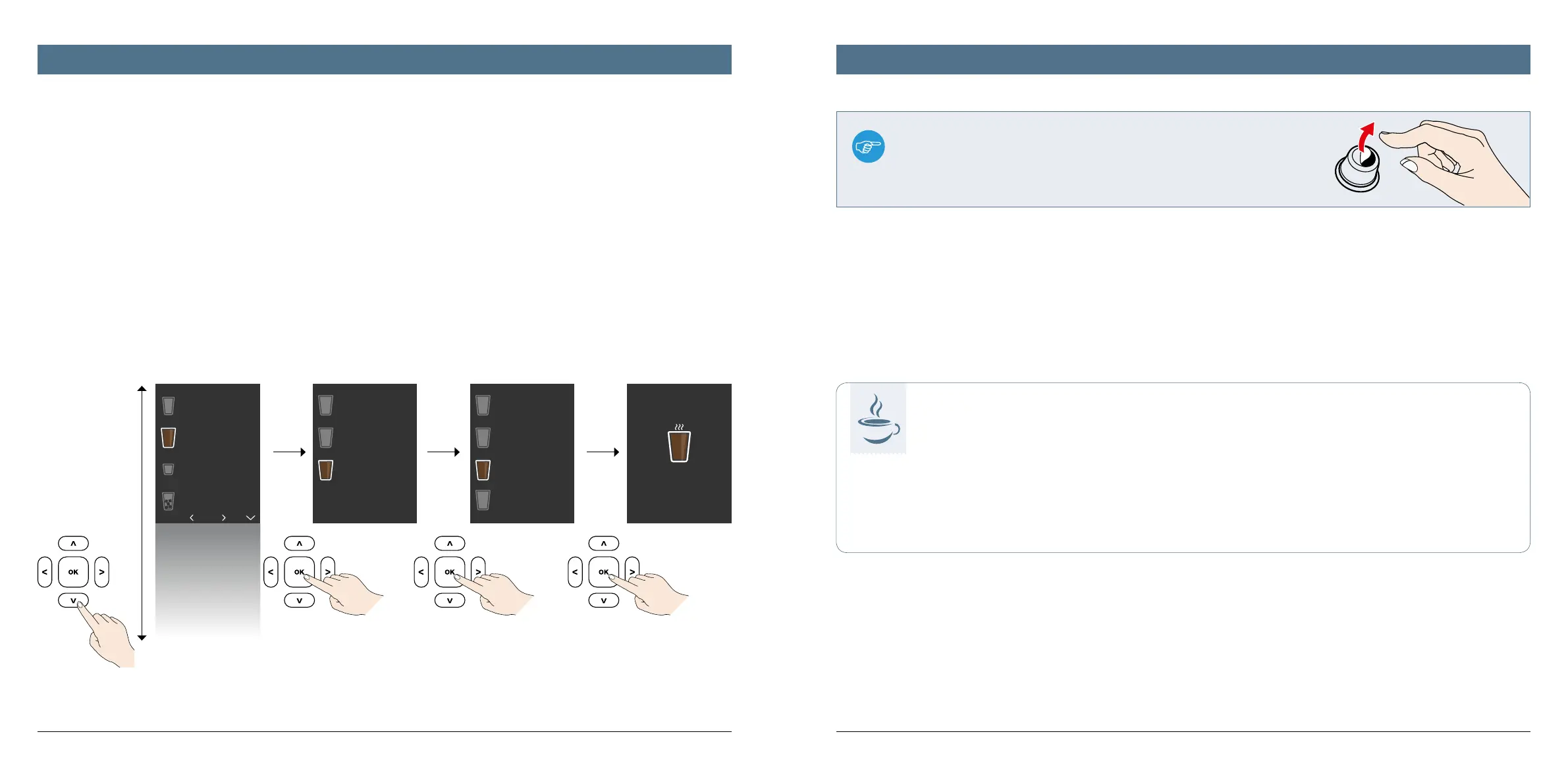
Note:
Certain K-fee® – your system capsules may have a narrow adhesive strip (tab) on the bottom.
This tab must be peeled o before the capsule is added into the machine!
Note on using bottled fresh water:
Tip
for more enjoyment
If you prefer to prepare your coee using still bottled water, please note
that depending on its origin, this is not necessarily softer than drinking
water from the tap. Your appliance can calcify just as quickly.
Check the water hardness with special test strips and set the water hard-
ness accordingly on the appliance (see p. 36).
Please do not use carbonated mineral water under any circumstances.
2/9
Espresso
Coffee
specialities
Coffee
Drinks on ice
Tea
Milk
Hot water
Filter coffee
Lungo
Americano
Filter coffee
variable
Filter coffee
240 ml
Filter coffee
180 ml
Filter coffee
120 ml
240 ml
Add to favourites?
Enjoy your drink!
Filter coffee
1312
This appliance features preprogrammed instructions for the creation of dierent beverages in a variety of sizes. All you have to do is follow the instructions on
the display for the easiest way possible to indulge yourself. The overview on the next four pages provides a quick overview of the large selection of possible
beverages.
In principle, the entire menu is split into a maximum of four levels – for remarkably simple and extremely quick beverage preparation. At each level, there are
always four menu items shown on the display. To see more, simply scroll down using the „down arrow“ operating button.
Level one:
main menu with an
overview of all bever-
age categories and
the main menu item
„Settings“
Level two:
submenu for selecting
beverage options and
the various settings
options
Level three:
details menu for, e.g.,
specifying beverage
sizes or operating steps
for individual settings
Level four:
lowest menu level for
completing all selected
operating processes
such as beverage pre-
paration or cleaning
The menu structure using the example of beverage selection
Menu structure Introduction to the overview of beverages




 To Next Page