WWW.KAARTA.COM 26
Scan Folder Contents
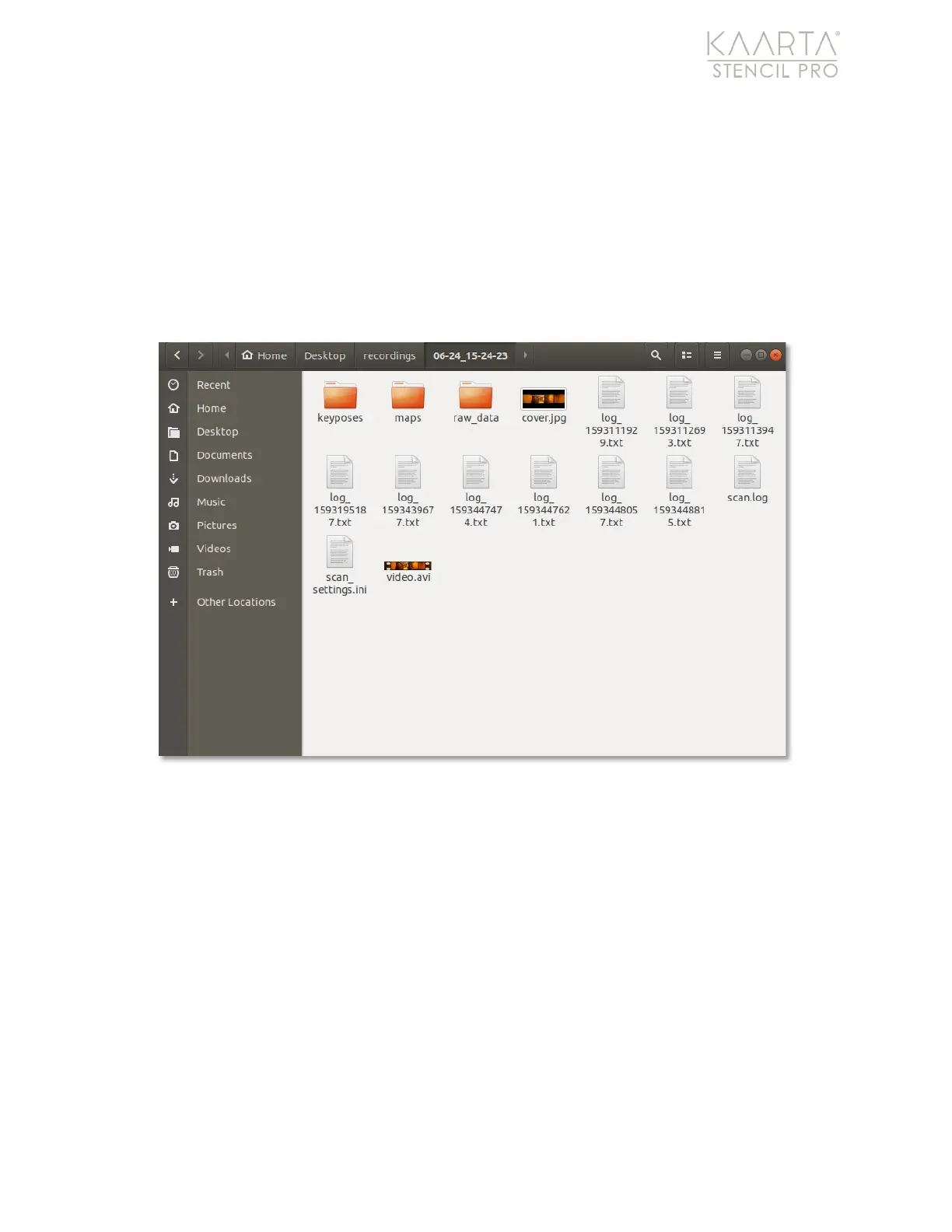
Each scan creates a new subfolder in the ~/recordings directory on the desktop. The
following new subfolders are added by default to the folder name for each scan:
“keyposes,” “maps” (or post-processed files), and “raw data” (unprocessed files) (Figure
14). The keyposes folder stores all keyposes, including the keypose.txt file and associated
rviz images.
Keyposes are not currently available for Stencil Pro and will be released at a
future date.
The raw data folder houses the scan’s bag file and configuration files, any
GNSS data that was collected, and captured imagery.
Figure 14: Stencil Pro Albums and Scans, accessible from desktop/recordings folder.
Once post-processing is run on a scan through Scan Details, additional subfolders are
created in your scan’s “maps” folder (Figure 15). The maps subfolder includes the original
scan preview (subsampled) and any files that have been processed. When a process is
performed on a file, a new subfolder is created in the “maps” folder and the process
applied is appended to the name of the file. For example, a folder named “RP_AL_PF”
indicates that the original scan was replayed, aligned, and pre-filtered. Detailed
information regarding Stencil Pro’s processing capabilities can be found in the Playback
and Processing chapter on page 57.



 To Next Page