WWW.KAARTA.COM 40
scanning has commenced, the Scan button indicator will blink. Wait an additional 5-10
seconds before you begin moving.
Scan Tip: Keep Stencil Pro stationary at the beginning of your scan until
you see the pointcloud begin to build in the map. This gives the best
reference before moving Stencil Pro to start adding points to the 3D model.
Moving too soon may introduce errors.
SCANNING
Walk slowly and watch the screen to see the map build and your position within the map
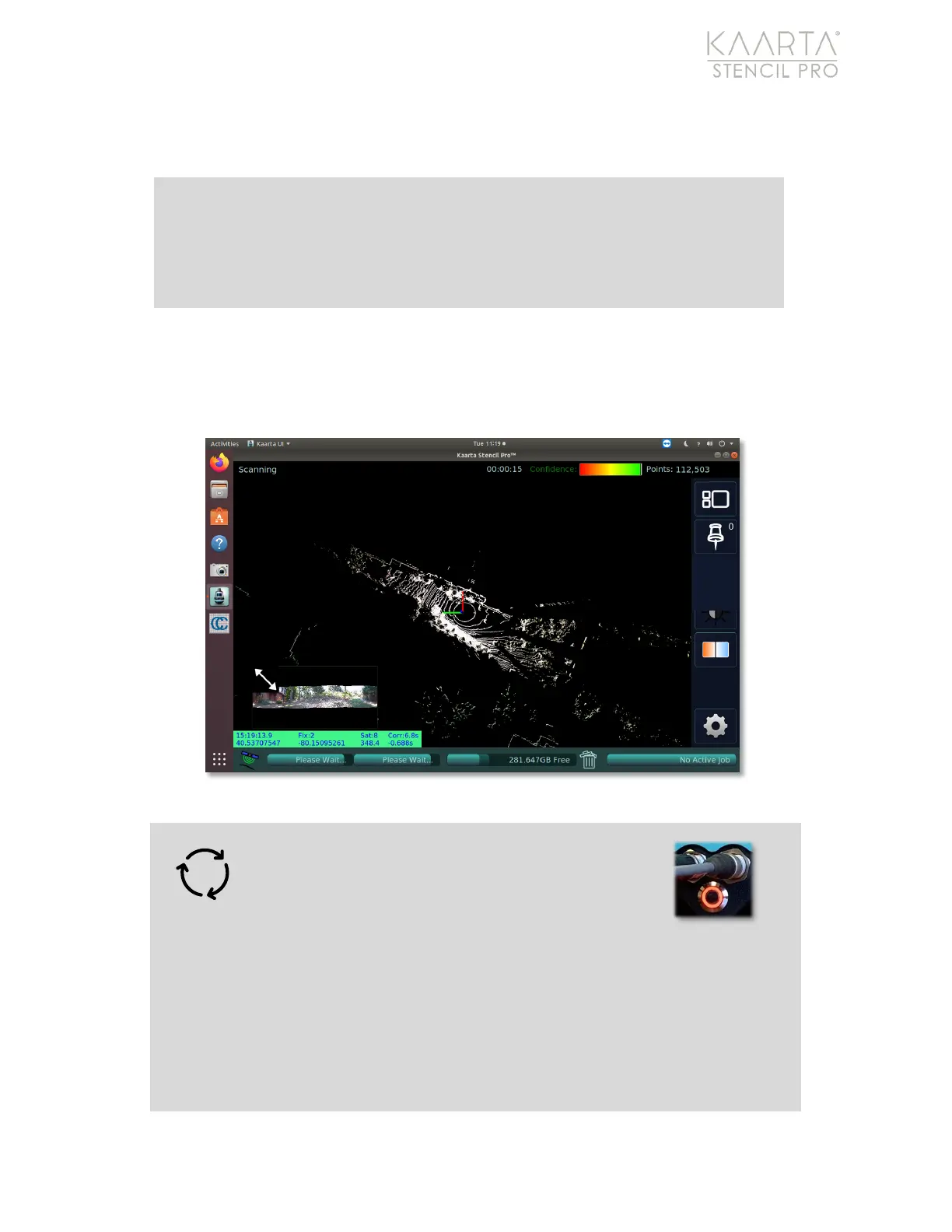
change. During scanning, the Scanning screen displays (Figure 24):
Figure 24: Scanning screen.
Warning: If no data is displayed on the screen
(the screen is blank), the LED indicator on the
scanner will turn orange/red to denote a
problem with the lidar. If this occurs, you need to
restart both the scanner and controller. Power cycle the
scanner by unplugging the power connection from the controller. The
controller can be power cycled by either turning the Power Switch to the off
position or performing a system shutdown/restart through the Ubuntu menu.
If you are receiving data in the Stencil Pro UI, but the data is twisting or shows
data jitter, you should stop the scan immediately. After the scanner returns to



 To Next Page