Operators
After you provide your login and password, following the procedures in Log In and Select Password, you
automatically become a Level 1 Operator in the E-Plex Standard system and are authorized to do everything with the
system software. If you want to add another Operator or change a password, follow the procedure below.
IMPORTANT: YOU MUST BE A LEVEL 1 OPERATOR TO BE ABLE TO EDIT OR CREATE OTHER LEVEL 2
OPERATORS. YOU CAN ONLY HAVE ONE LEVEL 1 OPERATOR AND TWO LEVEL 2 OPERATORS IN THE
SYSTEM.
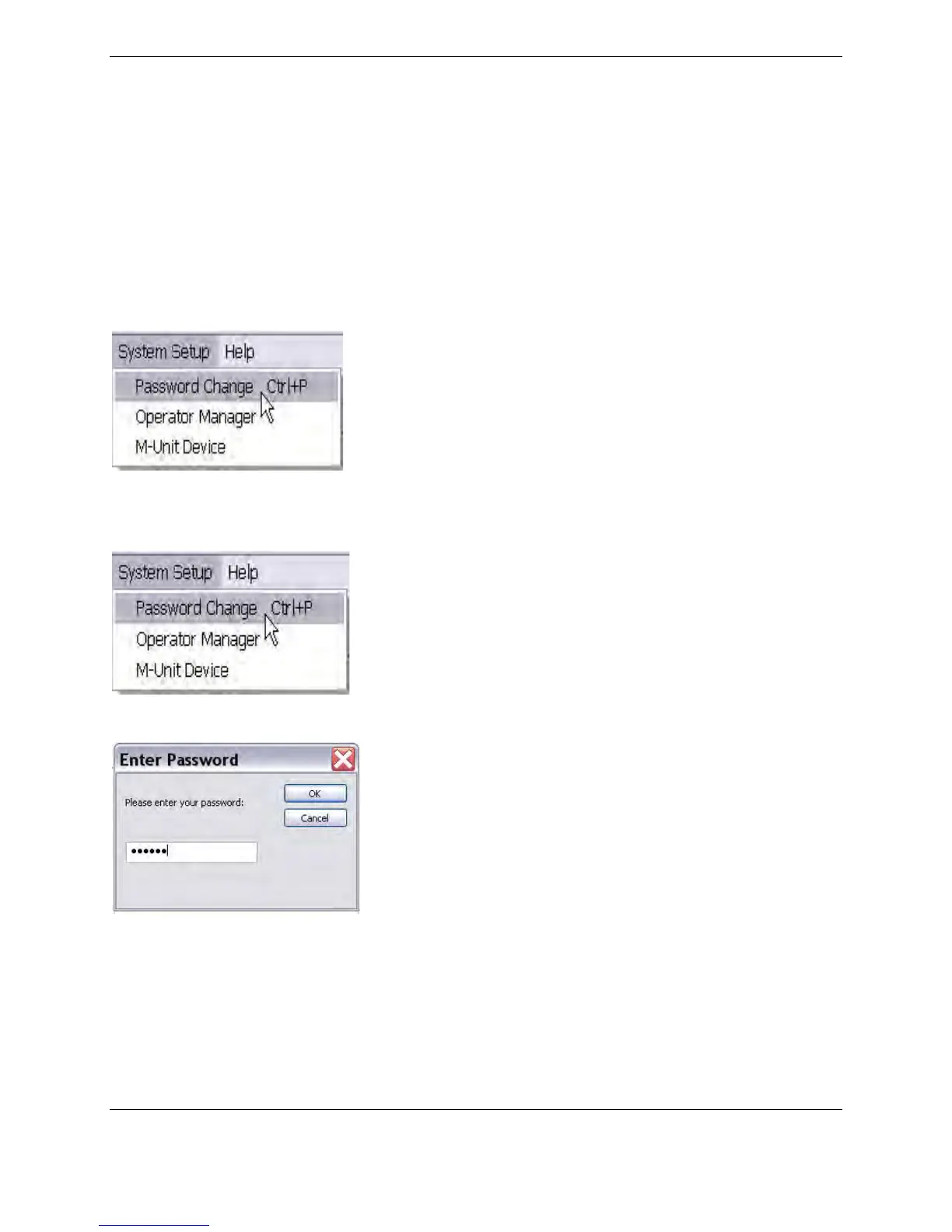
If you are a Level 2 Operator, you can do everything, except that the System Setup / Operator Manager menu item is
not available, as shown in the illustration below:
How do I create and manage Operators?
1. Click on the System Setup menu, Operator Manager.
The following screen appears asking you for the Level 1 password:



 To Next Page