Figure 15
[Title]: the name of video channel, displayed at the bottom left of image (movable), maximum characters
allowed: 32.
[Color]: You can choose different colors for the text.
[OSD]: Display or not to display Title, Date, Time, Week, Date Format and Frame/Bitrate of channels.
[Position]: Can adjust the display position of video title and Date, Time and Week.
After you set these parameters, please click to make them valid.
5.2.1.2 Video Coding
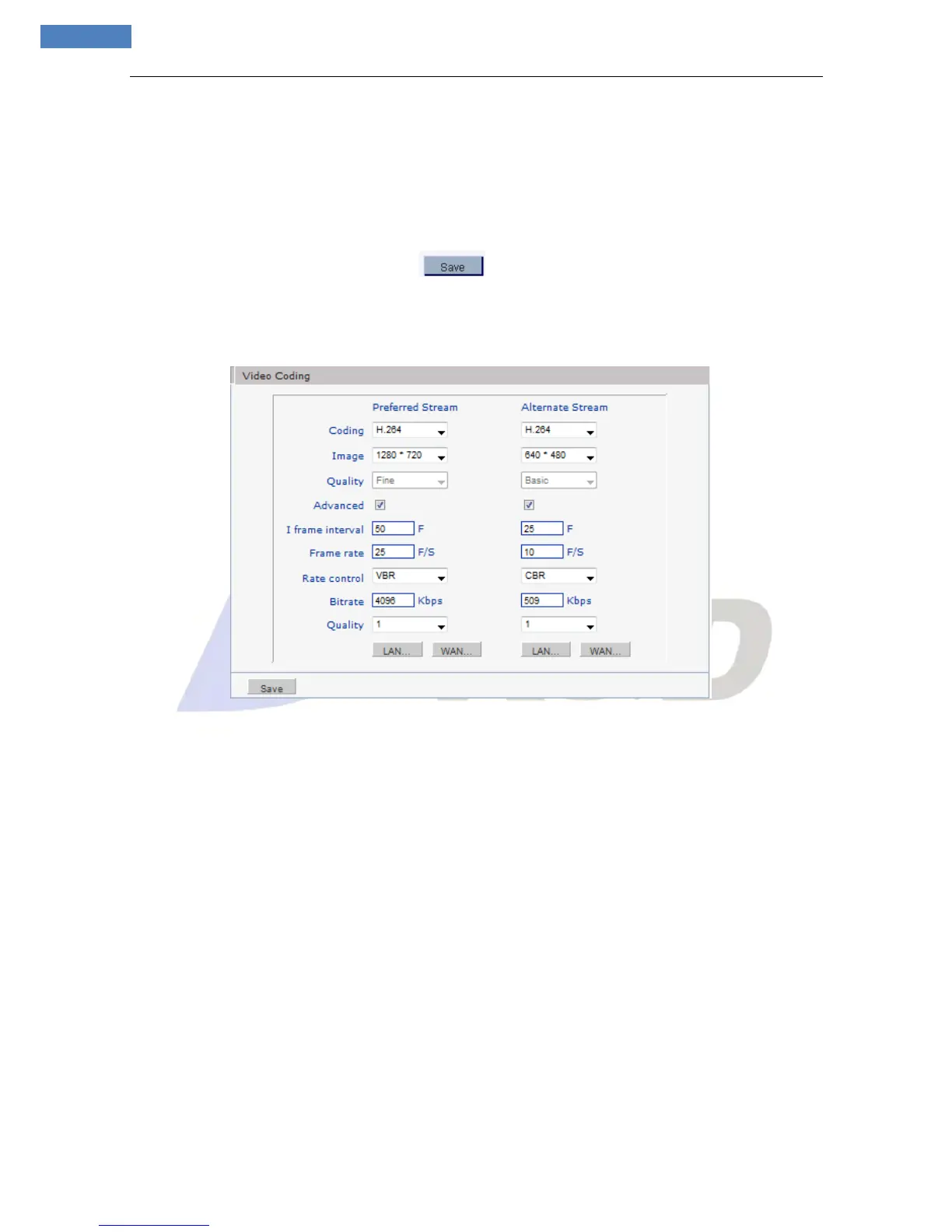
See Figure 16 for the interface of “Video Coding”:
Figure 16
[Coding]: H.264 / MJPEG.
[Image]: set definition of images.
HD CMOS support:
Preferred Stream:1600*1200/1280*960/1280*720;Alternate Stream:640*480/320*240/160*112
HD CCD support:
Preferred Stream:1280*960/1280*720;Alternate Stream:640*480/320*240/160*112
CMOS support:
Preferred Stream:640*480/320*240/160*112;Alternate Stream:640*480/320*240/160*112
CCD support:
PAL mode---D1 (704*576)/Half-D1 (704*288)/CIF (352*288)/QCIF (176*144)
NTSC mode---D1 (704*480)/Half-D1 (704*240)/CIF (352*240)/QCIF (176*120)
[Quality]: You can choose the right quality according to your need: Fine, Normal, Basic, and the
parameters can also be user-defined while “MJPEG” selected.
[Advanced]: Enable / Disable.
[I frame interval]: Adjustable between 1~200(Preferred Stream), 1~120(Alternate Stream).Smaller I
frame interval means higher image bit rate and better image quality. It is recommended to set the I-frame
interval as above 25.
[Frame rate]: Set encoding frame rate per second. Under poor network condition, frame rate can be
reduced to control encoding bit rate to make motion images flow more smoothly.



 To Next Page