[Rate control]: CBR and VBR are optional. CBR adopts constant encoding bit rate, VBR adopts variable
encoding bit rate.
[Bitrate]: The range of preferred and alternate stream is 30~16384Kbps.Higher bit rate setting can
generate better image quality, but it occupies more bandwidth, please adjust the setting according to your
actual bandwidth.
Under CBR setting, [Bitrate] is the constant bit rate of encoding.
Under VBR setting, [Bitrate] is the variable bitrates of encoding.
[Quality]: Under CBR setting: set the bit rate range via “Image Quality”, 1 means it is controlled by the
software, 2~6 means corresponding bit rate range is ±10%~±50%
Under VBR setting: set image quality via “Image Quality”, smaller value of image quality means better
quality and higher bit rate, but the bit rate will not exceed its set value.
[LAN]: I frame interval: 100, frame rate: 25, bit rate: VBR, 2048kbps, image quality: 2
[WAN]: I frame interval: 25, frame rate: 5, bit rate: CBR, 384kbps, image quality: 4
After you set these parameters, please click to make them valid (Sometimes if you modify the
[image], the device will reboot probably).
Note: Non-professional users please use “Advanced Settings” with caution
5.2.1.3 Video Mask
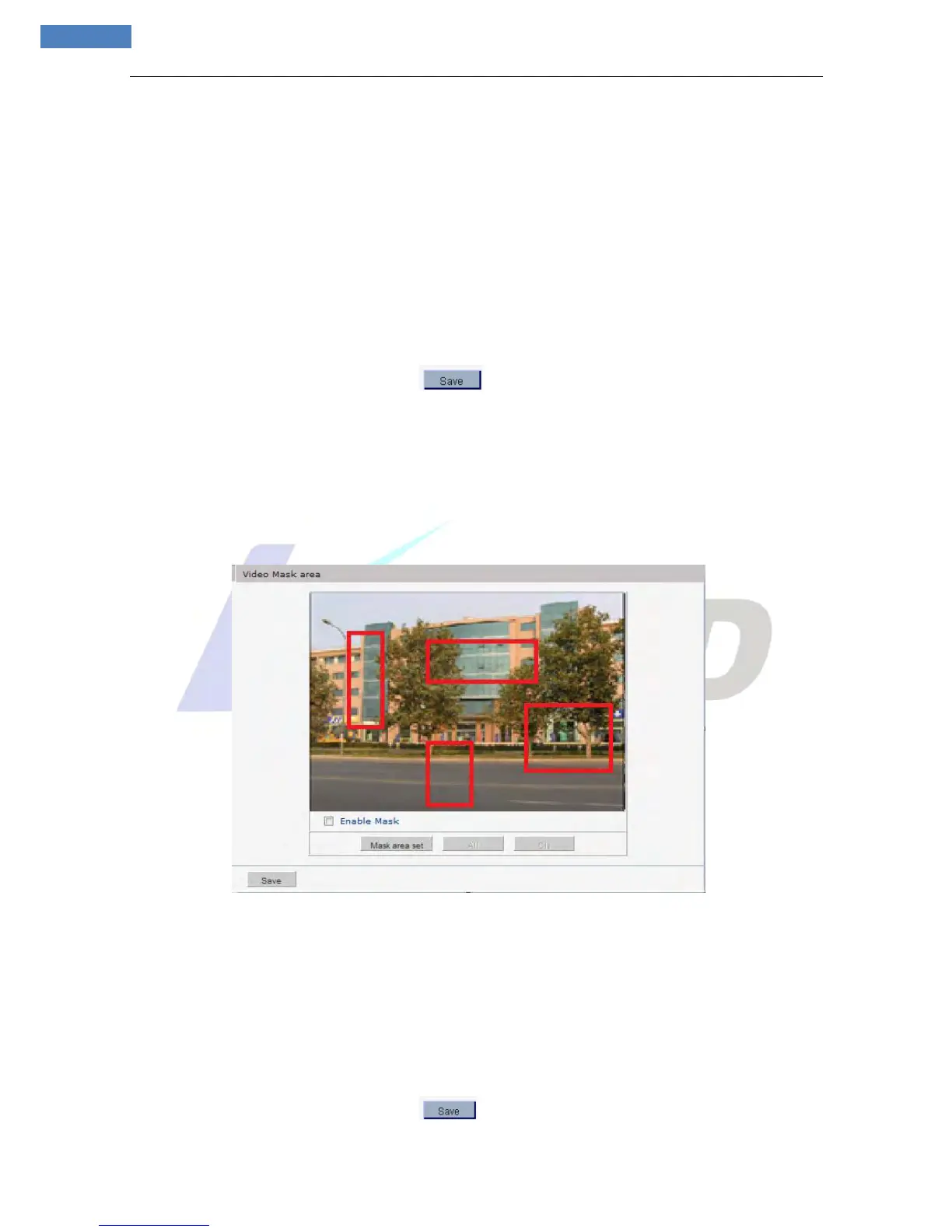
See Figure 17 for the interface of “Video Mask”:
Figure 17
[Enable Mask]: Enable or disable video masking.
[Mask area set]: Click and move cursor to set image masking area, an image can be entirely or partially
masked, maximum 4 areas supported.
[All]: Mask the whole image.
[Cls]: Clear masked areas.
After you set these parameters, please click to make them valid.



 To Next Page