[Advanced]: After selecting it, the following option pops up.
[DIAL Number]: SIM card number for 3G dial-up.
[APN]: Establish to pass which mode to connect into network (e.g. CMWAP).
[Username]: Username of SIM card.
[Password]: Password of SIM card.
[Authentication]: There are three kinds of authentication you can choose: None, PAP, CHAP.
Note: You needn’t modify the parameters of authentication, just keep it as default, the interface is shown as
below.
[Dial Control]: If you select it, you can modify the time of dial-up.
Time1—4: You can set four periods of time during which can dial-up, and the four periods of time can be
overplayed.
Total Time: Set this option, the time of dial-up can be limited every month.
Use Time: Display how long it dial-up.
Data of erasing elapsed time: Set the date then use time will be erased next month.
After you set these parameters, please click to make them valid.
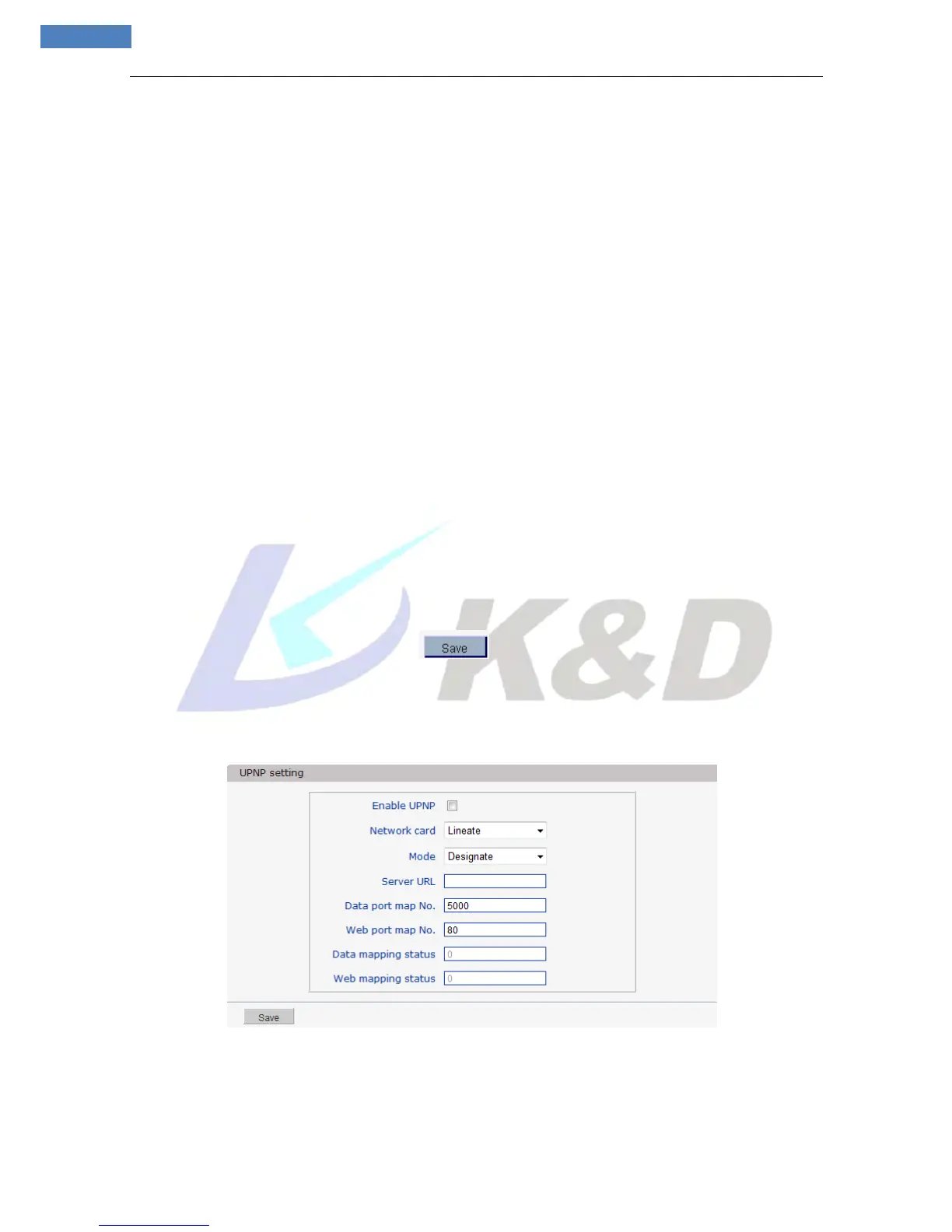
5.2.3.6 UPNP setting
See Figure 25 for the interface of “UPNP setting”:
Figure 25
Auto-mapping of port, when IP camera is connected to a router with UPNP function enabled, the router
will automatically map the port in UPNP settings to public network, manual port mapping by users is not



 To Next Page