Figure 23
[Enable PPPOE]: Enable or disable PPPOE dial-up function.
[IP]: After successful setting of device dial-up, it will display the public IP Address.
[Username]: ADSL dial-up account, obtain from the IP service provider.
[Password]: ADSL dial-up password, obtain from the IP service provider.
[Online time]: Start timing after dial-up to see the online duration after successful dial-up.
After you set these parameters, please click to make them valid.
5.2.3.5 3G setting (Only For 3G Camera Series)
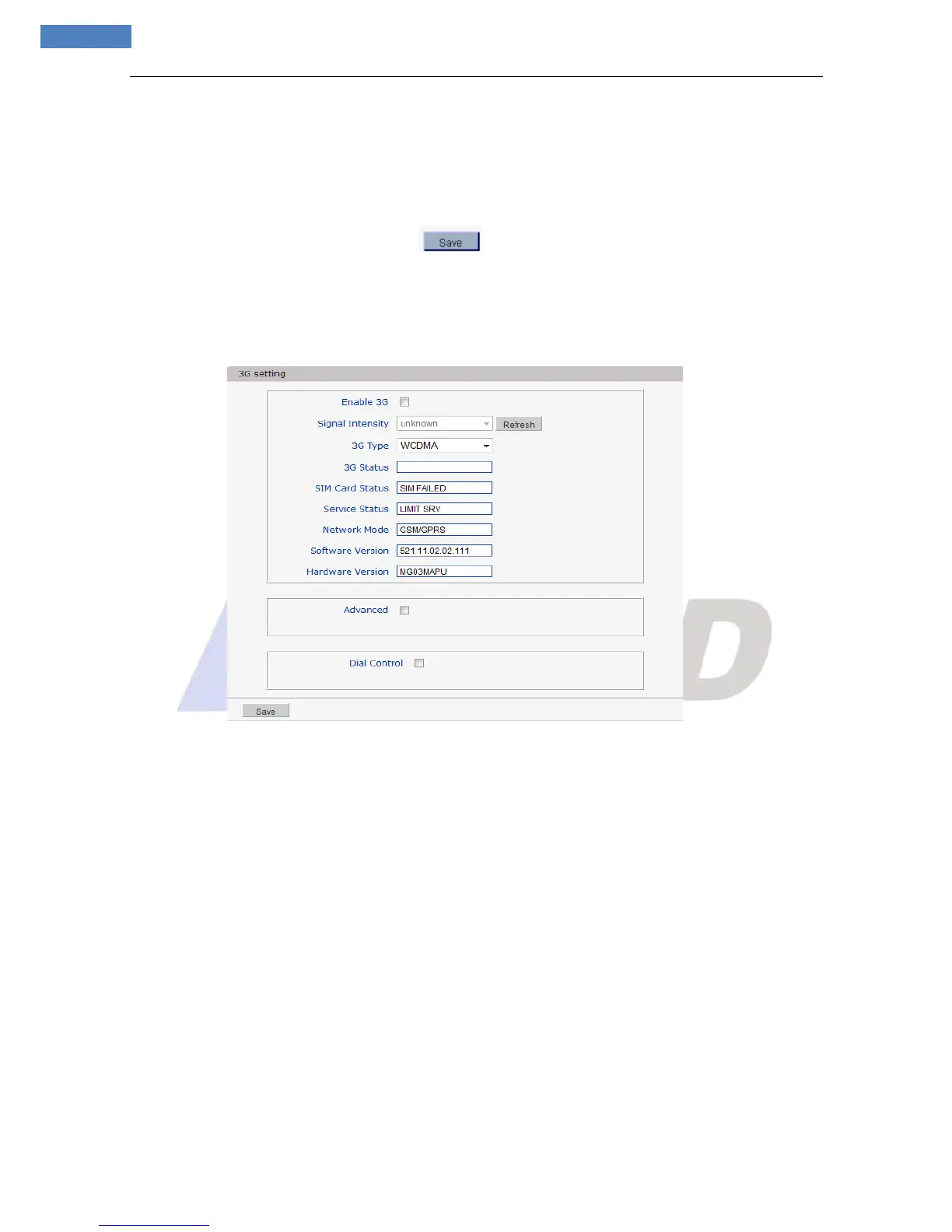
See Figure 24 for the interface of “3G setting”:
Figure 24
[Enable 3G]: Select this option will enable 3G function.
[Signal Intensity]: Display the 3 G network signal’s intensity.
[3G Type]: There are three types: CDMA2000, WCDMA, and TD-SCDMA.
[3G Status]: Display the status of 3G dial-up (e.g. Dial-up success!).
[SIM Card Status]: Display the status of SIM Card (e.g. SIM ok).
[Service Status]: Display the status of service.
[Network Mode]: Display the status of network mode.
[Software Version]: Display the status of software version.
[Hardware Version]: Display the status of hardware version.



 To Next Page