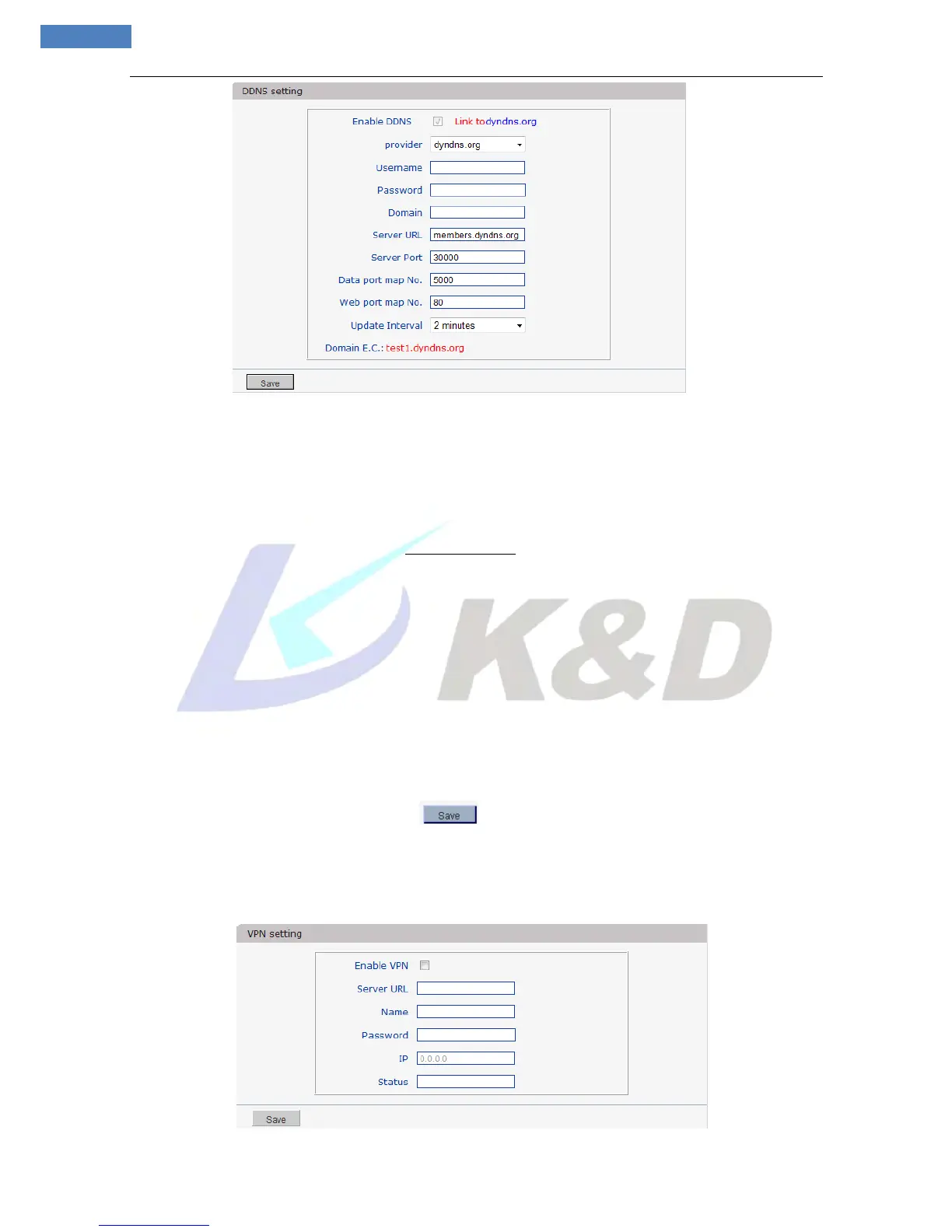
Figure 28
Bind the device with a fixed domain name by DNNS setting so that visiting to the device can be real ized no
matter how the public IP changes.(Refer to Appendix 3 for detailed steps)
[Enable DDNS]: Enable or disable DDNS function.
Link mvddns.net: click this link to turn to www.mvddns.net; users can sign up on this website.
[Provider]: mvddns.net, 3322.org and user ddns server are selectable.
[RegName]: User registered in DDNS server.
[Password]: User password registered in DDNS server.
[Domain]: The domain name set up by users, e.g.: test1.mvddns.net.
[Server URL]: DDNS server address. When DDNS address is the domain name, please set the DNS
address in [Basic Parameters] correctly.
[Server port]: Default value is 30000 (users are recommended not to change it).
[Data port map No.]: Fill in the external data port mapped by the IP camera on the router that is connected
to public website.
[Web port map No.]: Fill in the external web port mapped by the IP camera on the router that is connected
to public website.
After you set these parameters, please click to make them valid.
5.2.3.10 VPN setting
See Figure 29 the interface of “VPN setting”:



 To Next Page