[Record]: When alarm is triggered, the device SD card will be driven to record images. The record files
can be saved via E-mail sending or FTP uploading.
5.2.5.3 Failure Setting
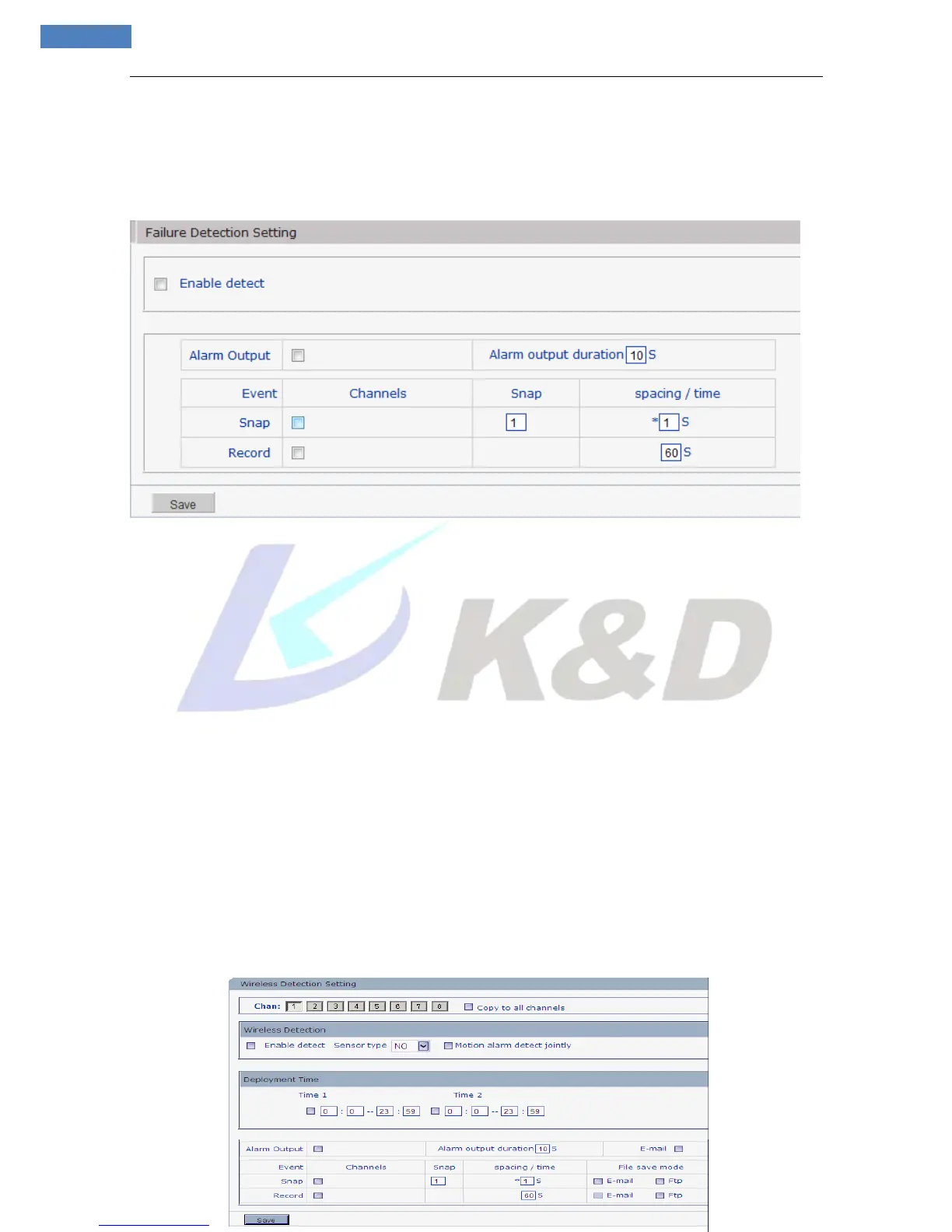
See Figure 38 for the interface of “Failure Setting”:
Figure 38
Set network failure alarm parameters here: detection on/off, linkage alarm, alarm output duration, E-mail
sending when alarm has been triggered, linkage snapping/recording, etc.
[Enable detect]: Enable or disable network failure alarm detection.
[Sensor type]: NO and NC mode.
[Alarm output]: Enable or disable linkage alarm output
[Alarm output duration]: Set the duration of the linkage alarm output after being triggered (in seconds),
the range of the duration is 0~86400s.0 means that there is no limit for alarm output.
[Snap]: When alarm is triggered, the device SD card will be driven to snap pictures. The pictures can be
saved via E-mail sending or FTP uploading. For snapping parameters, if the number of pictures snapped at
one time is set as 10 and the snapping interval is 1 second, which means when there is an alarm, 10 pictures
will be snapped and the interval between each picture is 1 second.
[Record]: When alarm is triggered, the device SD card will be driven to record images. The record files
can be saved via E-mail sending or FTP uploading.
5.2.5.4 Wireless Detection Setting (Only For RF Camera series)
See Figure 39 for the interface of “Wireless Detection Setting”:



 To Next Page