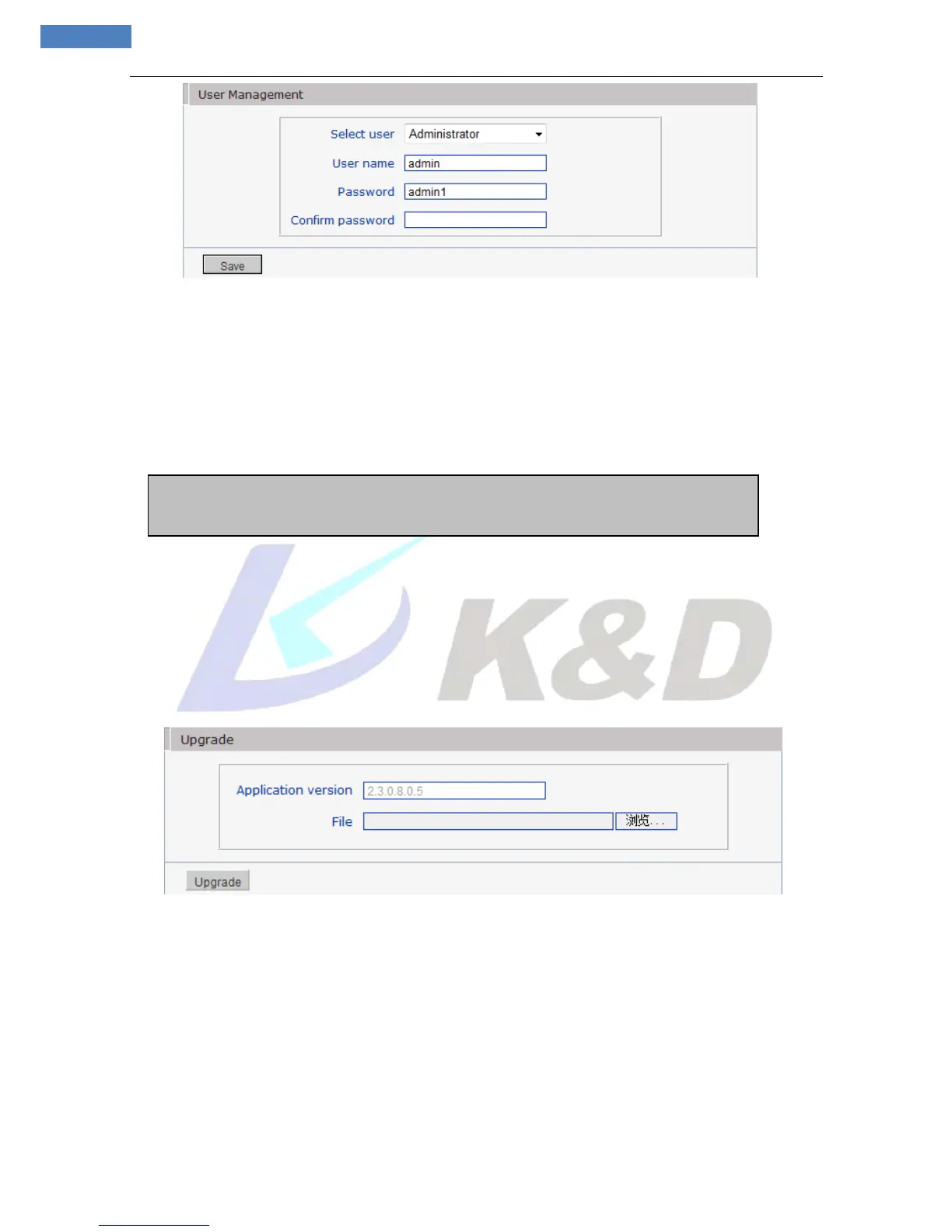
Figure 43
You can set three users for every camera, one is Administrator, and the others are general users.
Administrator authority: can operate and set all functions and parameters of IP camera
General user authority:
(1) Can perform operations like snapping, recording, playback, talkback, monitoring, alarm clearing, log
searching, zooming and full-screen reviewing;
(2) Can perform operations like visit setting, image lightness and color adjustment, PTZ and lens control,
etc.
Notice:User name and password must be 1-16-character-strings consisted by letters, numbers,
underlines or dots. The characters are case sensitive.
5.2.7.4 Upgrade
See Figure 44 for the interface of “Upgrade”:
Figure 44
Click “Browse” button, and select correct file of upgrade (kernel file, suffix.uot) , click [upgrade], then you
can upgrade your system, the completion rate will be displayed during this process. After upgrade
completes, IP camera will restart automatically. Re-log in device, enter into system settings page, check to
see whether the kernel edition is the upgraded edition. For example: kernel edition of the current IP camera
is (V2.3.0.0), the latest edition obtained from supplier is (V2.3.0.3), and then the kernel edition after
upgrade should be V2.3.0.3.
Notice:Don’t cut off the power and internet connection while upgrading.
5.2.7.5 PTZ Upgrade
See Figure 45for the interface of “PTZ Upgrade”:



 To Next Page