- 16 -
5. MOVING THROUGH THE MENUS
5.1 Basic Operation
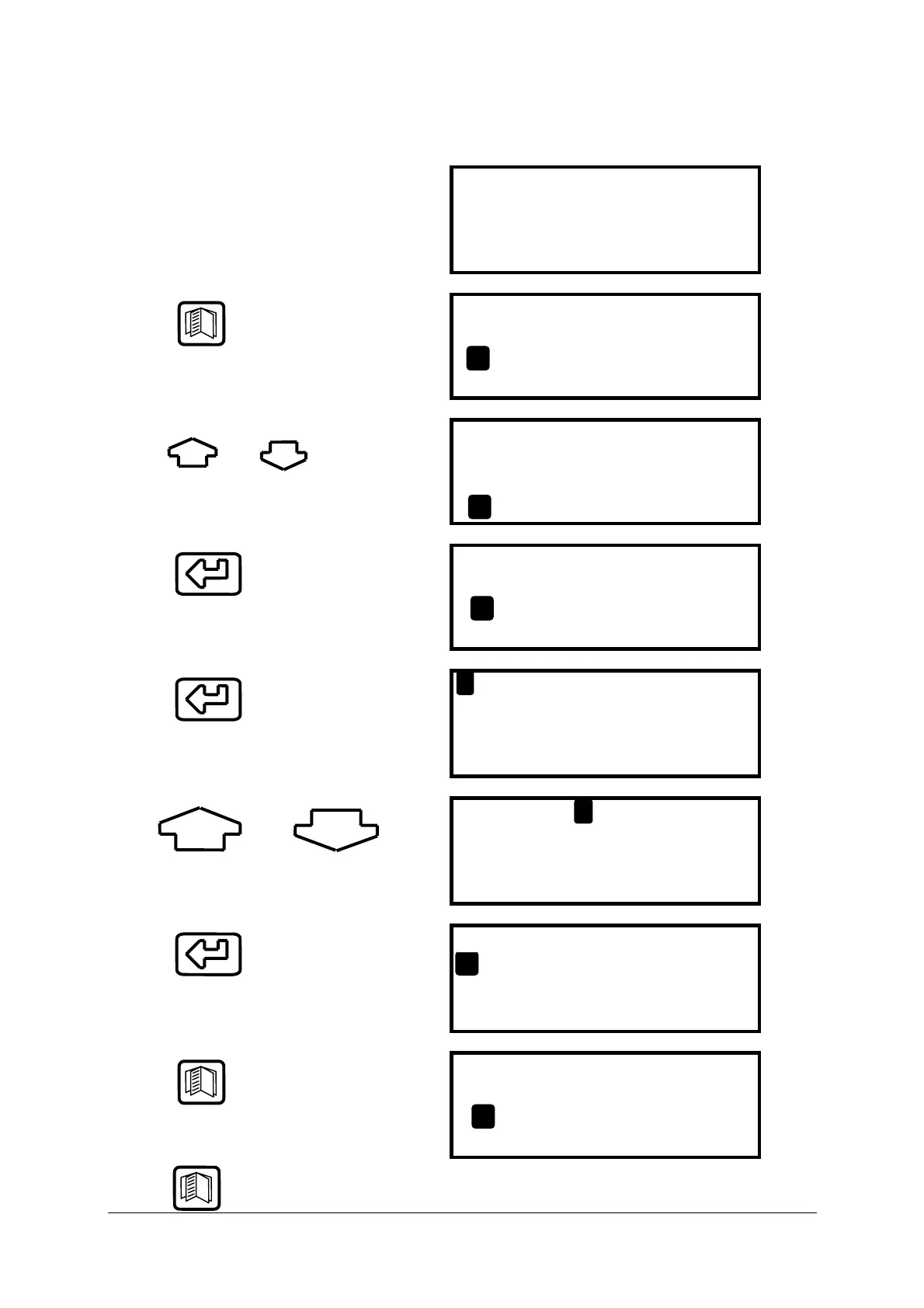
From the MAIN DISPLAY
NETT C . . . . 0.0
O2 % . . . 20.9
CO ppm . . . 0000
EFF (G) % . . . 0.0
Press
to access the MAIN MENU
MAIN MENU
1. SELECT 3. DISPLAY
2. UNITS 4. SETUP
Press and
to move cursor up and down
MAIN MENU
1. SELECT 3. DISPLAY
2. UNITS 4. SETUP
Press
to access selected Menu
MAIN MENU
1. SELECT 3. DISPLAY
2. UNITS 4. SETUP
Press
to select parameter
FUEL
O2 Ref
SMOKE
RESET
: LIGHT OIL
: OFF
: OFF
: NO
Use and
to change setting i.e. fuel selected
FUEL
O2 Ref
SMOKE
RESET
: NATURAL GAS
: OFF
: OFF
: NO
Press
to enter value and move to next
parameter
FUEL
O2 Ref
SMOKE
RESET
: LIGHT OIL
: OFF
: OFF
: NO
Press
to save settings and return to the
MAIN MENU
MAIN MENU
1. SELECT 3. DISPLAY
2. UNITS 4. SETUP
Press to return to the MAIN DISPLAY



 To Next Page