Need help?
Do you have a question about the Kane KANE458s and is the answer not in the manual?
Details on what the KANE458s analyser measures and its key features.
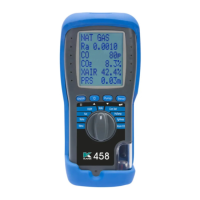
Identifies and describes the physical layout and connection ports of the analyser.
Explanation of symbols and their corresponding functions for keypad and rotary dial.
Description of the analyser's rear panel and the flue gas probe.
Safety precautions for using the analyser with flue gases.
Guidelines for protection against electric shock and safe electrical connections.
Information on compatible battery types and warnings for their use.
Procedures for replacing, charging, and disposing of batteries.
Guidance for first-time users, including initial charging and setup.
Instructions for powering on the analyser and starting basic tests.
How to navigate menus and interact with the analyser display.
How to view current fuel, temperature, pressure, and calibration status.
Explanation of the analyser's status bar and navigation options.
Breakdown of the status bar into message and icon zones.
Details on how the message zone displays time, data hold, warnings, and timers.
Explanation of icons representing pump, logged data, sending status, and battery.
Explains status bar menu options and standard display settings.
Instructions for navigating the menu to adjust analyser settings.
How to set the analyser's time, date, and personalize header text.
Configuration options for printer type, gas scale units, and O2 reference.
Setting NOx calculation methods and viewing memory/logs.
Options for efficiency scale, utility menu, and password protection.
How to send, print, or store test results.
Information on memory capacity, usage, and management options.
How to view and filter saved test logs by type.
How individual logs are displayed and options to print them.
Options to print, navigate next/previous logs, or exit.
Instructions for correctly positioning the probe and sampling flue gases.
Important limits and warnings regarding operating specifications for flue gas measurement.
How the analyser protects against and indicates high CO levels.
How to use the AUX screen to view and customize gas measurement data.
Details of O2/EFF and CO/CO2 screens showing gas readings and efficiency.
How to view indoor air quality data for CO and ambient CO2.
How to display and interpret temperature and pressure measurements.
Instructions and warnings for taking pressure readings.
Guidance on using large bore tubing for pressure tests and ensuring a seal.
Detailed steps for performing appliance commissioning tests.
Procedure for measuring flow and return temperatures from appliances.
Overview of different room CO and CO2 test types, durations, and limits.
Explanation of how room CO and CO/CO2 readings are displayed.
Performing simultaneous room CO tests using KANE LINK monitors.
Steps and guidance for performing a let-by test.
Procedure for performing the tightness test and stabilisation.
How to adjust test times for let-by, stabilisation, and tightness tests.
How to view previously stored tests.
Instructions for printing test results and logs using an infrared printer.
Examples of printout formats for various test types (AUX, Combustion, IAQ, etc.).
Sample printouts for simultaneous room CO tests with KANE LINK monitors.
How to manage wireless KANE LINK devices and check their status.
Adding and configuring WPCP2 pipe clamp temperature probes.
Adding and configuring the DTHA2 anemometer.
How to add and pair the KANE79 personal and room CO monitor.
Steps for connecting the analyser to a smartphone or tablet via KANE LIVE.
Procedures for maintaining and replacing filters in the water trap system.
How to check the flue gas and temperature probe for damage or issues.
Reference to battery information (Section 4, page 12).
How to perform a system integrity test to check for leaks.
Precautions to take when using the analyser in cold conditions.
Contact details for sending the analyser for service or repair.
Technical specifications for temperature and pressure measurements.
Technical specifications for various flue gas measurements.
Details on calculations performed and available pre-programmed fuels.
Environmental conditions for operating the analyser.
Weight and dimensions of the analyser.
Statement of conformity with relevant EU directives and standards.
Introduction to the KANE CARE award-winning service promise.
How to register the analyser and find support resources.
Details of KANE CARE services for international customers.
Step-by-step guide for booking and sending analysers for service in UK/Ireland.
Step-by-step guide for international customers to book and send analysers for service.
Details and benefits of purchasing the 5-year KANE CARE service plan.
Information on different combustion probe kits and their specifications.
Details on KANE Infra-Red Printer, USB charger, and batteries.
Information on replacement filters and probe connectors.
Details on the replacement water trap part.
Information on product compliance and recycling instructions.
Information on registering the product and company contact details.
 General
| Brand | Kane |
|---|---|
| Model | KANE458s |
| Category | Measuring Instruments |
| Language | English |


 To Next Page